
- Posted on
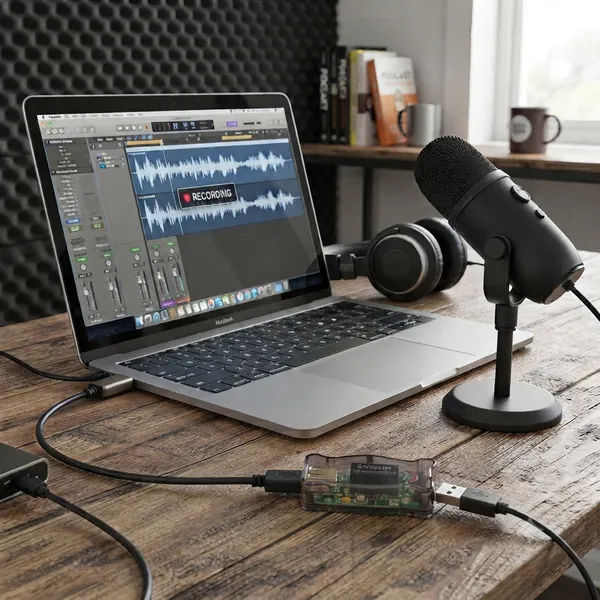
Choosing the Right USB Isolator and Managing Digital Noise
When shopping specifically for an "audio-grade" device rather than one intended simply to protect computer ports or manage data flow, focus on these technical requirements:
Galvanic Isolation Quality and Method
Standard isolators often only provide basic protection against electrostatic discharge (ESD). An audio-grade unit must prioritize true galvanic isolation.
Optical/Optocoupler Coupling: Many high-end audio isolators use light to transmit data, which provides the most robust electrical separation between your computer's power plane and your sensitive analog gear. This is highly effective at eliminating "digital hash" caused by switching noise from a PC’s internal components.
Magnetic/Transformer Isolation: Some specialized units use high-speed transformers for isolation; these are also excellent but ensure they can handle the specific data throughput required without compromising signal integrity.
Bandwidth and Protocol Support (Latency & Jitter)
The biggest risk with "cheap" isolators is that they often limit you to older, slower protocols like USB 1.1 or limited versions of USB 2.0 High-Speed.
USB Speed Compliance: Ensure the device supports at least USB 2.0 (High-Speed) for basic audio interfaces, and ideally USB 3.x if you are running multi-channel high-sample rate workstations. A standard data isolator might slow down throughput significantly; an audio-grade one is engineered to maintain low latency essential for real-time monitoring.
Jitter Management: In digital audio, "jitter" (timing errors in the bitstream) can degrade sound quality or cause audible clicks/pops. Audio-grade hardware uses high-precision clocking mechanisms within its internal circuitry to ensure that the isolation process does not introduce temporal instability into your signal.
Power Plane Separation and Regulation
Standard data transfer isolators often focus on protecting against voltage spikes, but they may still allow significant "ripple" or noise from a computer's power supply to pass through via shared ground paths.
- Independent Power Management: Look for an isolator that features its own dedicated regulated power input (often provided by a separate DC wall adapter) rather than drawing all its operating current directly and solely from the host USB bus. This ensures your audio interface isn't just inheriting the "dirty" electricity of a noisy computer motherboard through the isolation layer itself.
High-Performance Interface Implementation
Professional studios often solve digital interference by selecting interfaces specifically engineered with superior internal shielding and driver architecture to manage data bus transients effectively.
- RME: Widely regarded for their highly optimized drivers and robust voltage regulation, which helps minimize jitter and the "digital hash" caused by computer power plane noise during real-time audio tasks.
Power Supply Isolation (The Foundation)
Because much of digital interference originates from a Computer's Switching Mode Power Supply (SMPS), professional isolation often occurs at the electrical source before it ever reaches your USB ports.
- High-End Line Conditioners: Brands like Furman or IsoTek provide specialized filtering that suppresses EMI/RFI, preventing noise in a computer’s internal DC rails from being transmitted through high-speed data lines to an audio interface.
External Power and Protocol Selection
A common professional standard for achieving isolation is moving away from devices that rely on "Bus Powered" configurations (drawing power directly via the USB cable).
Dedicated External Power: Using interfaces with their own independent DC power supply provides a physical electrical separation between your computer’s noisy ground plane and your sensitive analog audio converters.
Thunderbolt Standards: In many high-end setups, Thunderbolt is preferred over standard USB because it offers better management of data throughput and signal timing (jitter), which reduces the likelihood of digital noise being introduced during heavy processing loads.
👉 Return to RR.COM 👈