Inside Audio

Rusty Rogers

Practical Audio Information

  • Posted on
    The Difference Between Good and Professional Audio - part 2 of 12

    The Difference Between Good and Professional Audio

    Two weeks ago, we talked about why bad audio actively destroys your video. We covered the psychology of why viewers notice audio first, the hard costs of poor sound quality, and the common mistakes that sabotage even the most visually stunning productions.

    This week, we're going deeper — because "not bad" doesn't equal "professional."

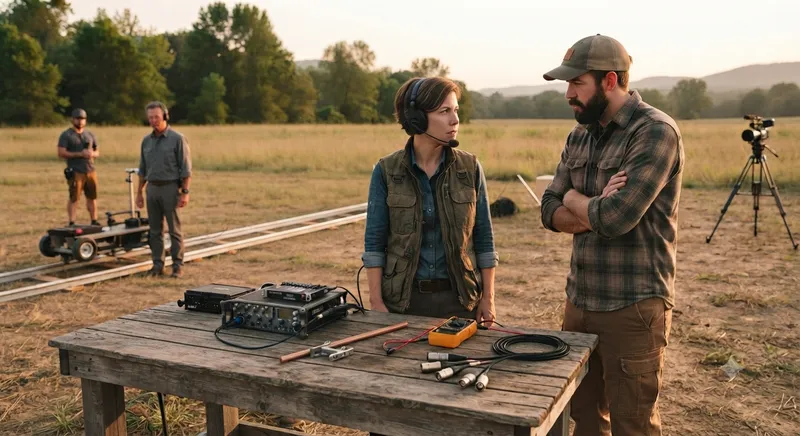
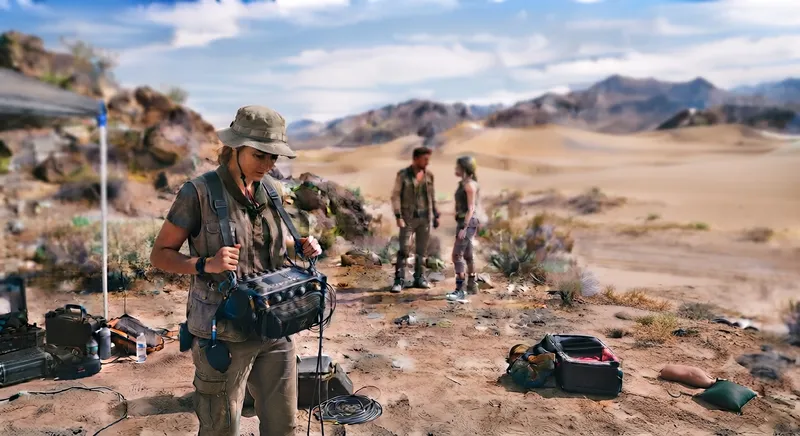
    You've probably heard it before: "That sounds good" — and you assume that means professional. But there's a massive difference between audio that's "good enough to watch" and audio that sounds like it belongs in a broadcast-quality production. That distinction matters more than you might think. Desert sound location Let's break down exactly what makes audio professional — and why those differences are crucial for delivering work that impresses clients and audiences.

    The Audio Quality Spectrum

    Where Does Your Audio Fall?

    Audio quality exists on a spectrum, and most productions land somewhere in the middle. Here's how it breaks down:

    • Amateur: Phone recordings, camera mics with no monitoring, no planning. The audio is distracting and undermines the content.
    • Good: Acceptable for casual viewing. Clear enough to understand, but lacks the polish and consistency of professional work.
    • Great: Excellent for most consumer applications. Clean, clear, and well-balanced.
    • Professional: Broadcast-quality sound. Every element captured with precision, consistency, and technical excellence.

    The problem? Most video producers think their audio is "good" when it's actually only "great." They're missing that final tier — professional — where the real magic happens.

    The "Good Enough" Trap

    Here's why the "good enough" mindset is dangerous: it creates an invisible ceiling for your productions. When you settle for audio that's merely acceptable, you're limiting what your work can achieve. Your audience might not be able to explain why your content doesn't quite land, but they'll feel it.

    Professional audio isn't just about sounding clean — it's about creating an immersive experience that makes viewers forget they're watching a recording. It's the difference between content that's watchable and content that's unforgettable.

    Professional Audio as a Competitive Advantage

    In today's crowded content landscape, professional audio is a competitive differentiator. Clients who hire you for your visual expertise will be impressed when you deliver professional sound as well. Viewers who experience your work will notice — even if they can't articulate why — that something feels more polished, more authoritative, more credible.

    When your audio matches the quality of your visuals, you're not just making videos. You're creating experiences.

    💡 Good audio gets your video watched. Professional audio makes your video remembered. There's a gap between "good enough" and "professional" that most producers never bridge — and that gap is where you build your reputation.


    Technical Differences That Define Professional Audio

    1. Frequency Response — What You Hear (and Don't Hear)

    Frequency response is the range of sounds a microphone or recording system can capture. Professional audio equipment captures the full spectrum of human hearing — roughly 20Hz to 20kHz. Amateur equipment often falls short, resulting in audio that sounds flat, thin, or muffled.

    When you hear a voice recorded with a professional microphone, there's warmth and presence that phone audio simply can't replicate. The voice has body, texture, and clarity that draws the listener in. Amateur recordings often lose the lower frequencies that give voices their character, making everything sound tinny and distant.

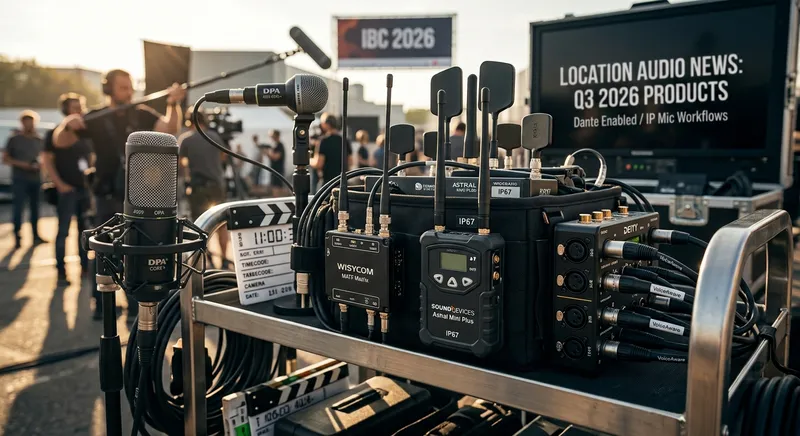
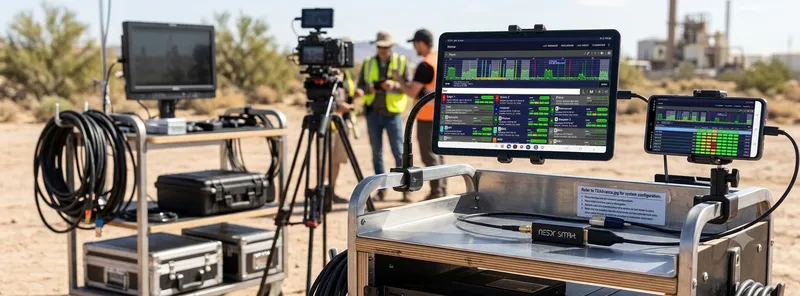
    Professional mixers understand frequency response and choose microphones specifically for their tonal characteristics. A condenser mic for intimate interviews, a dynamic for loud environments, a shotgun for distance — each is selected for how it captures frequency. Carts with audio gear
    2. Noise Floor — The Space Between Sounds

    The noise floor is the background hum or hiss present in any recording. In amateur recordings, the noise floor is often audible, especially during quiet moments when dialogue pauses. That constant background noise becomes increasingly distracting over time.

    Professional recordings have ultra-low noise floors that create "silence" that's actually silent. When a speaker pauses, what you hear is true quiet — not a layer of hiss or hum that makes viewers subconsciously uncomfortable.

    This matters enormously in post-production. When editors are adding music, sound effects, or transitions, a low noise floor means they can work without fighting background noise. It also means the audio feels more polished and intentional.

    3. Consistency — The Invisible Quality Marker

    Professional audio is consistent across every take, every location, every scene. Levels don't jump around unexpectedly. Tone remains stable even when mic position changes slightly. The audio feels intentional and controlled.

    Amateur recordings often have inconsistencies that distract viewers subconsciously. One take sounds warmer than the next. Dialogue levels vary between subjects. Background noise changes between locations. These inconsistencies don't make viewers angry — they just feel "off."

    Consistency is one of those qualities that viewers can't articulate but definitely notice. Professional audio feels reliable and polished. Amateur audio feels improvised and uncertain.

    4. Dynamics and Headroom

    Dynamic range is the difference between the quietest and loudest sounds a recording can capture. Professional recordings preserve the full range of performance without compression or clipping. Amateur recordings often sound "flat" because they're either too compressed (squashing the dynamics) or too hot (clipping on louder moments).

    Headroom is the space above your average levels that prevents clipping. Professional mixers record with proper headroom, ensuring that unexpected loud sounds don't distort. This gives editors flexibility in post-production to adjust levels without degrading quality.

    When you hear professional audio, there's a sense of life and dimension. The audio breathes. It has natural variation that mirrors real-world sound. Amateur audio often sounds compressed, flat, and lifeless by comparison.

    💡 Professional audio isn't just about sounding 'clean' — it's about capturing the full range of sound with precision, consistency, and technical excellence. These qualities are often invisible to viewers, but their absence is immediately noticeable.


    The Professional Process Behind the Sound
    night time video shoot stargazers

    Equipment Selection and Configuration

    Professional mixers don't just grab the nearest microphone and start recording. They choose specific equipment for specific situations. A small lavalier for a tight interview space. A large-diaphragm condenser for a controlled studio environment. A shotgun mic for distance or outdoor use.

    Every choice is intentional. The microphone, the preamp, the recorder, the cables — each component in the signal chain matters. Professional mixers understand how these components interact and configure them for optimal sound quality.

    Gain staging is equally important. Setting levels correctly from the source — not just on the recorder — ensures clean audio without noise or distortion. Professional mixers monitor levels continuously and adjust as needed.

    Monitoring and Real-Time Decision Making

    Here's a critical difference between good and professional audio: professional mixers monitor their audio continuously. They wear headphones and listen to every take, every line, every ambient sound. They make real-time adjustments — moving the boom mic slightly, adjusting the lav position, changing filters or levels.

    Amateur recordings are often set-and-forget. Someone sets up a microphone, hits record, and hopes for the best. There's no continuous listening, no real-time decision making, no adjustment based on what's actually happening.

    Professional mixers are constantly listening and adapting. They notice a plane flying overhead and adjust. They hear a conversation getting louder and move the mic closer. They catch a cable buzzing and fix it before anyone else notices.

    Environment Management

    Professional sound includes managing the acoustic environment. It's not enough to have good equipment if you're recording in a space that's acoustically challenging. Professional mixers understand how to work with difficult environments.

    They position microphones to avoid echo and reflect sound off soft surfaces. They plan shoots around predictable noise — traffic patterns, construction schedules, weather conditions. They know when to move a location, change the time of day, or add sound treatment.

    Amateur recordings often ignore the environment and deal with the consequences. A glass-walled office sounds terrible. An outdoor shoot in wind is a disaster. A restaurant with competing conversations is unlistenable. Professional mixers plan for these challenges and solve them before they become problems.

    Documentation and Organization

    Professional recordings are meticulously labeled and organized. File naming follows a consistent convention. Scene information is documented. Take notes are recorded. Room tone is captured and labeled for every location.

    Amateur recordings often lead to headaches in post-production. Files are mislabeled. Scenes aren't documented. Room tone is forgotten. The editor has to spend hours trying to match audio to video, find the right files, and clean up disorganized recordings.

    Organization in the field saves enormous time in the edit. Professional mixers know this and treat documentation as part of their craft, not an afterthought.

    💡 Professional audio isn't just what you capture — it's everything you do before, during, and after the recording. The process behind the sound is just as important as the equipment used.


    Real-World Audio Comparisons

    Interview Audio: Phone vs. Professional Setup

    Consider a simple interview. Recorded on a phone with the built-in microphone, the audio sounds distant, muffled, and flat. There's background noise from the room, inconsistent levels as the speaker moves, and a thin, tinny quality that lacks presence.

    Record the same interview with professional equipment — a lavalier mic properly positioned, recorded through a quality preamp, monitored through headphones — and the difference is dramatic. The voice has warmth and clarity. Background noise is minimized. Levels are consistent. The speaker sounds authoritative and engaged.

    Viewers might not be able to articulate why the professional audio is better, but they'll feel it. The professional audio creates trust and credibility. The phone audio creates distance and doubt. challenging conditions crew in the rain
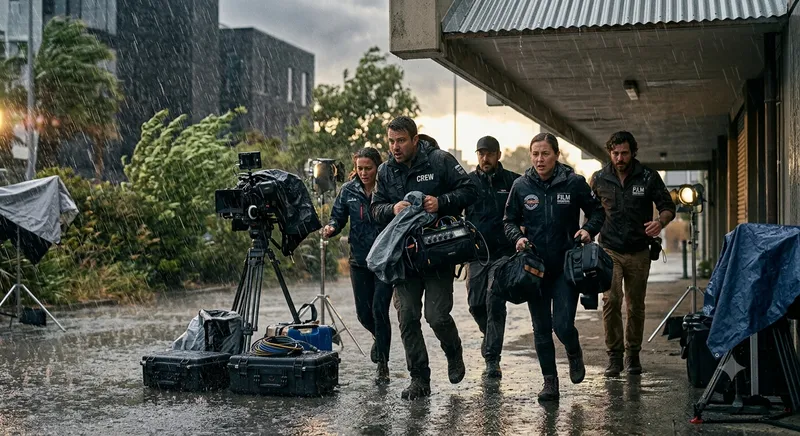
    Dialogue in a Challenging Environment

    Imagine filming dialogue in a restaurant. The amateur approach: set up a camera, hope the audio works, and deal with the competing conversations and clinking dishes. The result is muddled, inaudible dialogue buried under ambient noise.

    The professional approach: use directional microphones positioned close to the speakers, employ wind protection and noise reduction techniques, plan seating to minimize competing noise, and monitor everything through headphones. The result is clear dialogue that cuts through the environment.

    The impact on storytelling is enormous. In the first case, viewers struggle to hear and understand. In the second, they're immersed in the conversation without distraction.

    The Post-Production Difference

    Professional audio makes editing easier and faster. Clean dialogue means editors can focus on pacing and storytelling, not on cleaning up terrible recordings. Consistent levels mean the mix balances naturally. Low noise floor means music and effects sit perfectly in the mix.

    Amateur audio often requires hours of noise reduction, EQ, compression, and other fixes. Editors spend more time salvaging recordings than telling stories. The final product suffers from the time and effort invested in fixing problems that could have been prevented on set.

    💡 The difference between good and professional audio becomes most apparent in real-world situations. When the environment is challenging, professional audio doesn't just survive — it thrives.


    How to Tell if Your Audio is Professional

    The Listener Test

    If viewers can't articulate what's wrong with your audio but feel something is "off," it's not professional. Professional audio should be transparent — it enhances without drawing attention to itself. The best audio makes viewers forget they're listening to a recording.

    Ask yourself: when people watch your content, do they notice the audio, or do they just experience the story?

    The Edit Test

    Does your audio edit smoothly? Are levels consistent across cuts? Can you add music and effects without fighting the source audio? If yes, you're closer to professional. If no, there's work to do.

    The Client Test

    Does your client praise the audio as much as the visuals? Do they notice the production quality or just the content? Client perception is the ultimate measure of professional audio. When clients can't distinguish between good and professional audio, they won't understand why they should pay more for it.

    💡 Professional audio is the kind of audio that makes you forget you're listening to a recording. It's transparent, consistent, and enhances every element of your video without drawing attention to itself.


    Bridging the Gap to Professional Audio

    What You Can Do Now

    If you're producing video and want to elevate your audio, start with these basics: always monitor your audio through headphones, check your levels before recording, and capture room tone at every location. These simple steps move you closer to professional quality.

    When to hire a professional sound mixer depends on your project. For client work, commercial productions, and any project where audio quality affects your reputation, the investment in professional sound pays dividends. When the cost of fixing audio in post exceeds the cost of getting it right on set, it's time to bring in expertise.

    When to Invest in Professional Sound

    The difference between good and professional audio isn't just about sounding better — it's about delivering work that stands out, impresses clients, and creates memorable experiences for viewers. Professional audio is an investment in your reputation and your ability to command premium prices for your work.

    Understanding the difference between good and professional audio is the first step. Taking action to achieve professional audio is the next.


    Ready to Elevate Your Audio from Good to Professional?

    Professional location sound isn't just equipment — it's expertise, process, and attention to detail. It's the difference between audio that's acceptable and audio that elevates your entire production.

    Let us handle the audio so you can focus on the visuals. [Book a Consultation] and let's discuss your next project. Or [Request a Quote] to get pricing for your specific production needs.


    Missed Post #1? Read [Why Bad Audio Kills a Great Video] to understand why audio quality matters more than you think.

    What's the biggest audio challenge you've faced on set? Share in the comments below — we're all learning together.

    Coming next: [What Is a Location Sound Mixer and Why You Need One] Subscribe to the "Sound Like a Pro" series so you don't miss it. Available November 7, 2026.


    Have a production coming up that needs professional sound? [Contact Us] today and let's make your next project sound exactly as intended.

    👉 Home 👈
  • Posted on
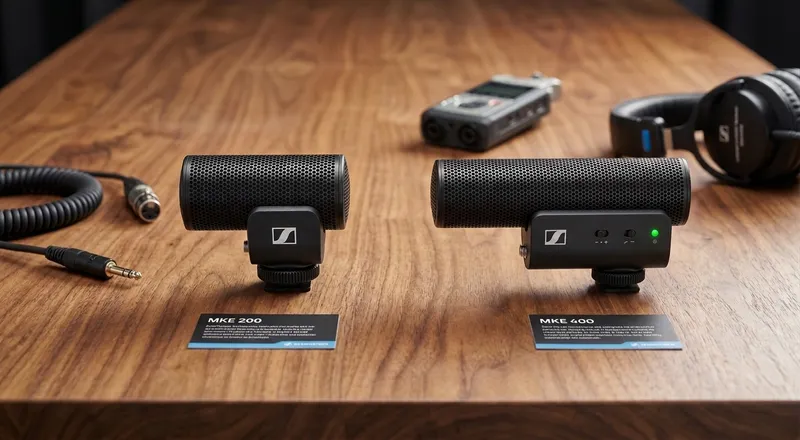
    Sennheiser MKE 200 vs. MKE 400: Which Compact Shotgun Mic is Right for Your Content Creation

    Sennheiser MKE 200 vs. MKE 400: Which Compact Shotgun Mic is Right for Your Content Creation?

    In the age of social media and mobile filmmaking, video quality alone isn't enough—crisp, professional audio is what truly engages an audience. Sennheiser has addressed this need with two of their most popular compact shotgun microphones: the MKE 200 and the MKE 400. Both are designed to drastically outperform internal camera mics, but they cater to slightly different workflows. Let’s break down how they compare in design, sound, features, and target audience.

    📐 Technical Specifications & Build

    Both mics are built for on-the-go creators, but they approach portability and technical construction differently.

    The MKE 200 is an ultra-compact directional microphone featuring a supercardioid pickup pattern [5]. Its mostly metal body feels solid, durable, and lightweight enough to sit comfortably on mirrorless cameras or gimbals without throwing off the balance [4]. It measures roughly 4.7" × 1.5" and weighs around 60g.

    The MKE 400 also uses a supercardioid transducer but is housed in a shorter, plastic construction designed to keep weight down when mounted to a camera or smartphone [3]. While its build doesn't feel as reassuringly solid as the MKE 200, it is functional, handsome, and measures roughly 4.3" × 1.3" [3]. Despite the plastic housing, it carries a slightly higher weight of ~75g due to its internal battery compartment and active electronics.

    🔋 Power & Connectivity

    How you power and connect your mic often dictates your on-set workflow.

    • MKE 200: This mic relies entirely on plug-in power drawn directly from your camera or recorder [4]. There are no internal batteries to manage, charge, or replace. It connects via a standard 3.5mm TRS/TRRS mini-jack [5].
    • MKE 400: In contrast, the MKE 400 is powered by two AAA batteries, which Sennheiser claims will last up to 100 hours [3]. The mic automatically turns on upon connection to prevent accidental battery drain [3]. It ships with both TRS and TRRS minijack leads, but notably features a locking 3.5mm connector that prevents accidental disconnections during active shooting [6].

    🎙️ Sound Quality & Controls

    Both microphones prioritize dialogue, but their sonic profiles and control options differ significantly.

    The MKE 200 delivers crisp, midrange-focused sound that significantly improves speech intelligibility and reduces room noise compared to built-in camera mics [4]. It offers healthy headroom for louder speakers, but when compared side-by-side with the 400, it can sound comparatively “gained-up” with less overall headroom [3]. Because it completely lacks onboard gain or low-cut switches, users with cameras featuring weaker preamps may need to boost the camera’s gain, which can slightly raise the noise floor for quiet speakers [4].

    The MKE 400 steps up the audio game with impressive speech clarity, particularly in the high-mids and consonant range [3]. It excels at off-axis noise rejection, effectively attenuating background traffic and environmental rumble [3]. The 400 boasts active circuitry that provides direct monitoring via a dedicated 3.5mm headphone port, digitally-controlled volume, gain adjustment options (-20dB, 0dB, +20dB), and a high-pass filter that rolls off frequencies around 200Hz to cut low-end rumble [3].

    📦 What's in the Box?

    • MKE 200: Comes with a foam windshield, a furry windjammer option, a shock mount, a standard 3.5mm cable, and a carrying pouch [4]. For strong outdoor winds, you will want to use the supplied furry windshield, as the base foam cover has limits [4].
    • MKE 400 Mobile Kit: This package is incredibly comprehensive for mobile creators. It includes a sturdy Sennheiser smartphone clamp, a Manfrotto Pixi Mini tripod, multiple cables, and a furry windshield right out of the box [3].

    💰 Price Comparison

    • Sennheiser MKE 200: Approximately $150 – $180
    • Sennheiser MKE 400: Approximately $200 – $250 (Standard version)
    • Sennheiser MKE 400 Mobile Kit: $345 (Includes smartphone clamp, tripod, and extra cables)

    Note: Prices fluctuate depending on the retailer and regional taxes.

    📊 MKE 200 vs. MKE 400: Quick Comparison Table

    Feature Sennheiser MKE 200 Sennheiser MKE 400
    Approx. Price $150 – $180 $200 – $250 (Standard)
    $345 (Mobile Kit)
    Microphone Type Supercardioid Condenser Supercardioid Shotgun-style Condenser
    Power Source Camera Plug-in Power (Passive) 2 × AAA Batteries (~100 hrs)
    Onboard Controls None Gain Switch (-20/0/+20dB), 200Hz Low-Cut Filter, Headphone Monitor
    Connector 3.5mm TRS/TRRS (Standard) 3.5mm Locking TRS/TRRS
    Dimensions ~4.7" × 1.5" (120 × 37 mm) ~4.3" × 1.3" (110 × 33 mm)
    Weight ~60 g (2.1 oz) ~75 g (2.6 oz)
    Included Wind Protection Foam windscreen Furry windshield (Mobile Kit includes extra wind protection & cables)
    Best Suited For Travel vloggers, hybrid shooters, DSLR/mirrorless users who want simplicity Smartphone creators, run-and-gun filmmakers, anyone needing real-time audio monitoring & control

    🎯 Target Audience & Final Verdict

    So, which one should you choose?

    Choose the Sennheiser MKE 200 if: You are a vlogger, travel shooter, or hybrid creator who prioritizes absolute simplicity and minimal setup time. If you want a lightweight, durable audio upgrade that requires zero batteries or menu diving, the MKE 200 is a pragmatic, reliable companion for run-and-gun shoots [4].

    Choose the Sennheiser MKE 400 if: You are a mobile content creator, smartphone videographer, or solo musician who needs straight-to-phone audio that is ready to share. The added onboard controls, superior speech clarity, high-pass filter, and the fact that it ships with a tripod and clamp make the MKE 400 a true sonic contender for creators who shoot basic video content or conduct livestreams [3].

    The Bottom Line: Both mics are fantastic upgrades over internal camera audio. If you value bulletproof simplicity and a metal build, the MKE 200 wins. But if you want professional-level audio control, better noise rejection, and a complete out-of-the-box kit for mobile filming, the MKE 400 is the superior choice.


    🔗 Source & Reference Links

    👉 Home 👈

  • Posted on
    What’s New in Location Audio for Q3 2026

    What’s New in Location Audio for Q3 2026: The Gear, Upgrades, and Workflows Shaping Sound for Picture

    If you’ve been out in the field this season, you know that the location audio landscape is shifting faster than ever. As production setups grow leaner and timecode/wireless environments become more complex, manufacturers are responding with wider tuning bandwidths, ruggedized chassis, and integrated IP networking.

    The third quarter of 2026 brought a surge of announcements and official rollouts—headlined by major trade shows like IBC 2026 in Amsterdam. Whether you run a full sound cart or pack a compact bag setup for documentary run-and-gun operations, here is a detailed breakdown of the newest products, updates, and innovations available to location sound professionals this quarter.


    1. Wireless Systems & Transmitters

    Sound Devices Astral Mini Plus

    Sound Devices expanded its flagship Astral wireless ecosystem with the launch of the Astral Mini Plus bodypack transmitter. Built for high-demand narrative sets and live broadcast environments, the Mini Plus upgrades battery performance while keeping a ultra-compact footprint.

    • Key Features:
    • Ultra-wide Tuning Range: Covers 169 MHz to 1525 MHz in a single unit, drastically simplifying international touring and multi-region shoots.
    • IP67 Water Resistance: Fully sealed housing designed to handle harsh outdoor elements.
    • Battery Life: Delivers over 8 hours of continuous run-time on a single charge.
    • Workflow Integration: Full remote control and monitoring via Sound Devices' wireless control suite.

    • Learn More: Sound Devices Official Announcement


    Wisycom MATF Wideband Matrix & PFL Portable IFB Upgrades

    At IBC 2026, Wisycom highlighted major advancements in RF distribution and talent/client monitoring.

    • MATF Wideband Antenna Matrix: Designed for large multi-zone setups (reality TV, multi-stage events, wide-area film sets), allowing sound recordists to route and mix RF signals seamlessly across multiple antenna inputs.
    • PFL Portable Receiver (IP65 Rated): Updated for rugged outdoor workflows. Features a new three-channel IFB mode alongside wideband and narrowband operation, plus built-in support for ENR and ENC companders for backward compatibility with legacy Wisycom hardware.
    • Learn More: Wisycom IBC 2026 Updates on The Broadcast Bridge

    2. Recorders, Field Mixers & Bag Gear

    Deity Microphones PR-4 Compact Field Recorder

    Deity Microphones expanded into dedicated field recording hardware with the Deity PR-4, a budget-conscious, feature-rich 6-track recorder aimed at ENG operators, documentarians, and small crews.

    • Ergonomic Layout: XLR inputs are situated on the right ("dumb") side of the unit, while line/camera outputs sit on the left, keeping cable runs to the camera body extremely neat.
    • Advanced I/O & DSP: Supports four channels of AES3, digital AES42 microphones, and features built-in VoiceAware Automix for real-time stereo reference mixes.
    • Control: Wirelessly managed via the Sidus Audio app for easy parameter adjustments from a phone or tablet.
    • Learn More: Deity PR-4 Announcement on Mixonline

    3. Microphones & Networked Audio (AoIP)

    The Rise of IP-Enabled Microphones in the Field

    One of the biggest technological shifts reaching maturity in late 2026 is the adoption of IP-enabled microphones and Dante endpoints for location work.

    Instead of converting micro-volt level microphone signals over long analog copper runs, manufacturers are embedding preamps, A/D conversion, and DSP directly inside the microphone capsule housing or local stage boxes. Power over Ethernet (PoE) allows a single Cat5e/Cat6 cable to handle multi-channel digital audio transmission and power, reducing rig weight on large-scale field broadcasts, sports productions, and reality sets.


    DPA 4099 CORE+ Microphone Series

    For recordists capturing live acoustic instruments or specialty source audio for film score production and ambient sound design, DPA refreshed its flagship clip-on line with the 4099 CORE+.

    • Upgraded mounting clip ergonomics for faster placement on set.
    • Refined capsule tuning for lower distortion at extreme SPLs and better off-axis rejection.
    • Learn More: DPA Microphones Press Release

    Summary Table: Quick Comparison

    Product Brand Primary Use Case Standout Feature
    Astral Mini Plus Sound Devices Wireless Bodypack Transmitter 169–1525 MHz tuning range, IP67 waterproof
    PFL Receiver (3-Ch) Wisycom Talent & Director IFB / Monitoring IP65 rated, 3-channel IFB mode with legacy compander support
    MATF Matrix Wisycom RF Distribution & Antenna Switching Wideband multi-zone antenna switching
    PR-4 Field Recorder Deity Bag / Camera-Mounted 6-Track AES3/AES42 support, camera-friendly I/O layout, Sidus app integration
    4099 CORE+ DPA Microphones Specialty Source & Instrument Capture Low distortion at high SPL, refined mounting clip system

    What Gear Are You Adding to Your Kit?

    From wideband RF flexibility to low-profile field recording, Q3 2026 has shown that manufacturers are prioritizing durability, remote control, and bandwidth efficiency.

    Are you updating your bag rig this season or taking the jump into Dante/AoIP field setups? Let us know in the comments below!


    References & Links

    1. Mixonline / Sound Devices Astral Mini Plus & IBC 2026 Updates: Sound Devices Showcase at IBC 2026
    2. The Broadcast Bridge / Wisycom IBC Releases: Wisycom Showcases Latest Innovations At IBC 2026
    3. Mixonline / Deity PR-4 Release: Deity Debuts PR-4 Compact Field Recorder
    4. Dale Pro Audio / IP Microphones Tech Corner: Why IP-Enabled Microphones are Taking Off in Professional Broadcast
    5. DPA Microphones Press Room: DPA Showcases 4099 CORE+ at NAMM & Industry Expos
  • Posted on
    Why Bad Audio Kills a Great Video - part 1 of 12

    Why Bad Audio Kills a Great Video

    You've just finished editing what you think is your best video yet. The visuals are stunning — beautiful lighting, smooth camera movements, compelling performances. Your story is engaging, your pacing is tight. But when you share it with your client or publish it online, the feedback isn't about what you expected.

    "It just doesn't sound right."

    "The audio was distracting."

    "It sounded amateur."

    You realize too late that no amount of visual polish can compensate for poor audio.

    And here's the hard truth: you're not alone. Research shows that 70% of viewers will abandon a video due to poor audio quality — even if the visual quality is excellent. Bad audio doesn't just annoy viewers; it actively undermines every other element of your production, reduces viewer retention, damages credibility, and can cost you clients and revenue.

    In this first post of our "Sound Like a Pro" series, we're going to break down why bad audio is so damaging, the hidden costs it creates, and — most importantly — how professional location sound fixes it.


    The Psychology of Audio — Why Viewers Notice First

    a woman Processing audio and visual information

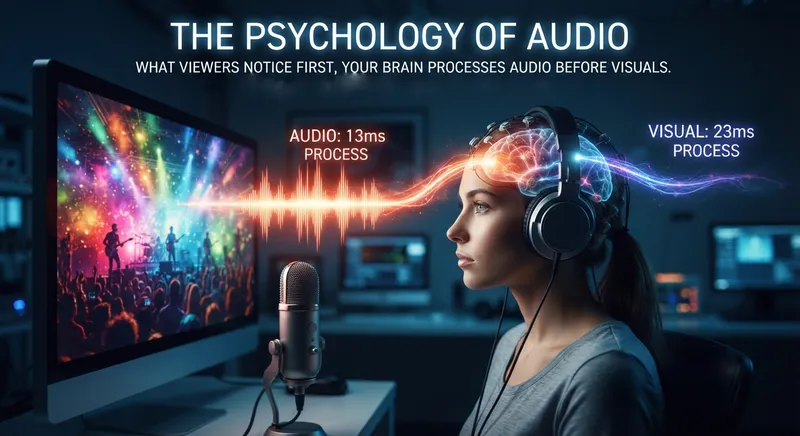
    Your Brain Processes Audio Before Visuals

    Here's something most video producers don't realize: your brain processes audio information faster than visual information. It's wired that way — evolutionarily, humans developed the ability to detect sounds before they could reliably interpret visual details. A rustling in the bushes? That triggers a response before you even see what's there.

    This biological reality has a direct impact on your audience. When someone watches your video, audio sets the emotional stage before they've even processed what they're seeing. The tone of a voice, the ambience of a location, the clarity of dialogue — these all register instantly and shape how viewers feel about your content.

    When audio is poor, that emotional connection fractures before the viewer even understands why.

    The "Uncanny Valley" of Audio

    You've probably heard of the "uncanny valley" in visual effects — when something looks almost human but not quite, and it triggers an instinctive response of discomfort. Audio has a similar phenomenon.

    When audio is almost good enough — but not quite — it becomes more distracting than obviously bad audio. Inconsistent sound quality, muffled dialogue, or background noise that wasn't there in the mix all trigger cognitive dissonance in viewers. Their brain knows something is wrong, even if they can't articulate what.

    Think about it: great 4K video shot with a phone microphone sounds "off" to the brain. The contrast between what's being seen and what's being heard creates a disconnect that feels unprofessional, even if the viewer can't explain why.

    Emotional Impact of Sound

    Professional audio doesn't just sound good — it enhances storytelling. Music swells at the right moment. Ambiance grounds the viewer in a location. Clear, consistent dialogue builds trust with the audience. Every sound element works together to create immersion.

    When audio is poor, that immersion breaks. Viewers become aware they're watching a video rather than experiencing a story. The emotional distance created by bad audio is one of the fastest ways to lose your audience.

    💡 Your audio quality sets the emotional stage before your audience even processes what they're seeing. Poor audio doesn't just distract — it actively breaks the emotional connection your content is trying to build.


    The Hard Costs of Bad Audio

    Viewer Retention & Drop-Off Rates

    Here's where bad audio stops being a creative issue and becomes a business one. Every platform that matters to you — YouTube, Vimeo, LinkedIn, social media — measures success through viewer retention. And bad audio directly impacts that metric.

    Studies consistently show that viewers abandon videos with poor audio at significantly higher rates than those with clean, professional sound. And it's not just about individual viewers — platform algorithms favor content that keeps people watching. Lower retention means lower reach. Lower reach means less visibility. Less visibility means less opportunity.

    In practical terms: a video with great visuals and bad audio might lose 30-40% of its audience within the first minute. That's not just lost viewers — it's lost leads, lost clients, and lost credibility.

    Credibility & Brand Perception

    Audio quality is a signal. When someone hears professional audio, they subconsciously associate it with professionalism, attention to detail, and quality work. When they hear amateur audio, the same assumptions flip.

    Consider this: two corporate videos about the same company. One has crystal-clear interview audio, balanced music, and consistent sound levels. The other has phone-recorded interviews, background noise, and inconsistent volume. The message might be identical, but the perceived quality of the company will be dramatically different.

    Bad audio doesn't just affect one video — it creates a pattern. And patterns define your brand.

    The Hidden Costs of Fixing Audio in Post

    You've probably heard the phrase "we'll fix it in post." In audio, that's often a dangerous assumption.

    While post-production sound design can improve audio, it cannot fully recover what was never captured correctly. ADR (Automated Dialogue Replacement) — the process of re-recording dialogue after filming — is expensive, time-consuming, and rarely sounds as natural as original capture. Some audio issues, like severe background noise or distortion, are simply unrecoverable.

    The cost of trying to fix bad audio in post often exceeds the cost of getting it right on set. But beyond the dollars, there's the time cost: hours spent by editors and sound mixers trying to salvage recordings, delays in delivery, and the stress of last-minute fixes.

    💡 Bad audio doesn't just annoy viewers — it actively reduces your content's reach, damages your brand's perceived quality, and costs significantly more to fix than to get right from the start.


    Common Audio Mistakes That Sabotage Your Production

    news sounds terrible

    Relying On Camera Microphones Alone

    Every camera has a built-in microphone. And every built-in microphone has limitations.

    Onboard camera mics are designed for convenience, not quality. They pick up everything: camera handling noise, lens zoom sounds, ambient room noise, and — critically — they're often positioned far from your subjects. That distance means less clarity, more echo, and a noticeable drop in quality.

    For simple vlogs or quick social clips, camera audio might be "good enough." But for any production where clarity, professionalism, and storytelling matter, relying solely on camera audio is a mistake.

    Ignoring the Environment

    The same location can sound completely different depending on the time of day, the weather, and what's happening around it. HVAC systems, traffic, construction, wind — these are just a few of the environmental factors that can ruin an otherwise perfect recording.

    Failing to scout for audio issues before filming is one of the most common mistakes producers make. You might find a location that looks perfect visually, only to discover later that it's acoustically challenging, noisy, or unpredictable.

    Professional sound mixers factor environment into every location decision. They know where to position microphones, what times work best, and how to plan around predictable noise.

    Not Having a Dedicated Sound Person

    Audio is a craft. It requires focus, expertise, and real-time decision-making. When you ask a camera operator to manage audio while also handling camera movement, framing, and focus, you're asking one person to do two complex jobs — and both suffer.

    A dedicated sound mixer brings focus and expertise to the audio that simply can't be replicated when audio is someone's secondary responsibility. They're listening constantly, adjusting levels, positioning microphones, and troubleshooting issues before they become problems.

    Underestimating Sound in Pre-Production

    Most production planning focuses on visuals: locations, shots, lighting, wardrobe. Audio often gets relegated to a checkbox: "Make sure someone brings a mic."

    But sound deserves the same level of pre-production planning. Location contracts should include sound requirements. Schedules should account for audio challenges. Budgets should reflect the true cost of professional sound.

    When audio isn't part of the planning conversation, problems show up on set — and by then, it's often too late to fix them.

    💡 Most audio disasters are preventable. The mistakes aren't about expensive equipment — they're about planning, awareness, and understanding that sound deserves its own dedicated focus from day one.


    How Professional Location Audio Changes Everything

    When you bring a professional location sound mixer into your production, everything changes.

    What a Professional Sound Mixer Brings

    A professional sound mixer brings more than just equipment — they bring expertise. They know which microphone is right for which situation. They understand signal chains, levels, and how to capture clean, consistent audio in any environment.

    Most importantly, they're focused exclusively on sound while your camera team focuses on visuals. That division of labor means both elements get the attention they deserve.

    The Result: Content That Works

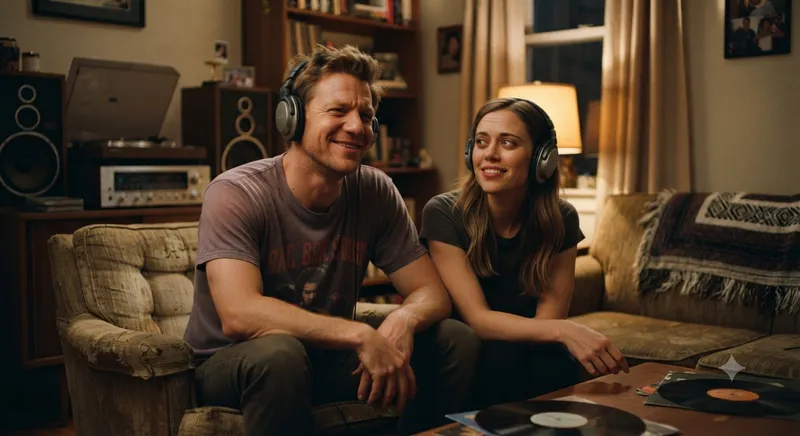
    A happy couple listening with headphones With professional location audio, your dialogue is clear and consistent. Your ambiences ground the viewer in the story. Your music sits perfectly in the mix. And your audience experiences your content the way you intended — without distraction, without frustration, without doubt.
    Professional sound doesn't just make your video sound better. It makes it work better — for your story, for your audience, and for your bottom line.

    The difference between good and great isn't just about equipment. It's about having professionals who understand how to make every word, every ambiance, and every moment sound exactly as intended.


    Ready to Make Your Next Production Sound as Good as It Looks?

    Your visuals are already impressive. Now let's make sure your audio catches up.

    🎧 [Book a Consultation] — Tell us about your next project, and let's talk about how professional location audio can elevate it. No commitment, just a conversation about your needs.

    Or if you'd like to start with something practical:

    📋 [Download Our Free On-Set Audio Checklist] — Evaluate your current sound workflow and identify gaps before your next shoot.


    What's your worst audio horror story? Share in the comments below — we've all been there, and you're definitely not alone.

    Stay tuned for our next post in the "Sound Like a Pro" series: [The Difference Between Good and Professional Audio] Available 10pm PDT October 17, 2026.


    Have a production coming up that needs professional sound? [Request a Quote] today and get a custom package for your project.

    👉 Home 👈

  • Posted on
    The Unsung Hero of the Gear Bag

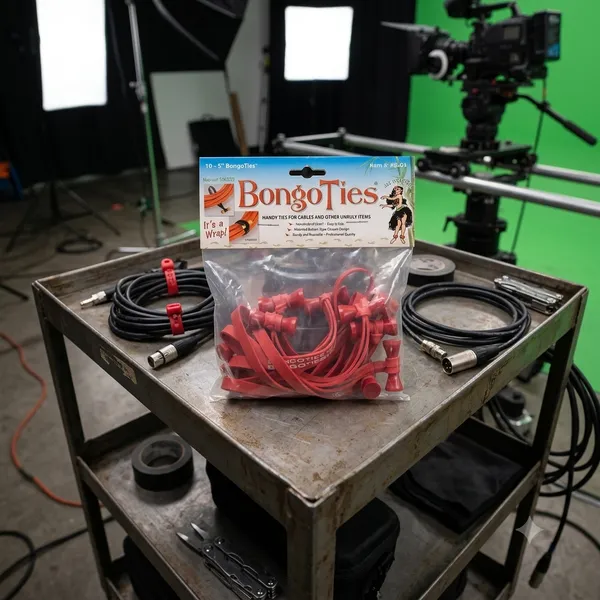
    The Unsung Hero of the Gear Bag: Why You Need Bongo Ties

    If you work in film, photography, music, or IT, you already know the nightmare: a tangled bird's nest of extension cords, HDMI leads, and audio cables sitting at the bottom of your bag.

    While the world tries to sell us complex plastic clips and disposable zip ties, the film industry's best kept secret is beautifully simple, incredibly cheap and practically indestructible.

    Meet the Bongo Tie

    Brilliant design in its simplest form.

    Invented by a pro photographer who was tired of wrestling with sticky tape and flimsy hook and loop straps, a bongo tie consists of just two elements

    1. A heavy duty, highly durable, Hevea rubber band.

    2. A patented flared bamboo pin that acts as a toggle.

    There are no gears, no hooks, no plastic to snap in cold weather. You just wrap the rubber band around your cables, loop it over the bamboo flared ends, and it snaps, locked under its own tension.

    4 reasons, they beat everything else.

    • No sticky residue: Unlike gaffer tape or electrical tape, they leave zero residue on expensive cables.
    • True one-handed operation: You can easily lock or release them with one hand while holding a heavy coil of wire with the other.
    • Reusable for years: Zip ties are a single use plastic waste nightmare. Bongo ties can be used hundreds of times before the rubber finally loses its snap.
    • The flared pin advantage: because the bamboo toggle is flared on both ends, the loop can't accidentally slide off, even under heavy vibration.

    Beyond Cables: Through Creative Uses

    While they were built for cords, anyone who owns a pack quickly discovers they are the ultimate "fix-it" tool. Production crews use them to strap wireless receivers to camera rigs, musicians use them to secure loose mic stands, and campers use them to lash gear to backpacks.

    In a world full of over-engineered gadgets, the Bongo Tie is a refreshing reminder that sometimes, the simplest solution is the best one.

    👉 Return to RR.COM 👈

  • Posted on
    Mastering the Airwaves: How TXAdvance Empowers Location Audio Specialists in Crowded RF Environments

    Mastering the Airwaves: How TXAdvance Empowers Location Audio Specialists in Crowded RF Environments

    For a location audio specialist, there is perhaps nothing more stressful than entering an environment—a festival groundsite, a massive convention center, or even certain urban street corners—only to find that your wireless microphone channels are being choked by interference. In today's world of ubiquitous Wi-Fi and heavy mobile data usage, RF transmissions are everywhere, making the hunt for clean frequencies one of the most challenging aspects of modern audio production.

    To ensure "clean and reliable" signals and provide peace of mind during critical recordings or live broadcasts, professionals need more than just luck; they need precision coordination. This is where TXAdvance steps in as a specialized toolkit designed to turn mobile devices into powerful RF management workstations.

    Precision Scanning: Finding the Gaps in the Noise

    The foundation of any successful wireless setup is knowing what frequencies are actually available on-site. TXAdvance leverages Software-Defined Radio (SDR) technology—utilizing common dongles like the RTL2832U, HackRF One, or Airspy Mini—to scan a massive range from 50 to 1300 MHz. For an audio professional working in high-density environments, resolution is everything. TXAdvance provides scanning with up to 5 kHz resolution, allowing you to detect subtle spikes and noise floors that might be missed by less granular equipment. This turns your tablet or mobile device into a real-time spectrum analyzer capable of detecting sporadic signal bursts before they ruin a take.

    Intelligence at Your Fingertips: Automated Coordination

    Once the scan is complete, the next hurdle for an audio specialist is frequency coordination—the mathematical puzzle of assigning frequencies to multiple transmitters without them interfering with each other.

    TXAdvance takes much of this heavy lifting out of your hands by automatically calculating intermodulation (IM) products up to the 7th order. This ensures that even as you add more channels for a large production, you aren't inadvertently creating "ghost" signals through hardware interaction. The app is designed with professional efficiency in mind:

    • Unlimited Scalability: Coordinate an unlimited number of transmitters from any manufacturer.
    • Massive Database: It comes pre-loaded with over 700 TX models and allows for custom entries, ensuring you spend less time typing and more time mixing.
    • Smart Management: Use "Auto assign frequencies" to speed up setups during the high-pressure windows of a soundcheck or live event.

    Real-Time Monitoring: Protection During Production

    The job doesn't end once your transmitters are assigned and running; that is when the real test begins. In busy environments, RF conditions can change in an instant due to new networks being activated or shifting mobile traffic. Using a loop interface (such as with an Airspy Mini), TXAdvance allows for continuous monitoring of all active transmitters. You gain access to:

    • Current and Maximum Spectrum: Visualize the signal strength across your bandwidth at any moment.
    • Noise History Tracking: Accessing the most recent 100 noise values helps you identify if a specific frequency is experiencing intermittent, "bursty" interference that might not be visible in a static scan.

    Proactive Planning with TASE (TXAdvance Scan Exchange)

    For location specialists working far from home or at unfamiliar venues, preparation begins before the gear even leaves the van. Through TASE, TXAdvance provides access to a collaborative worldwide map of geo-tagged and time-stamped RF scans.

    By downloading existing scan data for your specific destination, you can anticipate potential frequency conflicts in advance. This ability to "scout" the spectrum digitally allows you to plan your transmitter list before even arriving on site, significantly reducing setup times and risk during high-stakes location shoots.

    The Bottom Line

    In a world where airwaves are more crowded than ever, TXAdvance provides the specialized mathematical rigor and real-time visibility that modern audio professionals require. By combining precision SDR scanning with sophisticated intermodulation analysis and collaborative data sharing, it transforms mobile hardware into an indispensable tool for ensuring flawless wireless performance in any environment.

    Sorry, there is no iOS version.

    TXAdvance on Google Play Store

    👉 Return to RR.COM 👈

  • Posted on
    Industry Trends & Insights Q2 2026: The State of Professional Location Audio

    Industry Trends & Insights Q2 2026: The State of Professional Location Audio


    The second quarter of 2026 has been a transformative period for location audio professionals. With evolving production workflows, emerging technologies, and shifting market dynamics, the demands placed on those capturing audio on set have never been more complex—or more critical to the final product.

    This quarter's landscape is defined by several key trends that every location audio professional should understand.

    1. AI-Assisted Dialogue Enhancement in Real-Time

    Artificial intelligence tools that were once confined to post-production have begun making their way onto location. Q2 2026 saw increased adoption of real-time AI noise reduction, voice isolation, and automatic dialogue enhancement plugins integrated directly into wireless receiver systems and field recorders.

    While purists argue that no amount of processing can replace a well-recorded, dry signal, the reality on set is different. Budget-conscious productions are increasingly requesting that audio teams provide AI-assisted "cleanup" passes as a value-add service. The savvy location mixer is now expected to deliver not just clean tracks, but production-ready dialogue tracks that require minimal post-production intervention.

    The takeaway: Master your AI tools. They're not replacing you, but they're changing your deliverables.

    2. The Rise of Immersive Audio Capture

    With Dolby Atmos and other immersive audio formats moving from premium streaming content to mid-tier productions, the demand for object-based audio capture on location has grown significantly. This isn't just about Atmos for theatrical releases—it's about future-proofing content for whatever format consumers may adopt.

    Wireless microphone systems now offer multichannel output capabilities, and newer field recorders can capture ambience and dialogue simultaneously in immersive configurations. Location teams are being asked to capture not just dialogue and basic ambience, but detailed soundstage information that will be used for immersive mixes.

    This trend is particularly pronounced in: - Limited series and prestige television - Independent feature films targeting festival and streaming distribution - High-end corporate and documentary productions

    3. Wireless Technology: 5G Integration and Extended Range

    The rollout of 5G networks has begun to impact wireless audio gear in meaningful ways. Newer receiver systems are incorporating 5G capabilities for remote monitoring, file sharing, and even backup transmission paths. This means audio engineers can now: - Stream high-quality audio to off-site supervisors in real-time - Share takes and selects immediately for review - Maintain wireless communication with crew in environments where traditional RF may be congested

    Additionally, interference management has become more sophisticated. Q2 2026 has seen widespread adoption of automated frequency coordination tools that analyze the RF environment and suggest optimal frequencies before you even leave base camp. The days of manually scanning for clear frequencies before every shoot are rapidly becoming a thing of the past.

    4. Sustainability and Green Production Standards

    Sustainability initiatives in film and television production have moved from aspirational goals to contractual requirements. Many production companies, particularly those tied to streaming platforms with environmental commitments, now require location audio departments to adhere to green production guidelines.

    This has practical implications for Q2 2026 location work: - Battery management: Lithium-ion battery efficiency has improved, but many productions now mandate specific energy reporting and recyclable battery systems - Equipment longevity: Companies are investing more heavily in repairable, upgradeable gear rather than disposable equipment - Travel reduction: Remote location mixing and monitoring setups allow senior audio professionals to oversee multiple units or serve across locations without constant travel - Paperless workflows: Digital cable labeling, electronic script tracking, and digital call sheets are now standard expectations rather than nice-to-have conveniences

    5. The "Hybrid" Location Model Continues to Grow

    The post-pandemic production model has settled into a hybrid approach. While fully remote audio operations remain niche, the ability to mix on location while simultaneously serving multiple units or providing audio feeds to off-site post teams has become table stakes for larger productions.

    This hybrid model has accelerated several trends: - Cloud-based collaboration: Location audio files are increasingly being uploaded to secure cloud platforms for immediate post-production access - Standardized metadata: There's a push toward universal metadata standards that make it easier to organize and locate audio files across productions - Remote troubleshooting: Technicians can now diagnose and sometimes fix issues with location gear remotely, reducing downtime on set

    6. Talent Expectations and the "Content Creator" Economy

    One of the most subtle but impactful trends in Q2 2026 is the changing expectations of on-camera talent regarding their own audio. Many performers now come to set with significant experience from content creation, social media production, or other digital media formats. This creates both challenges and opportunities:

    Challenges: - Performers may expect "fix it in post" mentality even on professional productions - Some talent may resist certain audio capture methods they find uncomfortable (e.g., head-worn microphones) - Expectations around immediate audio review and playback

    Opportunities: - Talent who understand audio are more cooperative and can provide better performances when they can hear themselves clearly - The "influencer" economy has created a new talent pool that values high production quality across all media - Cross-platform content creation often means audio teams capture content that will be repurposed for podcasts, social media, and other formats

    7. Budget Pressures and the Quality Arms Race

    Despite technological advancements, budget pressures remain a constant challenge in the industry. Streaming platforms have begun recalibrating their content investment strategies, leading to more competitive bidding and tighter budgets for many productions.

    Yet audience expectations for audio quality continue to rise. Viewers are more sensitive to audio issues than ever before, particularly as high-fidelity home audio systems become more common. This creates a tension that location audio professionals must navigate:

    • How to deliver high-quality audio on tighter budgets?
    • How to justify the value of professional location audio to producers who don't understand its impact?
    • How to maintain quality when equipment rentals are being reduced or when crew sizes are shrinking?

    The answer, increasingly, lies in demonstrating ROI. Productions that understand the relationship between quality location audio and reduced post-production costs, faster turnaround times, and higher audience satisfaction are the ones winning the budget battles.

    8. Education and Professional Development

    Perhaps the most encouraging trend of Q2 2026 is the increased focus on education and professional development within the location audio community. With technology evolving so rapidly, professional organizations, equipment manufacturers, and experienced practitioners are offering more training opportunities than ever:

    • Online workshops on immersive audio capture
    • Manufacturer-sponsored training on new wireless systems
    • Mentorship programs connecting experienced audio professionals with emerging talent
    • Conferences and events focused specifically on the business aspects of location audio

    The professionals who invest in continuous learning are the ones who will thrive in this changing landscape.

    Looking Ahead

    The second quarter of 2026 has been a period of both challenge and opportunity for location audio professionals. The technologies we use are more sophisticated than ever, the expectations placed on us are higher, and the stakes for getting audio right on location have never been greater.

    But the fundamentals remain unchanged: great location audio starts with good communication, careful planning, and a commitment to capturing the best possible sound in whatever environment we find ourselves in. Technology can assist, but it cannot replace the expertise, intuition, and artistry of a skilled location audio professional.

    The professionals who succeed in Q2 2026 and beyond will be those who embrace change while honoring the craft, who see technology as an enabler rather than a threat, and who understand that location audio isn't just about capturing sound—it's about capturing emotion, intent, and story.


    What trends are you seeing in your work as a location audio professional? Share your insights in the comments below or connect with me directly.

    👉 Home 👈


    This post is part of a quarterly series on industry trends and insights for location audio professionals. Come Back to stay updated on future editions.


    Sources

    Audio Engineering Society (AES)

    SMPTE - Society of Motion Picture and Television Engineers

    MovieLabs - Emerging Technology

    Post Magazine

    No Film School

    Sound & Picture

    Sennheiser Professional

    Sony Professional

    RØDE Microphones

    Lectrosonics

    Audio Engineering Society Education Programs

    Sound on Sound

  • Posted on
    Why Audio Professionals are Switching to Astral-QuickDock for Seamless Workflows

    Elevate Your Wireless Workflow with the Sound Devices Astral ARX8

    In the demanding world of production sound and field recording, reliability, flexibility, and ease of use aren't just luxuries—they are essentials. The Astral ARX8 from Sound Devices has arrived to redefine what professional wireless receivers can achieve in both portable "bag work" environments and traditional rackmount setups [1].

    Versatility by Design The Astral ARX8 is a high-performance, true-diversity receiver designed with portability at its core. While it comes standard as a 4-channel unit, users have the incredible flexibility to expand their setup to 6 or 8 channels via software licenses—no extra hardware required [1]. Its compact half-rack size ($20.3\text{cm} \times 16.8\text{cm} \times 4.1\text{cm}$) makes it a space-saving powerhouse for carts and racks, yet lightweight enough to be an ideal companion in sound bags [1].

    Intelligent Tech: The Astral Edge Sound Devices has packed the ARX8 with proprietary technologies that streamline complex on-set workflows:
    - SpectraBand Technology: One of its most impressive features is a massive tuning range from 169 MHz to 1525 MHz, allowing users to find clean spectrum even in the busiest UHF environments. - NexLink & AutoAssign: Managing frequencies just got faster. With Autpassign, you can scan for and deploy clean, automatic frequency assignments across all linked transmitters with a single button press—in mere seconds; meanwhile, the Nexlink protocol provides long-range remote control over your transmitters (including power management), even in high 2.4 GHz interference zones. - Real Time Spectrum Analyzer (RTSA): Stay ahead of RF issues with an integrated RTSA that allows you to visually monitor changing environments without interrupting audio or the shoot.

    Pro-Level Performance and Workflow Integration Beyond its smart software, the ARX8 is built for high-fidelity results. It offers a full $10\text{ Hz} – 20 \text{kHz}$ bandwidth, ensuring top-tier audio quality paired with long transmission distances thanks to advanced digital modulation.

    Key workflow highlights include: - GainForward Architecture: Forget adjusting transmitter gain on talent; you can now manage your levels directly from the receiver or mixer without interrupting production [1]. - Astral-QuickDock: Seamlessly dock and undock the unit into 8-Series mixer-recorders in seconds—no tools necessary. - Flexible Powering & I/O: Supports DC input, AC mains (with adapter), or direct connection to Sound Devices mixers via QuickDock; it also features a robust DB-25 connector for high channel counts of mic, line, or AES outputs.

    Final Thoughts Whether you are running complex reality shows requiring ad-hoc transmitter handoffs between receivers or need a reliable field unit that won't weigh you down, the Astral ARX8 is built to be ready. It combines massive frequency range with intelligent automation, making it an indispensable tool for modern sound professionals.

  • Posted on
    The Final Handoff—Ensuring Flawless Audio Delivery for Post-Production

    Module 7: The Handoff — Preparing Audio for Post-Production
    A location sound mixer’s job isn't done when "Cut!" is called; it ends only once an editor has received clean, usable files that tell the story correctly. This final stage determines whether your hard work on set actually makes it into the movie or gets lost in translation during post.

    The Importance of Timecode
    In modern multi-camera workflows (using multiple cameras and perhaps several lavaliers), manual "claps" are no longer enough for large productions. Professional mixers use Timecode—a digital timestamp embedded in every audio file that is perfectly synced to the camera's timecode. This allows an editor to instantly align ten different files with a single click, rather than spending hours manually syncing waveforms.

    Metadata and File Management
    The best gift you can give your post-production team (and ensure they love working on future projects) is organization:

    • Naming Conventions: Avoid AUDIO_01._WAV. Use meaningful identifiers like SC42T5A_LavMicName or SC42T6B_Boom.
    • Metadata Labeling: Using the metadata fields in your recorder to label takes (e.g., "Good," "Wild Track," "Character yelled") saves hours of guesswork for the editor.

    The Final Export: High-Quality WAVs Only
    Never, under any circumstances, hand off compressed MP3 files to an editor unless specifically requested by a low-budget workflow where storage is at extreme premium. Always deliver uncompressed WAV files. You have spent days capturing every nuance of the performance; don't let it be ruined by digital compression artifacts in the final edit.

    By mastering these seven modules, you cease to be just someone holding a microphone and become an architect—a silent designer who builds the sonic foundations upon which cinematic magic is constructed. When done correctly, your work remains unseen, unheard, but deeply felt through every word spoken on screen.

    👉 Return to RR.COM 👈

  • Posted on
    Field Noise Troubleshooting

    Field Noise Troubleshooting Quick Reference

    Noise Type Primary Characteristics & Source Typical Symptoms Field Solutions
    Hum (Ground Loops) 50Hz/60Hz Tone caused by differences in ground potential between interconnected equipment. • Audible hum through speakers
    • Hum increases when gear is touched
    • Video "hum bars" on displays
    • Use a Ground Lift Switch via DI boxes or adapters.
    • Implement Star Grounding.
    • Deploy an Isolation Transformer.
    EMI (Electromagnetic Interference) Magnetic Field Coupling caused by proximity to power transformers, motors, lighting ballasts, or dimmers. • Low-level directional buzz/hum
    • Noise increases as gear moves closer to source
    • Increase physical separation between audio and power.
    • Use high-quality Shielded Cables.
    • Orient equipment 90 degrees (e.g., guitar pickups).
    RFI (Radio Frequency Interference) High-Frequency noise caused by radio transmitters, Wi-Fi, mobile phones, or digital switching power supplies. • Harsh whine/static/"digital hash"
    • Faintly audible radio broadcasts
    • Intermittent bursts from wireless activity
    • Add clip-on Ferrite Beads to cables.
    • Use AC line conditioners with RFI suppression.
    • Ensure low-impedance earth grounds and use Balanced Cables.

    Prioritized Field Workflow for Noise Hunting When diagnosing noise in the field, follow this order of operations:

    • Identify the Source: Mute channels one by one. If the noise stops when a channel is muted, that specific source/cable path is likely responsible; if it persists, check the main output or power supply.
    • Check Connections (The Wiggle Test): Inspect every connection point while gently moving cables to identify crackling caused by bad cabling or loose connections.
    • Isolate Inputs: Disconnect inputs sequentially until you determine whether the noise is being introduced "upstream" of a device/mixer input.
    • Apply Solutions: Start with simple fixes, such as engaging a ground lift switch or checking for nearby dimmers, before moving to complex solutions like rerouting cables or adding power conditioners.
    • Check Power: If possible, temporarily plug the entire system into a single outlet (or one heavy-duty strip) to rule out potential differences between multiple wall circuits.

    Preventative Strategies: Power Conditioning and Grounding Hygiene
    While ground loop elimination often involves reactive solutions like DI boxes or isolation transformers used after a noise is detected, true system silence begins with proactive management. It is essential to distinguish between cleaning the electrical "noise" traveling through power lines (Conditioning) and ensuring all equipment shares an identical reference point for its safety/ground path (Grounding).

    • Power Conditioning: This involves using specialized hardware—power conditioners—to filter incoming AC mains electricity before it reaches your audio gear.

      • EMI & RFI Filtration: Conditioners use internal filters to suppress electromagnetic and radio frequency interference that may be traveling through the building's wiring from nearby fluorescent lights, dimmers, or cellular signals.
      • Voltage Regulation: High-end conditioners provide surge protection and voltage stabilization, preventing "spikes" or sags in power supply which can cause audible artifacts/hum or digital conversion errors (jitter).
    • Grounding Best Practices: While conditioning cleans the electricity within a line, grounding ensures that all components are at the same electrical potential to prevent current from flowing through signal cables as ground loops. Effective Grounding Methods
      To maintain high audio fidelity in complex setups:

      • Star Grounding: This technique involves connecting every piece of equipment back to one single, centralized grounding point rather than daisy-chaining them together via multiple power strips. This minimizes the chance for noise currents from different devices (like a lighting rig) to travel through shared chassis/ground paths in your audio rack.
      • Avoid Daisy-Chaining Power Strips: Connecting several multi-outlet surge protectors end-to-end can create high impedance and complex grounding loops that are significantly harder to troubleshoot than equipment plugged directly into mains or single, heavy-duty conditioners.

    👉 Return to RR.COM 👈