Inside Audio

Accessories

Bits & bobs for professional audio

  • Posted on
    Field Gear Showdown: Proaim Cine Cube vs. PortaBrace Audio Organizer Case (Sound Devices 633)

    Field Gear Showdown: Proaim Cine Cube vs. PortaBrace Audio Organizer Case (Sound Devices 633)

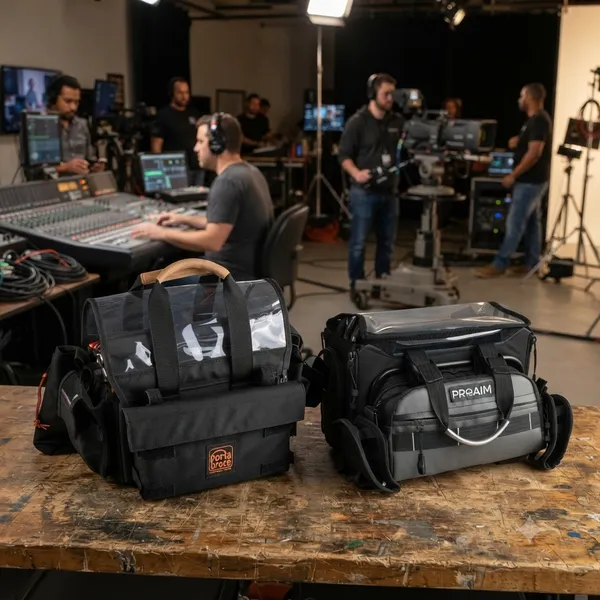
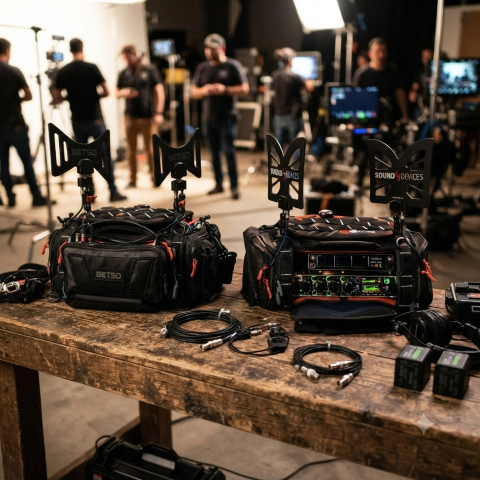
    When you are working in high-stakes field recording, how you transport and organize your mixer is just as important as the quality of the preamps inside it. A damaged recorder or a disorganized bag can end an entire day's shoot instantly. Today, we are comparing two very different approaches to audio organization: the versatile Proaim Cine Cube Audio Mixer Bag and the highly specialized PortaBrace Audio Organizer Case, specifically tailored for the Sound Devices 633 Field Mixer/Recorder.

    One of these is built for "grab-and-go" efficiency, while the other is designed as a dedicated component in a professional sound kit's ecosystem. Here is how they stack up against one another to help you decide which belongs on your next production.

    **At a Glance: Key Differences at a Glance***

    Feature Proaim Cine Cube PortaBrace Organizer Case (SD 633)
    Primary Focus All-in-one compact carrying/protection Specialized organization for high-end gear
    Best Use Case Solo operators & run-and-gun crews Professional sound departments / Heavy duty sets
    Versatility High (can accommodate various small mixers) Low (precision fitment specifically for SD 633)
    Protection Level Standard weather/impact resistance Ruggedized, heavy-duty professional grade

    The Proaim Cine Cube: Compact Efficiency on the Move If you are a solo filmmaker or part of a smaller crew that moves quickly between locations, the Proaim Cine Cube is designed to simplify your life. Its "cube" architecture aims to consolidate everything—the mixer, cables, and perhaps even spare batteries—into one manageable footprint.

    • Portability: This bag excels at being lightweight and space-efficient in a camera bag or backpack. It doesn't take up excessive room when you aren't actively recording.
    • Ease of Access: Because the design is meant for quick deployment, finding your XLR cables or small accessories within its internal compartments can be much faster than digging through an oversized gear case.
    • Best if: You prioritize speed and a compact setup where "good enough" protection meets high portability requirements.

    The PortaBrace Audio Organizer: The Sound Devices Specialist For crews working with heavy industry standards like the Sound Devices 633, nothing beats a solution designed specifically for that exact piece of hardware. PortaBrace has long been the gold standard for professional audio organizers, and their specialized cases are built to handle the rigors of high-end production environments.

    • Precision Fitment: Unlike generic mixer bags, this case is engineered around the specific dimensions, ports, and buttons of a Sound Devices 633. This means less "jiggle" inside your bag—which translates directly into better protection against impact during transport.
    • Rugged Durability: PortaBrace products are built to withstand much more punishing environments than standard nylon mixer bags; they are designed for the reality of professional sound carts and heavy field work.
    • The Organization Advantage: This isn't just a bag; it is an organizer meant to integrate into larger systems, keeping your specialized cables and specific Sound Devices accessories exactly where you expect them every single time.

    Final Verdict: Which One Should You Choose?

    Choose the Proaim Cine Cube if: You are working on lightweight productions or traveling light for run-and-gun documentary work. If saving space in your camera bag is just as important to you as protecting a small mixer, this cube offers excellent value and efficiency.

    Choose the PortaBrace Audio Organizer Case if: Your workflow centers around professional Sound Devices hardware where gear failure isn't an option. The precision fitment for the 633 provides peace of mind that general-purpose bags simply cannot match when you are operating on a major film set or in harsh conditions.

    Are you looking to streamline your solo setup, or is your primary goal building out a professional sound kit capable of handling heavy production demands?

  • Posted on
    Redefining Wireless Flexibility: A Deep Dive into the Sound Devices Astral ARX2

    Redefining Wireless Flexibility: A Deep Dive into the Sound Devices Astral ARX2

    In the ever-crowded RF environments of modern production, the ability to find a clear, reliable signal is more than a convenience—it’s a necessity. As wireless spectrum continues to shrink, Sound Devices has pushed the boundaries of portable wireless reception with the Astral ARX2.

    Designed for location sound professionals who demand high-performance, true-diversity reception in a compact, slot-in form factor, the ARX2 stands as a testament to engineering efficiency. (Sound Devices)

    The Power of SpectraBand

    The headline feature of the ARX2 is its implementation of SpectraBand technology. By providing an expansive tuning range of 470 MHz – 1525 MHz, the ARX2 effectively solves the "band-locking" dilemma that has plagued field sound engineers for years.

    Instead of juggling multiple receivers for specific regional frequency blocks, the ARX2 allows operators to quickly jump between the standard UHF TV bands and the increasingly popular 900 MHz ISM/STL bands, or even the 1.5 GHz AFTRCC band (where licensed). This agility is a game-changer for international productions or setups in highly congested metropolitan areas.

    Technical Highlights

    Beyond its broad tuning range, the ARX2 is built for the rigors of professional field work:

    • True Diversity Topology: The ARX2 utilizes two complete RF receivers per channel, providing four total receivers to ensure robust, dropout-free performance in challenging multi-path environments.

    • Brick-Wall SAW Filtering: To mitigate interference from nearby high-power sources like IFB or camera hops, the ARX2 employs low-loss, brick-wall Surface Acoustic Wave (SAW) filters. This high-discrimination front end maintains signal integrity without the need for bulky external filters.

    • GainForward Architecture: By utilizing Sound Devices’ GainForward, engineers can control transmitter gain directly from the receiver or the 8-Series mixer-recorder interface. This eliminates the need to physically access the transmitter during a take, streamlining the workflow significantly.

    • AutoAssign Functionality: When time is short, the AutoAssign feature scans the local RF environment and automatically suggests, selects, and sets the best available frequencies, reducing setup times from minutes to mere seconds.

    Integration and Connectivity

    The ARX2 is engineered for seamless integration into the Sound Devices ecosystem. It is fully SuperSlot compatible, meaning it slides effortlessly into an SL-2 module docked to an 8-Series mixer-recorder, allowing for power, audio, and control over a single connection.

    For those operating outside the 8-Series environment, the ARX2 supports a variety of connectivity options, including XLR and TA3 adapters, and the A-15PIN two-channel AES Sony camera slot adapter, ensuring it remains a versatile tool in any kit.

    The Portable Advantage: Integrating the A-XLR

    enter image description here

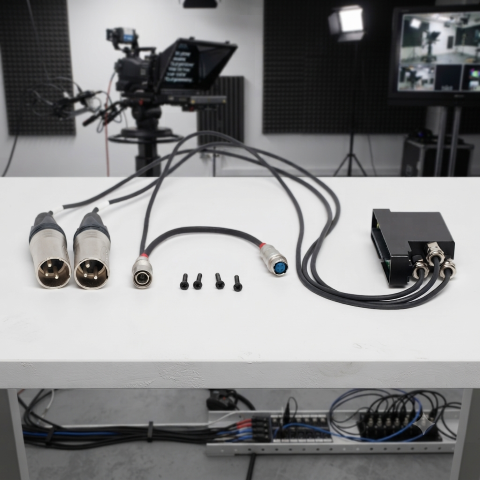
    For smaller setups or "run-and-gun" kits where a full 8-Series mixer and SL-2 module might be overkill, the Sound Devices A-XLR provides a vital bridge for the Astral ARX2. This compact adapter allows you to take the ARX2 out of the slot-in environment and into a standalone configuration, transforming it into a high-performance, two-channel receiver that fits easily into a smaller bag or shoulder rig. By providing secure XLR outputs and reliable power via the Hirose connector, the A-XLR ensures that you don't have to compromise on signal quality or the advanced features of the Astral ecosystem just because you’ve opted for a more mobile, minimalist kit. Whether you're feeding a compact mirrorless camera or a portable field recorder, the A-XLR maintains the integrity of the digital link, making it the perfect solution for solo operators who need professional-grade wireless in a low-profile footprint.

    Integrating the Astral ARX2 with the A20-TX

    The true power of the Sound Devices Astral ecosystem is realized when the ARX2 receiver is paired with the A20-TX transmitter. While the ARX2 handles the heavy lifting of signal reception, the A20-TX brings a unique set of technical advantages that simplify the workflow for the boom operator or talent. More information in an upcoming blog.

    The Verdict

    The Astral ARX2 is more than just a receiver; it is a future-proof investment for the professional sound mixer. With its combination of SpectraBand agility, robust digital modulation, and seamless integration, it provides the reliability needed to deliver clean, professional audio, no matter how crowded the spectrum becomes.

    Whether you are upgrading from the A10-RX or building a new rig, the ARX2 represents the current gold standard in portable wireless performance.

  • Posted on

    The Secret to Seamless Live Production: Mastering Interruptible Foldback (IFB)

    In the high-stakes world of live broadcasting, filmmaking, and professional event production, communication isn't just about talking—it’s about delivering the right information at the exact right time.

    If you’ve ever watched a live news anchor transition seamlessly from a chaotic breaking story to a calm, direct read, you’ve witnessed the power of Interruptible Foldback, or IFB.

    For those looking to level up their audio workflow, understanding and integrating a professional IFB system is the difference between a production that feels "amateur-hour" and one that runs with military precision.

    What is IFB, Actually?

    At its core, an IFB system is a one-way monitoring circuit designed for on-air talent, presenters, or remote contributors. It provides two distinct layers of audio: (Wikipedia)

    • The Program Feed: Usually a "mix-minus"—a live feed of the program audio that excludes the talent’s own voice (to prevent distracting echoes or feedback). (Grokipedia)

    • The Interrupt (Cue) Signal: The director or producer’s microphone. When they speak, the program feed is automatically "dipped" or muted, allowing the instruction to take priority in the talent’s ear.

    Why Integrate a Professional IFB Workflow?

    If you are currently relying on open-mic communication or inconsistent ad-hoc monitoring, it’s time for an upgrade. Here is why you should prioritize a dedicated IFB chain in your next project:

    • 1. Unmatched Clarity Under Pressure

    When a producer needs to tell an anchor that their segment is being cut short by 30 seconds, there is no room for ambiguity. A proper IFB system ensures that voice instructions are crisp, isolated, and prioritized over the background program feed.

    • 2. Efficiency and Confidence

    When talent can hear the show’s rhythm—and receive timely prompts—they can focus on their performance rather than worrying about timing. This reduces stress, eliminates long pauses, and creates a much more professional, fast-paced broadcast.

    • 3. Modern Flexibility

      • Wireless Reliability: High-quality RF transmission that handles complex, multi-user environments without interference. (Studio Economik)
      • Bluetooth Integration: New systems allow talent to use their own preferred Bluetooth monitoring solutions, removing the need for cumbersome cabling. (Where available)
      • App-Based Control: Remote configuration and frequency management via mobile apps mean you can scan for clean channels and manage your network from your smartphone, saving valuable setup time on set.

    Best Practices for Your Workflow

    To get the most out of your IFB integration, keep these three golden rules in mind:

    • Always Use Mix-Minus: Never send a full program mix back to your talent. If they hear their own voice with even a few milliseconds of latency, they will struggle to speak clearly. Always build a mix that excludes the talent’s microphone.

    • Prioritize Latency: In a live environment, latency is the enemy. Invest in professional-grade gear designed for low-latency transmission to ensure your cues align perfectly with the live action.

    • Test Your "Dips": Ensure your system’s auto-mute or "dip" functionality is tuned correctly. You want the program audio to drop enough so the director is clearly audible, but not so much that the talent loses the "feel" of the live show.

    The Bottom Line

    Whether you are running a local news broadcast, a corporate livestream, or a high-end film production, professional IFB is the bridge between the control room and the talent. By investing in a reliable, flexible system, you aren't just buying gear—you’re buying the insurance that your production will remain tight, responsive, and professional, no matter what happens on set.

    Are you currently using a wireless IFB system in your productions, or are you looking to upgrade from a traditional wired setup?

    👉 Return to RR.COM 👈

  • Posted on
    The Unsung Hero of Your Sound Kit...

    Why the Boompole Holder is Your Back’s Best Friend

    In the world of filmmaking, we often obsess over the "big" gear—the 8K cinema cameras, the high-end shotgun mics, and the pristine field mixers. But if you spend any time on a set, you know that the most crucial piece of kit is often the one that doesn't get a mention in the credits: the boompole holder.

    enter image description here

    It’s humble, it’s simple, and it’s frequently overlooked. But for any sound recordist or solo filmmaker, the boompole holder is the piece of equipment that saves your career—and your spine.

    What is a Boompole Holder?

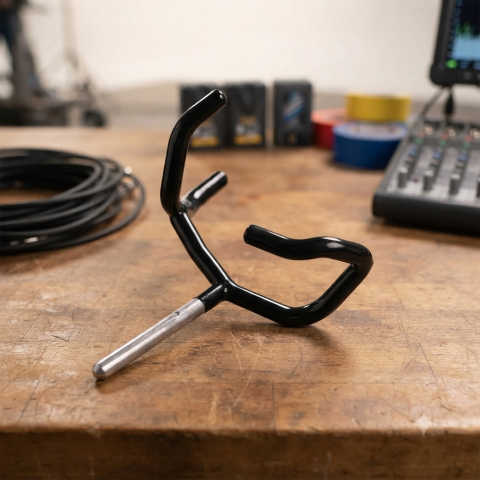
    At its core, a boompole holder is a mechanical clamp system that secures your pole to a C-stand, light stand, or tripod. By moving the weight of the mic from your weary arms to a sturdy stand, it transforms your setup from a "human-powered rig" into a rock-solid, repeatable audio station.

    The Virtue of "Set It and Forget It"

    There are moments on set where a human boom operator is indispensable—following moving talent through a house, for instance. But for the vast majority of static setups—interviews, fixed-position hosting, or stationary b-roll—a boompole holder is actually superior to a human.

    • Repeatability: Once you lock the angle and distance, it stays there. You don't have to worry about a tired operator’s hand drifting three inches to the left mid-take.

    • Precision Placement: It allows you to get the microphone closer to the subject’s mouth than a human might comfortably hold it for a 30-minute interview, drastically improving your signal-to-noise ratio.

    • Solo Power: If you’re a one-person crew, you aren't sacrificing audio quality for lack of a second pair of hands. You are the camera op, the lighting tech, and the sound mixer, all at once.

    Saving Your Back (And Your Bacon)

    Let’s be honest: boompole operation is brutal. The "H-position" or the overhead reach is a recipe for chronic shoulder, neck, and lower back issues. (Soundrolling)

    When you use a holder during long sessions, you’re not just being lazy; you’re engaging in injury prevention. By offloading that weight between takes—or during the entire interview—you keep your muscles fresh. When you do need to go handheld for an action scene, you'll have the energy and stability to actually hit your marks, rather than shaking from fatigue.

    As for "saving your bacon"? A professional-grade holder uses a positive-locking jaw system. This ensures that when the wind kicks up or someone bumps the stand, your thousand-dollar microphone doesn't come crashing down onto the concrete. It keeps your gear safe and your audio consistent, preventing the dreaded "we'll fix it in post" conversation.

    Pro-Tips for Your Setup:

    • Don't Skip the Shock Mount: A holder secures the pole, but it doesn't isolate the mic from vibrations traveling through the floor or the stand. Always use a proper shock mount (like a Rycote Lyre) between the pole and the mic.

    • Mind the Diameter: Before buying, check the outer diameter of your boom pole. Most professional poles fall between 25mm and 32mm. Ensure your holder’s jaws can accommodate your specific pole for a secure, non-slip grip

    • Use a C-Stand: If you’re mounting a heavy mic, use a heavy-duty C-stand and sandbag. Your "bacon" is only as safe as the stand the holder is attached to!

    Next time you’re building your kit, don't overlook the lowly boompole holder. It won't win any beauty contests, but it will be the reason you can still move your shoulders after a 12-hour day.

    👉 Return to RR.COM 👈

  • Posted on
    Beyond the Standard: A Deep Dive into A20-Monarch, BOWTIE, and BF1

    The Butterfly Effect: Comparing Wideband Antennas for Location Sound

    Introduction

    In the world of location sound, the antenna is your first line of defense. As the RF landscape becomes increasingly crowded—squeezed by spectrum auctions, 5G rollouts, and the constant hum of electronic noise—the choice of hardware mounted to your sound bag has never been more critical. The "butterfly" style omnidirectional antenna has become the industry standard for its portability, durability, and reliable performance. But with options ranging from the ultra-wideband A20-Monarch to the filter-integrated Betso BOWTIE, which one truly deserves a spot in your kit? In this post, we’ll compare the top contenders to help you decide how to keep your signal clean, strong, and interference-free on your next production.

    At a Glance: Comparison Table

    Feature Sound Devices A20-Monarch Betso BOWTIE Deity BF1
    Freq. Range 470 – 1600 MHz 470 – 700 MHz 470 – 1000 MHz
    Inbuilt Filter None Yes (700 MHz Low Pass) None
    Best For Ultra-wideband needs (SpectraBand) High-interference environments Value & broad compatibility

    Key Differences

    1. Frequency Range & Versatility

    • Sound Devices A20-Monarch: The clear winner for frequency range. It is designed to cover the entire SpectraBand range (up to 1600 MHz), making it the most future-proof option if you are using wideband gear that operates outside the standard UHF TV band. (Everything Audio Europe)
    • Deity BF1: Offers a very respectable 470 MHz – 1000 MHz range, which covers virtually all standard professional wireless microphone systems currently on the market. (B&H)
    • Betso BOWTIE: Has the most limited range (470 – 700 MHz). It is specifically engineered for the traditional UHF spectrum. (BETSO)

    2. Interference Mitigation

    • Betso BOWTIE: This is its "secret weapon." It features a built-in 700 MHz low-pass filter. In modern production environments where LTE/5G and other high-frequency signals often cause interference, this hardware filter helps clean up your signal before it even hits your receiver or multicoupler.

    • A20-Monarch & BF1: Neither of these include an integrated filter. If you operate in extremely congested RF environments, you may need to add an external band-pass filter to your signal chain when using these antennas.

    3. Build & Mounting

    • Betso BOWTIE & Deity BF1: Both are rated IP65, meaning they are dust-tight and protected against water jets, making them excellent choices for outdoor field work in varying weather conditions.

    • Mounting: All three utilize standard 1/4"-20 threading, making them compatible with most sound bag mounting hardware. The A20-Monarch and BF1 kits are particularly well-regarded for the inclusion of versatile, high-quality articulating arms in the box.

    Pro-Tip: The Importance of Cable Maintenance

    While we often focus on the antenna's frequency range and gain, your signal is only as good as the cable connecting it to your receiver.

    enter image description here

    Pro-Tip: If you’re using high-quality antennas like these, don't pair them with cheap, high-loss coax. Use RG-174 or RG-316 cables with high-quality, properly crimped BNC connectors. More importantly, keep your cable runs as short as possible. Every foot of cable between your antenna and your distribution system introduces signal loss (attenuation). Even the best antenna in the world will underperform if it's struggling to push a signal through ten feet of poor-quality, poorly shielded cable. Aim to keep your cable runs under three feet for your sound bag setup, and always inspect your BNC connections for signs of strain or corrosion at the start of every production day.

    Which one should you choose?

    • Choose the Sound Devices A20-Monarch if: You are invested in the Sound Devices Astral/SpectraBand ecosystem or require the absolute widest frequency coverage possible (up to 1.6 GHz).

    • Choose the Betso BOWTIE if: You work primarily in busy urban areas or near cellular towers. The integrated 700 MHz filter is a significant advantage for maintaining a clean noise floor in high-interference environments.

    • Choose the Deity BF1 if: You want the best balance of price, performance, and broad compatibility. It is an excellent "workhorse" antenna that handles the standard UHF range (and slightly above) with ease and comes in a complete, ready-to-use kit.

    👉 Return to RR.COM 👈

  • Posted on
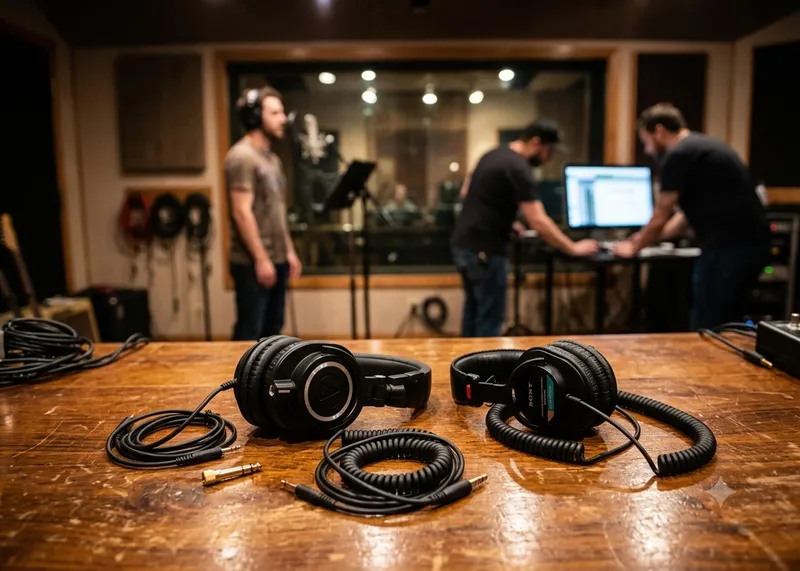
    Choosing The Right Headphones, the Sony MDR-7506 vs. the Audio-Technica ATH-M50x

    Studio Standard vs. Modern Workhorse: Choosing Your Field Recording Headphones

    For professional field recording, your choice of headphones is critical. You need gear that is reliable, provides an accurate representation of your audio, and offers sufficient isolation from the environment.

    The Sony MDR-7506 and the Audio-Technica ATH-M50x are two of the most popular studio monitors, but they serve slightly different purposes in the field.

    At a Glance: Comparison Table

    Feature Sony MDR-7506 Audio-Technica ATH-M50x
    Best For Critical monitoring & accuracy Monitoring & versatile use
    Sound Profile Bright, analytical, "standard" Boosted bass/treble, "fun"
    Durability Proven, but plastic-heavy Robust "tank-like" construction
    Cable Non-detachable, long coil Detachable (3 options included)
    Comfort Lightweight, high clamping force Moderate weight, snug fit
    Portability Folds compact Folds & swivels

    Deep Dive: Professional Field Recording

    The Case for the Sony MDR-7506

    The MDR-7506 has been an industry standard for decades. If you walk onto a film set or a professional broadcast interview, you are almost guaranteed to see these around someone's neck. (Charles Cleyn)

    • Pros:
      • Analytical Clarity: They are known for a "brighter" sound that highlights mid-to-high frequencies. In field recording, this makes it easier to spot background noise, handling noise, or vocal sibilance that you might otherwise miss.
      • Industry "Language": Because so many professionals use them, you gain a common frame of reference. If a sound sounds "off" on a 7506, other engineers likely hear the same thing.
      • Portability: They fold up very compactly and are lightweight, which is a major bonus when hiking or moving through tight shooting spaces. (PetaPixel)

    • Cons::
      • The Cable: The cable is fixed. If it snaps or frays, you have to solder a replacement yourself or pay for a repair.
      • Fatigue: The high-frequency emphasis can lead to "ear fatigue" during very long recording days. (Home Studio Basics)

    The Case for the Audio-Technica ATH-M50x The M50x is a more modern, consumer-friendly evolution. It is arguably more versatile if you are doing a mix of field recording, editing, and casual listening.

    • Pros:
      • Detachable Cables: This is the biggest advantage for field work. It comes with multiple cable options (coiled, short, long), making it easy to adapt to your recorder without having yards of excess cable snagging on gear.
      • Sturdy Build: They are physically robust. They handle the "toss it in the bag" abuse of field production quite well.
      • Low-End Presence: If you are recording ambience or sound effects with deep sub-bass frequencies, the M50x provides a more powerful bass response that can help you gauge the "weight" of a recording better.

    • Cons::
    • Sound Coloration: The "V-shaped" sound (boosted bass and treble) can sometimes mask issues in the midrange where critical dialogue or subject matter lives.
    • Clamping Force: Some users find the clamping force a bit intense during the first few weeks of use, which can become uncomfortable over an 8-hour shift.

    The Verdict for Field Work

    • Choose the Sony MDR-7506 if: You are primarily recording dialogue, interviews, or location sound where hearing subtle, high-frequency details (like unwanted background buzz or mouth clicks) is your top priority. Their "analytical" sound is a tool that keeps you honest about your signal.

    • Choose the Audio-Technica ATH-M50x if: You need a "do-it-all" headphone. If your workflow involves recording in the field and then immediately sitting down at a laptop to edit, or if you need a headphone that you can also enjoy for music production and casual use, the M50x is more versatile.


    Pro-Tip for Field Recordists: No matter which pair you choose, invest in high-quality third-party earpads (like velour or memory foam replacements). Stock leatherette pads can get sweaty and uncomfortable in hot field conditions, and upgrading them is a common practice among pros to extend both comfort and the lifespan of the headphones.

    👉 Return to RR.COM 👈

  • Posted on
    The Unsung Hero of the Gear Bag

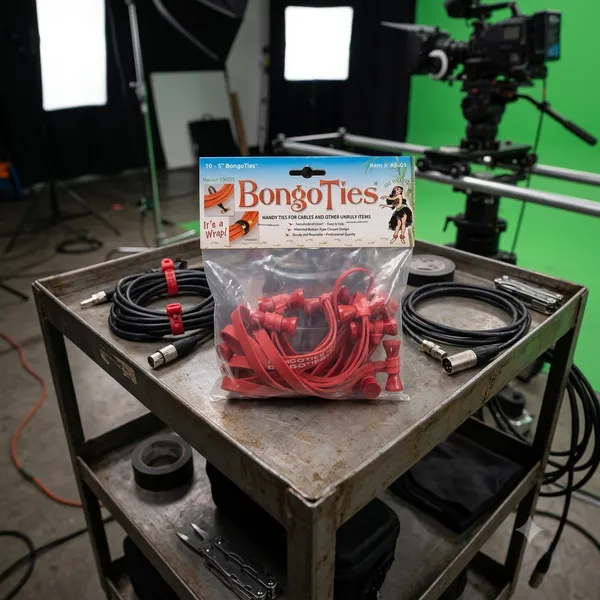
    The Unsung Hero of the Gear Bag: Why You Need Bongo Ties

    If you work in film, photography, music, or IT, you already know the nightmare: a tangled bird's nest of extension cords, HDMI leads, and audio cables sitting at the bottom of your bag.

    While the world tries to sell us complex plastic clips and disposable zip ties, the film industry's best kept secret is beautifully simple, incredibly cheap and practically indestructible.

    Meet the Bongo Tie

    Brilliant design in its simplest form.

    Invented by a pro photographer who was tired of wrestling with sticky tape and flimsy hook and loop straps, a bongo tie consists of just two elements

    1. A heavy duty, highly durable, Hevea rubber band.

    2. A patented flared bamboo pin that acts as a toggle.

    There are no gears, no hooks, no plastic to snap in cold weather. You just wrap the rubber band around your cables, loop it over the bamboo flared ends, and it snaps, locked under its own tension.

    4 reasons, they beat everything else.

    • No sticky residue: Unlike gaffer tape or electrical tape, they leave zero residue on expensive cables.
    • True one-handed operation: You can easily lock or release them with one hand while holding a heavy coil of wire with the other.
    • Reusable for years: Zip ties are a single use plastic waste nightmare. Bongo ties can be used hundreds of times before the rubber finally loses its snap.
    • The flared pin advantage: because the bamboo toggle is flared on both ends, the loop can't accidentally slide off, even under heavy vibration.

    Beyond Cables: Through Creative Uses

    While they were built for cords, anyone who owns a pack quickly discovers they are the ultimate "fix-it" tool. Production crews use them to strap wireless receivers to camera rigs, musicians use them to secure loose mic stands, and campers use them to lash gear to backpacks.

    In a world full of over-engineered gadgets, the Bongo Tie is a refreshing reminder that sometimes, the simplest solution is the best one.

  • Posted on
    The Set Essential: Joe’s Sticky Stuff

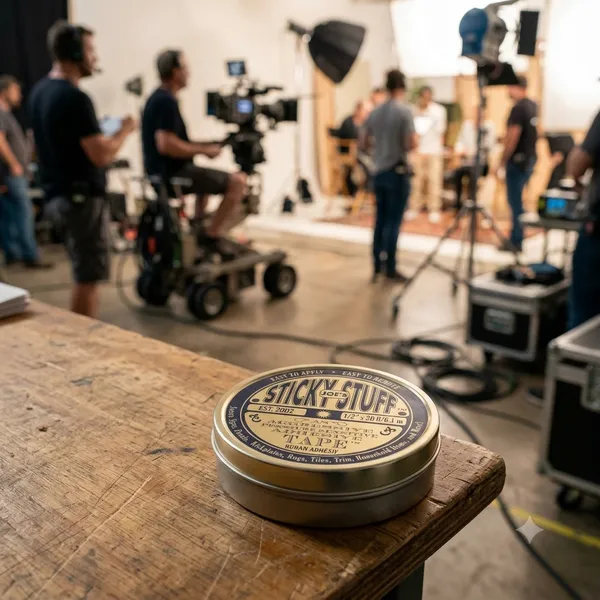
    The Set Essential: When and Where to Reach for Joe’s Sticky Stuff

    If you’ve ever spent time on a film set, you’ve probably heard someone yell for "snot tape." More often than not, they’re looking for a roll of Joe’s Sticky Stuff.

    Invented by Hollywood prop master Joe Connolly, this aggressive, clear, double-sided pressure-sensitive adhesive has become an absolute industry standard. But because it grips like crazy yet peels away cleanly, knowing exactly when and where to deploy it can save your track, your set, or your sanity.

    When to Use It: The Ideal Scenarios Joe's Sticky Stuff is a problem-solver for temporary but heavy-duty mounting. You should reach for it when:

    • Residue is a Dealbreaker: Unlike standard carpet tape or heavy-duty gaffer tape, it leaves zero gummy residue and won't mar delicate finishes or strip the paint off a location's walls.
    • You Need Vibration Dampening: Because it’s a pliable, rubber-like butyl material, it absorbs micro-vibrations—making it a secret weapon for audio capture.
    • An Object Needs to Look "Un-Taped": Since it’s double-sided and hides completely beneath an object, it’s perfect for anything that will be seen on camera or on display.

    Where It Shines: Department by Department While the art department might run through the most rolls, this stuff is universally loved across the entire crew.

    1. In the Sound Department: Taming Lavaliers Hiding a lav mic under stiff clothing or on a tricky chest piece? A tiny piece of Joe's Sticky Stuff can lock down a capsule, stick a mic mount directly to skin or fabric, and instantly kill clothing rustle by immobilizing the fabric layers.

    2. In the Prop & Set Dec Departments: Locking It Down Whether it's keeping a picture frame perfectly level on a wall, securing a rogue rug from sliding during a high-energy stunt, or keeping props perfectly static on a shelf between takes, this tape keeps everything exactly where the continuity log says it should be.

    3. On the Camera Rig: Quick Tools Need your dry-erase markers right next to the slate? Want to temporarily mount a small wireless receiver or a reference card to a monitor cage? A little piece of Sticky Stuff gives you an instant mounting point without adding bulk.

    4. Off-Set & Around the House The utility doesn’t stop when production wraps. It's the ultimate tool for running desk cables cleanly along a wall, anchoring drawer organizers so they don't slide around, or hanging temporary seasonal decorations without putting holes in the drywall.

    Pro Tip for Clean Removal: Don't just yank the object straight off. Give it a gentle twist to break the initial seal, then slowly stretch and peel the tape away from one end. It will lift off in one clean piece.


    How does Joe's Sticky Stuff perform in extreme weather conditions like high heat or freezing cold, and how should you handle it?

    Like most pressure-sensitive adhesives, Joe’s Sticky Stuff is highly responsive to the environment. Because it is a pliable butyl-based gel, temperature shifts alter its physical properties—making it behave very differently on a freezing exterior night shoot versus a scorching blacktop in mid-July.

    Here is how it performs under extreme conditions and exactly how to handle it.

    🥶 In Freezing Cold: The "Glass" Effect When the temperature drops (especially below 40°F / 4°C), the liquid components within the adhesive begin to harden.

    • The Performance: The tape loses its "wetting ability" (its power to flow into the microscopic pores of a surface). It becomes stiff, dry, and brittle. If you try to apply it cold, it simply won't grab, or it will pop right off under the slightest weight.

    • The Fix: *Warm the tape: Keep the roll or tin of Sticky Stuff inside your inner jacket pocket close to your body heat until the moment you need it ***Prep the surface**: If you are sticking it to a cold piece of metal or plastic, quickly warm the area with a pocket heater, hair dryer, or even your hands before applying the tape. Once it bonds at a warm temperature, it handles the cold much better.

    🥵 In High Heat: The "Meltdown" Effect On the flip side, extreme heat (above 90°F / 32°C) softens the tape's internal structure.

    • *The Performance: The adhesive shifts from being firm and elastic to overly soft and gooey. While its initial tack (stickiness) will actually increase, its cohesive strength drops. Under heavy loads or vertical stress (like a heavy prop hanging on a wall in a hot warehouse), the tape can stretch out like warm taffy, causing the object to sag or fall. (Lamtek)

    • The Fix: *Keep it cool: Store your rolls in a shady spot, an air-conditioned production vehicle, or a cool gear case—never leave the tin sitting face-up on a hot gear cart in direct sunlight. Increase surface area: If you must use it in hot conditions, use a slightly larger piece than normal to distribute the weight and prevent the softened gel from shearing or slipping.

    🌡️ The Golden Rule for Storage and Application

    Acclimatize Before You Apply: For the absolute strongest bond, always apply Joe's Sticky Stuff at a comfortable room temperature (60°F to 85°F). Once the tape has had a few minutes to fully "wet out" and bond to a clean surface, it can successfully withstand significant temperature drops or shifts afterward.

    How do you clean up or remove residue from butyl adhesives like Joe's Sticky Stuff if they melt or smear?

    Because butyl is a synthetic rubber and not a traditional water-based glue, reaching for standard soap and water will only smear it around. You need a specific approach to break it down without damaging the surface underneath.

    The Best Methods for Cleanup

    1. The "Fight Fire with Fire" Method (Mechanical Removal) Before applying any liquids, use the adhesive's own cohesive nature to lift the residue.

    • Take a fresh, clean piece of Joe's Sticky Stuff (keep it cool so it’s firm).
    • Press it firmly directly onto the smeared residue, then yank it away quickly.
    • The residue will often prefer to stick to the fresh piece of tape rather than the surface, pulling it up cleanly without chemicals.

    2. Citrus-Based Cleaners (Best Overall) If the smear is too flat or thin to lift mechanically, a citrus-based adhesive remover is your absolute best option.

    • Products: Goo Gone or commercial-grade D-Limonene cleaners.
    • How it works: The natural oils in citrus break down the butyl polymer chains, turning the sticky gel into a non-tacky liquid.
    • Process: Apply a small amount to a clean microfiber cloth, let it sit on the smear for 60 seconds, and wipe it away. Wipe the area with a damp cloth afterward to remove the oily cleaner.

    3. Isopropyl Alcohol (Safe for Electronics and Sound Gear) If you are cleaning a lav mic capsule, wireless transmitter, or sensitive camera rig, avoid oily citrus cleaners.

    • Use 91% or 99% Isopropyl Alcohol (IPA).
    • Apply it to a cotton swab or microfiber cloth. It won't dissolve the butyl as quickly as citrus, but it will rapidly dry out the tackiness, allowing you to roll the residue off into small balls with your finger or a cloth.

    🚫 What to Avoid

    • WD-40: While it will dissolve butyl rubber, it leaves behind a heavy petroleum film that is incredibly difficult to completely clean off, which might ruin the surface for future tape applications.
    • Acetone or Nail Polish Remover: Do not use this on plastics, painted surfaces, or gear chassis. Acetone will easily melt plastic housing, strip paint, and ruin delicate finishes.
    • Tissues or Paper Towels: Never rub a wet smear with cheap paper towels or tissues. The loose fibers will instantly bond to the butyl, creating a fuzzy, cemented mess that is twice as hard to clean. Stick to microfiber cloths or specialized non-woven wipes.
    • ALWAYS TEST ANY SOLVENTS OR CHEMICALS IN AN INCONSPICUOUS LOCATION!

    Sound & Camera Crew Tip: If you're working with delicate lavalier mic cables or clothing fabrics, always test a tiny drop of your cleaner on an inconspicuous spot first to ensure it won't discolor the material or degrade the rubber coating of the wire.

    Life is better when we all stick together!

  • Posted on
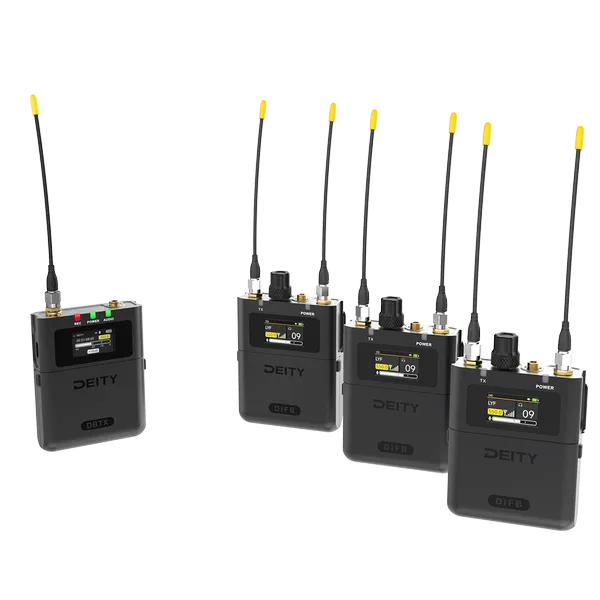
    Deity THEOS DIFB, a Game-Changer

    Sound on Set: Why the Deity THEOS DIFB is a Game-Changer for Wireless Monitoring

    If you’ve ever worked on a chaotic film set, you already know that IFB (Interruptible Foldback) systems are the unsung heroes of production. Keeping the director, script supervisor, and clients tuned into clean, real-time dialogue isn’t just a luxury—it’s vital for a smooth workflow.

    For years, location sound mixers have had to choose between clunky legacy systems or expensive, high-end monitoring setups. Enter the Deity THEOS DIFB (and its North American counterpart, the HUSH Wireless). Deity has completely shaken up the monitoring game by bringing ultra-wideband digital tech and massive quality-of-life updates to the crew's ears.

    Let’s dive into why this system is quickly becoming a staple in location sound bags.

    1. Global OneBand™ Tech: Total Frequency Freedom

    Navigating local RF laws can be a nightmare, especially for traveling filmmakers. The THEOS DIFB introduces an incredibly wide tunable range of 550MHz to 960MHz.

    The Smart Feature: By syncing with your phone’s GPS via the Sidus Audio app, the DIFB automatically conforms to the local RF regulations of whatever country you just landed in. No more accidental fine-inducing transmissions.

    2. Built for the Reality of Production

    Older IFB receivers often feel like cheap plastic walkie-talkies. Deity built the DIFB with a rugged, full-metal housing meant to survive the inevitable drops and bumps on set.

    But what really sets it apart mechanically is how it handles the user experience:

    • True Diversity Monitoring: Dual SMA ports and dual antennas mean fewer dropouts when a producer wanders behind a grip truck.

    • Top-Facing Metal Volume Knob: Sound mixers rejoice! Your clients no longer have to open a plastic flap just to adjust their volume.

    • Text-to-Speech (TTS) Notifications: Because these units are usually clipped to a belt or shoved in a pocket, the DIFB will literally read out the transmitter's name into the user's headphones when they switch channels. They always know exactly who they are listening to without looking at the screen.

    3. Battery Life That Outlasts the Shoot

    There is nothing more frustrating than a producer tapping you on the shoulder halfway through a day because their monitoring just died. Deity has optimized the power draw on these units significantly:

    Battery Type Expected Lifespan
    AA Up to 15–17 Hours
    -- --
    Alkaline AA Up to 10 Hours
    -- --
    1900mAh NiMH Up to 9 Hours

    Note: The system also includes an ECO Mode to dim the screen and a USB-C port for external power if you're running a permanent video village setup.

    4. Ecosystem Integration and the Sidus Audio App

    The DIFB is built to seamlessly listen in on any Deity THEOS DBTX transmitter. Using the Sidus Audio App, you can manage frequency coordination, perform bulk updates, and handle automatic frequency scans across dozens of units simultaneously.

    The receiver features a 20-frequency bank library, meaning a user can quickly rotate the metal encoder to flip between different sound bags, a director’s mix, or individual talent mics seamlessly.

    The Verdict

    The Deity THEOS DIFB bridges the gap between ultra-expensive rental house gear and budget-tier wireless kits. At roughly $299 USD for a single receiver (or around $1,096 for a 3-pack kit with a transmitter), it offers unmatched flexibility, incredible battery longevity, and rugged build quality.

    If you are looking to upgrade your wireless monitoring workflow, keep your clients happy, and stop stressing about international RF coordination, the DIFB deserves a permanent spot in your audio kit.

    Have you had a chance to deploy the Deity DIFB on your latest shoot? Let us know your thoughts on the Text-to-Speech channel naming in the comments below!

  • Posted on
    Wireless Workflow: Unlocking Your Sound Devices 6-Series with WM-Connect and Wingman

    In the fast-paced world of production sound, efficiency is key.

    Every minute saved on set is a win. That’s where the Sound Devices WM-Connect Bluetooth Smart® USB dongle and the free Wingman app for Android and iOS come in, offering a powerful and affordable solution for wireless remote control and metadata management for your 6-Series mixer/recorder.

    What is the WM-Connect? The WM-Connect is a small, essential piece of hardware: a Bluetooth Smart USB dongle. It's the bridge that brings your Sound Devices 6-Series mixer/recorder into the wireless, touch-screen era.

    Compatibility:

    • Mixer/Recorders: Sound Devices 688, 664, and 633 (requires a compatible 6-Series firmware version, typically v4.00 or later).

    • Installation: It plugs into the USB-B port on the right side of the mixer using one of the included adapters (a right-angle adapter and a cable adapter), or directly into the keyboard port of an attached CL-12/CL-12 Alaia.

    Enter Wingman: Your Wireless Control Surface The Wingman app, available as a free download on the Apple App Store and Google Play, harnesses the WM-Connect's Bluetooth connection to give you remote control features from your smartphone or tablet. This puts a clear, intuitive interface for vital functions right in the palm of your hand, allowing you to step away from the recorder while maintaining crucial control.

    Key Features of the Wingman App:

    • Remote Transport Control: Easily Start and Stop audio recordings from a distance (typical line-of-sight range is about 50 feet).

    • Clear Monitoring: View meters, timecode, and frame rate on the larger screen of your mobile device.

    • Metadata & Take Management:

      • Enter and Edit metadata on the mixer in real-time.

      • Arm, Disarm, and Rename tracks quickly.

      • Circle a take or designate a False take with a simple tap.

    • Sound Reports: Create and manage sound reports directly on the mixer and then email the reports (as .csv files) from your connected iOS or Android device.

    • Workflow Convenience: If multiple WM-Connect-equipped 6-Series mixers are nearby, the Wingman app will display them all, allowing you to easily switch control between devices.

    Note: For MixPre Series recorders, the WM-Connect is not required, as those recorders have built-in Bluetooth LE.

    The Power of Pairing The combination of the WM-Connect and the Wingman app is a game-changer for 6-Series users. It allows for a more streamlined workflow, especially when the mixer is placed in a bag or on a sound cart where direct access to the small screen and controls might be cumbersome. From rapid metadata entry using your phone’s keyboard to remotely checking levels, this affordable accessory package brings modern wireless convenience to a professional sound mixer's toolkit.