Inside Audio

Sound Devices

All posts tagged Sound Devices by Inside Audio
  • Posted on
    Navigating AES on the Sound Devices 833

    Navigating AES on the Sound Devices 833

    Introduction: Why Go Digital?

    • The Benefit: AES (Audio Engineering Society) connections allow for a pure digital signal path from source (like a high-end digital wireless receiver or preamp) to the 833.

    • The Advantage: Avoiding unnecessary A-to-D (Analog-to-Digital) and D-to-A conversion stages, which can introduce noise or color the sound. (HEDD Audio)

    Identifying Your AES Entry Points

    There are two ways to get AES into an 833:

    • The "Native" Input: XLR Input 1 is capable of accepting AES3 or AES42 (for digital mics). This is perfect for a quick, single-source digital connection. (Broadcast Supply Worldwide)

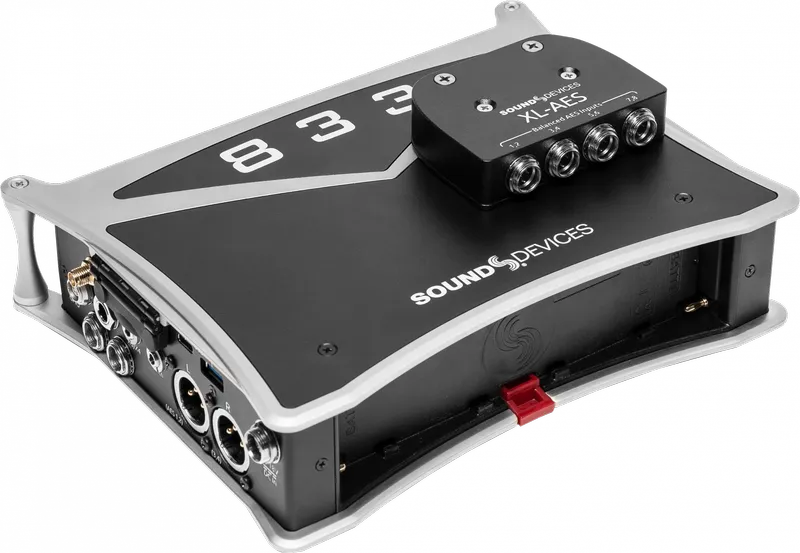
    • The Expansion Method (XL-AES): For more serious channel counts, introduce the XL-AES accessory. It attaches directly to the top of the 833, providing four TA3 connectors, each capable of carrying two channels of AES, for a total of eight digital inputs. (Sound Devices)
    enter image description here

    Practical Setup & Configuration

    • Menu Navigation: You must enable the XL-AES in the System Menu before it appears as a source. Otherwise, the 833 is expecting an analog signal. Here's a two minute explainer. (YouTube)

    • Routing: The 833’s fully routable architecture can easily map inputs to tracks. Once the input is enabled, you simply go to your desired channel, open the Source menu, and select the digital source (e.g., "AES 1" or the corresponding XL-AES channel).

    • Sample Rate Sync: When using digital inputs, the 833 becomes the "clock master" (or the source must be synced), though the 833's internal converters handle this automatically when set up correctly.

    Critical Best Practices

    • Cable Matters: It's not difficult to emphasize the importance of using 110-ohm impedance AES cables. While a standard analog mic cable might "work" over short distances, using proper AES-rated cabling is essential to prevent data errors, dropouts, or "clicks and pops" in the recording. (Soundrolling) More on this in a bit...

    • AES42 vs. AES3: AES42 is for specific digital microphones that require power, while AES3 is the standard for transferring digital audio between devices. (see a recent post for more)

    • Gain Staging: Note, you still have digital trim control. You aren't adjusting an analog preamp, but you are adjusting the signal level within the digital domain!

    Key Technical Specs

    Feature Detail
    Connector (Standard) XLR-3 (Input 1)
    Connector (Expansion) TA3 (via XL-AES accessory)
    Cable Requirement 110-ohm balanced
    Protocol AES3 (2-channel)
    833 Flexibility Fully routable to any track

    More on Cables

    The Core Requirement: 110-Ohm Impedance

    The most important technical rule is that AES3 signals require 110-ohm shielded twisted-pair cable. (Reddit)

    • Why it matters: Analog microphone cables typically have an impedance between 50 and 75 ohms. While they might pass a signal over a very short distance (like 1 meter), they cause "reflections" of the digital data stream. Over longer runs, this leads to bit errors, digital dropouts, and audible clicking or popping.

    • The "Pro" Habit: Because AES cables look identical to analog cables, it is common industry practice to label your digital cables. Use specific colors of electrical tape or colored heat-shrink tubing on the connectors to distinguish them at a glance during a high-pressure setup.

    Connector Types for the 833

    Depending on how you are connecting your devices, you will encounter two primary connector types:

    • XLR-3 (Input 1): If you are using the single digital input on the main chassis (Input 1), you need a standard XLR-F to XLR-M cable rated for 110-ohm AES digital audio.

    • TA3 (XL-AES Accessory): If you are using the XL-AES expansion accessory, you will need TA3-F to XLR-M (or TA3-F to TA3-M, depending on your receiver) cables. These must also be wired using 110-ohm digital-rated cable.

    Best Practices: Ensuring a Bulletproof AES Workflow

    Transitioning to an all-digital signal chain is one of the most effective ways to lower your noise floor and simplify your gain structure. However, AES requires a shift in mindset compared to analog workflows. Follow these best practices to ensure your digital path remains as clean and reliable as the manufacturers intended.

    1. Identify Your Digital Lines

    Because AES cables look exactly like standard microphone cables, it is dangerously easy to mix them up in a dark bag or a busy sound cart. Establish a clear cable labeling system immediately. Whether you use colored heat-shrink, specific electrical tape, or entirely different brands of connectors, you should be able to identify a digital cable by touch or a quick glance. Never rely on "guessing" during a high-pressure setup.

    Respect the 110-Ohm Standard

    Do not use standard analog microphone cable for AES signals, even for short runs. While it may appear to work during a "bench test," analog cable lacks the specific impedance characteristics required to maintain data integrity. Using non-rated cable is an invitation for digital errors—resulting in intermittent dropouts, clicks, and pops that are notoriously difficult to track down once the cameras are rolling. Always use certified 110-ohm AES/EBU cable.

    Master Your Gain Staging

    When you move to AES, you are bypassing the analog preamp stage of the 833. This means your gain staging happens in the digital domain.

    • Understand the Signal Source: You are now controlling the gain of the transmitter or the preamp feeding the recorder, not the 833 itself.

    • Watch Your Levels: Because there is no analog saturation to "soften" a digital clip, keep a close eye on your peaks. Digital clipping is immediate and harsh. If your source level is too hot, adjust it at the receiver or the digital output stage of your source device, rather than trying to fix it at the recorder.

    Manage Your Clocking

    The 833 is highly capable of handling digital signals, but you must ensure your system is synchronized. In most single-recorder setups, the 833 will act as the master clock. If you notice any rhythmic "ticking" or artifacts in your signal, verify that all devices in your digital chain are synced to the same sample rate (e.g., 48kHz or 96kHz). A mismatch in sample rates is a frequent cause of digital noise.

    The "Listen-Test" Ritual

    Before calling "Speed" or "Action," perform a quick digital check. Because AES errors are binary—either the data arrives perfectly or it arrives with errors—you won't necessarily hear "hiss" if something is wrong. You will hear digital artifacts or silence. Use your headphones to specifically monitor the digital returns periodically, especially if you are using long cable runs or complex cabling looms.

    👉 Return to RR.COM 👈
  • Posted on
    Seamless Synchronization: Integrating the Astral ARX2 with the A20-TX

    Seamless Synchronization: Integrating the Astral ARX2 with the A20-TX

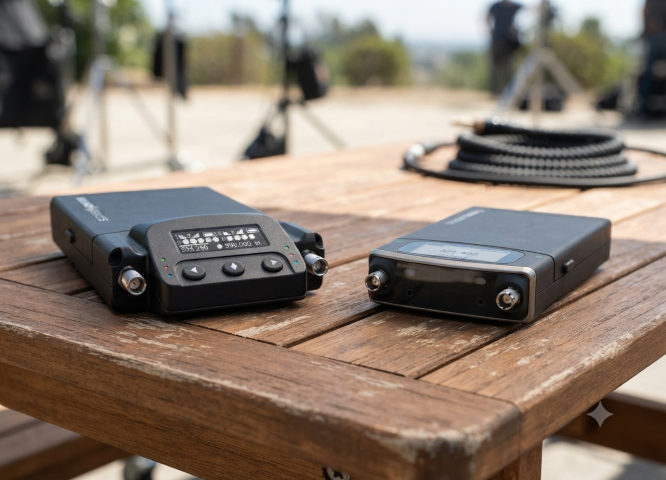
    The true power of the Sound Devices Astral ecosystem is realized when the ARX2 receiver is paired with the A20-TX transmitter. While the ARX2 handles the heavy lifting of signal reception, the A20-TX brings a unique set of technical advantages that simplify the workflow for the boom operator or talent.

    Here is how these two units work in tandem to create a robust, high-fidelity wireless link.

    1. Unified Gain Management with GainForward

    The most significant operational advantage when pairing the ARX2 with the A20-TX is the GainForward architecture.

    Traditionally, sound mixers have had to set the gain at the transmitter (often buried under wardrobe) and then trim it again at the mixer. With the ARX2 and A20-TX, you set the gain once at the receiver or directly from your 8-Series mixer. Any subsequent adjustments made on the mixer are effectively managing the transmitter’s internal preamp stage.

    2. Full Control via Remote

    The ARX2 acts as a central command hub for the A20-TX. When paired, you can remotely control essential transmitter settings directly from the receiver interface or your 8-Series mixer, including:

    • RF Power Levels: Toggle between output powers to conserve battery or boost range as needed.

    • Input Mute: Remotely kill the mic signal for talent privacy or to avoid unwanted audio during scene changes.

    • A20-TX Sleep Mode: Conserve precious battery life between takes by putting the transmitter into sleep mode remotely, then waking it back up just before the director calls "Action."

    3. Digital Transmission and Latency

    The A20-TX transmits a full-range, 100% digital signal that integrates seamlessly with the ARX2’s processing chain. Because the entire path is digital—from the A20-TX preamp to the ARX2 output—there is no need for traditional analog companding.

    • Latency: The system provides extremely low, fixed-latency performance, which is vital when mixing talent on a wireless lavalier that may be audible alongside a boom microphone in the same scene. This prevents the "comb filtering" or phasing issues that can occur with variable-latency digital wireless systems.

    4. Shared Metadata and Status Monitoring

    Integration goes beyond just audio. The ARX2 receives telemetry data from the A20-TX, which is displayed directly on your monitoring screen:

    • Battery Status: Real-time, accurate battery life remaining.

    • RF Signal Integrity: Visual indicators of signal strength (RSSI) and link quality, allowing you to proactively move antennas or reposition talent before a drop-out occurs.

    • Frequency Coordination: The ARX2 can push frequency changes to the A20-TX automatically, ensuring both units remain locked to the same channel without manual entry on the transmitter.

    Pro-Tip for Configuration

    When pairing your A20-TX to the ARX2, ensure you are utilizing the A20-Remote app if you are moving between different setups. The app allows for rapid deployment and firmware management, ensuring that your A20-TX units are always optimized for the specific modulation and frequency hopping patterns required by the ARX2 in your specific region.

    Quick Start: Pairing the A20-TX to the ARX2

    Getting your transmitter and receiver linked and ready for production is a straightforward process. Follow these steps to establish a secure, digital link between your A20-TX and ARX2.

    Step 1: Set the Frequency on the ARX2

    • Navigate to the Receiver Menu on your ARX2 (or via your 8-Series mixer display).

    • Select the desired channel you wish to pair.

    • Choose a clear frequency using the AutoAssign feature or by manual selection to ensure the channel is free from interference.

    Step 2: Initiate Pairing Mode on the A20-TX

    • Ensure your A20-TX is powered on.

    • Locate the Pairing Button (typically found on the side or within the menu interface depending on your firmware version).

    • Press and hold the button until the status LED begins to flash in a specific "pairing" pattern (usually a rapid pulse), indicating the unit is ready to receive data.

    Step 3: Sync via the ARX2

    • While the A20-TX is in pairing mode, navigate to the Pairing/Sync menu on your ARX2.

    • Select "Start Sync" (or the equivalent command on your mixer interface).

    • The ARX2 will transmit the frequency, modulation, and metadata settings to the A20-TX wirelessly.

    Step 4: Verify the Link

    • Once the sync is successful, the status LED on the A20-TX will change to a solid state (typically green or blue, indicating a locked link).

    • Observe the ARX2 receiver display. You should see the RF signal meter climb to full strength and the audio modulation meter reacting to sound input at the A20-TX microphone.

    • Perform a quick "walk test" to confirm audio clarity and consistent signal strength in your environment.

    Note: If the sync fails, ensure both units are updated to the latest firmware version. Using the A20-Remote app can also provide a visual confirmation that the transmitter has successfully adopted the new frequency parameters from the receiver.

    👉 Return to RR.COM 👈

  • Posted on
    Redefining Wireless Flexibility: A Deep Dive into the Sound Devices Astral ARX2

    Redefining Wireless Flexibility: A Deep Dive into the Sound Devices Astral ARX2

    In the ever-crowded RF environments of modern production, the ability to find a clear, reliable signal is more than a convenience—it’s a necessity. As wireless spectrum continues to shrink, Sound Devices has pushed the boundaries of portable wireless reception with the Astral ARX2.

    Designed for location sound professionals who demand high-performance, true-diversity reception in a compact, slot-in form factor, the ARX2 stands as a testament to engineering efficiency. (Sound Devices)

    The Power of SpectraBand

    The headline feature of the ARX2 is its implementation of SpectraBand technology. By providing an expansive tuning range of 470 MHz – 1525 MHz, the ARX2 effectively solves the "band-locking" dilemma that has plagued field sound engineers for years.

    Instead of juggling multiple receivers for specific regional frequency blocks, the ARX2 allows operators to quickly jump between the standard UHF TV bands and the increasingly popular 900 MHz ISM/STL bands, or even the 1.5 GHz AFTRCC band (where licensed). This agility is a game-changer for international productions or setups in highly congested metropolitan areas.

    Technical Highlights

    Beyond its broad tuning range, the ARX2 is built for the rigors of professional field work:

    • True Diversity Topology: The ARX2 utilizes two complete RF receivers per channel, providing four total receivers to ensure robust, dropout-free performance in challenging multi-path environments.

    • Brick-Wall SAW Filtering: To mitigate interference from nearby high-power sources like IFB or camera hops, the ARX2 employs low-loss, brick-wall Surface Acoustic Wave (SAW) filters. This high-discrimination front end maintains signal integrity without the need for bulky external filters.

    • GainForward Architecture: By utilizing Sound Devices’ GainForward, engineers can control transmitter gain directly from the receiver or the 8-Series mixer-recorder interface. This eliminates the need to physically access the transmitter during a take, streamlining the workflow significantly.

    • AutoAssign Functionality: When time is short, the AutoAssign feature scans the local RF environment and automatically suggests, selects, and sets the best available frequencies, reducing setup times from minutes to mere seconds.

    Integration and Connectivity

    The ARX2 is engineered for seamless integration into the Sound Devices ecosystem. It is fully SuperSlot compatible, meaning it slides effortlessly into an SL-2 module docked to an 8-Series mixer-recorder, allowing for power, audio, and control over a single connection.

    For those operating outside the 8-Series environment, the ARX2 supports a variety of connectivity options, including XLR and TA3 adapters, and the A-15PIN two-channel AES Sony camera slot adapter, ensuring it remains a versatile tool in any kit.

    The Portable Advantage: Integrating the A-XLR

    enter image description here

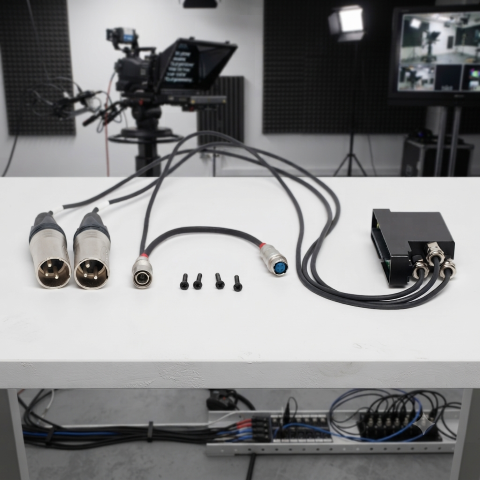
    For smaller setups or "run-and-gun" kits where a full 8-Series mixer and SL-2 module might be overkill, the Sound Devices A-XLR provides a vital bridge for the Astral ARX2. This compact adapter allows you to take the ARX2 out of the slot-in environment and into a standalone configuration, transforming it into a high-performance, two-channel receiver that fits easily into a smaller bag or shoulder rig. By providing secure XLR outputs and reliable power via the Hirose connector, the A-XLR ensures that you don't have to compromise on signal quality or the advanced features of the Astral ecosystem just because you’ve opted for a more mobile, minimalist kit. Whether you're feeding a compact mirrorless camera or a portable field recorder, the A-XLR maintains the integrity of the digital link, making it the perfect solution for solo operators who need professional-grade wireless in a low-profile footprint.

    Integrating the Astral ARX2 with the A20-TX

    The true power of the Sound Devices Astral ecosystem is realized when the ARX2 receiver is paired with the A20-TX transmitter. While the ARX2 handles the heavy lifting of signal reception, the A20-TX brings a unique set of technical advantages that simplify the workflow for the boom operator or talent. More information in an upcoming blog.

    The Verdict

    The Astral ARX2 is more than just a receiver; it is a future-proof investment for the professional sound mixer. With its combination of SpectraBand agility, robust digital modulation, and seamless integration, it provides the reliability needed to deliver clean, professional audio, no matter how crowded the spectrum becomes.

    Whether you are upgrading from the A10-RX or building a new rig, the ARX2 represents the current gold standard in portable wireless performance.

  • Posted on
    The Ultimate Run-and-Gun Companion: Why the Sound Devices 833 Remains an Industry Powerhouse

    The Ultimate Run-and-Gun Companion: Why the Sound Devices 833 Remains an Industry Powerhouse

    In the high-pressure world of professional location sound, gear isn't just equipment—it’s an extension of your craft. When you’re in the middle of a fast-paced documentary shoot or a demanding narrative set, you need a recorder that is as nimble as it is reliable.

    Enter the Sound Devices 833.

    While it has been a staple for years, the 833 continues to be the gold standard for sound mixers who refuse to compromise between portability and power. If you are looking for the perfect balance of form factor and elite-level functionality, here is why the 833 deserves a place in your bag.

    1. The Power of "Big Console" Tech in a Compact Body

    The 833 is widely considered the spiritual successor to the legendary 633, but it carries the DNA of its "big brother," the Sound Devices Scorpio. By leveraging the same advanced processing architecture and FPGA-based engine, the 833 provides full routing flexibility. You can route any input to any track, giving you the kind of complex signal management previously reserved for massive, cart-based setups. (Sound Devices)

    2. Built for the Trenches: Ergonomics and Build

    There is a reason why sound mixers love tactile interfaces. When the unexpected happens—a boom swing is too loud, or a wireless signal starts to clip—you don’t want to be digging through sub-menus.

    • Tactile Control: Dedicated faders, trim knobs, and PFL switches mean your eyes can stay on the action, not the screen.

    • Rugged Durability: It’s built to withstand the realities of field production, whether you’re in a desert, a rain forest, or a chaotic city center.

    3. Future-Proofing with Advanced Plugins

    The 833 isn't just a recording device; it’s an intelligent workstation. Thanks to Sound Devices’ sophisticated plugin ecosystem, you can add tools that solve problems on set before they ever reach post-production: (Sound Devices)

    • Dugan Automixing & MixAssist: Essential for multi-microphone interviews or panels, keeping your mix clean automatically.

    • Noise Suppression: With optional NoiseAssist or CEDAR sdnx plugins, you can suppress background noise in real-time, delivering a much cleaner scratch track (or final mix) to the camera.

    4. Unmatched Reliability and Power Options

    In the field, power management is your lifeline. The 833 offers a redundant, versatile approach to power:

    • Internal SSD + Dual SD slots: You can record to three media simultaneously. This provides immediate, redundant backups, giving you and your production team peace of mind that your audio is safe from the moment you hit "record."

    • Dual L-Mount batteries: These allow for hot-swapping, ensuring you never have to power down during a long take.

    The "Plus 4" Upgrade

    Need more channels? The 833 is designed to grow with you. With the +4 Plugin, you can expand your setup to 12 channels and 16 tracks. It’s the perfect solution for those who primarily need a small kit but occasionally find themselves on productions that require higher track counts.

    The Verdict

    The Sound Devices 833 is more than just a recorder; it is a long-term investment in your professional capability. It hits that elusive "sweet spot"—small enough to wear in a bag for all-day shoots, but powerful enough to handle the most demanding production requirements.

    For the location sound mixer who demands reliability, surgical control, and high-fidelity audio, the 833 remains one of the best tools on the market today.

    👉 Return to RR.COM 👈

  • Posted on
    Beyond the Standard: A Deep Dive into A20-Monarch, BOWTIE, and BF1

    The Butterfly Effect: Comparing Wideband Antennas for Location Sound

    Introduction

    In the world of location sound, the antenna is your first line of defense. As the RF landscape becomes increasingly crowded—squeezed by spectrum auctions, 5G rollouts, and the constant hum of electronic noise—the choice of hardware mounted to your sound bag has never been more critical. The "butterfly" style omnidirectional antenna has become the industry standard for its portability, durability, and reliable performance. But with options ranging from the ultra-wideband A20-Monarch to the filter-integrated Betso BOWTIE, which one truly deserves a spot in your kit? In this post, we’ll compare the top contenders to help you decide how to keep your signal clean, strong, and interference-free on your next production.

    At a Glance: Comparison Table

    Feature Sound Devices A20-Monarch Betso BOWTIE Deity BF1
    Freq. Range 470 – 1600 MHz 470 – 700 MHz 470 – 1000 MHz
    Inbuilt Filter None Yes (700 MHz Low Pass) None
    Best For Ultra-wideband needs (SpectraBand) High-interference environments Value & broad compatibility

    Key Differences

    1. Frequency Range & Versatility

    • Sound Devices A20-Monarch: The clear winner for frequency range. It is designed to cover the entire SpectraBand range (up to 1600 MHz), making it the most future-proof option if you are using wideband gear that operates outside the standard UHF TV band. (Everything Audio Europe)
    • Deity BF1: Offers a very respectable 470 MHz – 1000 MHz range, which covers virtually all standard professional wireless microphone systems currently on the market. (B&H)
    • Betso BOWTIE: Has the most limited range (470 – 700 MHz). It is specifically engineered for the traditional UHF spectrum. (BETSO)

    2. Interference Mitigation

    • Betso BOWTIE: This is its "secret weapon." It features a built-in 700 MHz low-pass filter. In modern production environments where LTE/5G and other high-frequency signals often cause interference, this hardware filter helps clean up your signal before it even hits your receiver or multicoupler.

    • A20-Monarch & BF1: Neither of these include an integrated filter. If you operate in extremely congested RF environments, you may need to add an external band-pass filter to your signal chain when using these antennas.

    3. Build & Mounting

    • Betso BOWTIE & Deity BF1: Both are rated IP65, meaning they are dust-tight and protected against water jets, making them excellent choices for outdoor field work in varying weather conditions.

    • Mounting: All three utilize standard 1/4"-20 threading, making them compatible with most sound bag mounting hardware. The A20-Monarch and BF1 kits are particularly well-regarded for the inclusion of versatile, high-quality articulating arms in the box.

    Pro-Tip: The Importance of Cable Maintenance

    While we often focus on the antenna's frequency range and gain, your signal is only as good as the cable connecting it to your receiver.

    enter image description here

    Pro-Tip: If you’re using high-quality antennas like these, don't pair them with cheap, high-loss coax. Use RG-174 or RG-316 cables with high-quality, properly crimped BNC connectors. More importantly, keep your cable runs as short as possible. Every foot of cable between your antenna and your distribution system introduces signal loss (attenuation). Even the best antenna in the world will underperform if it's struggling to push a signal through ten feet of poor-quality, poorly shielded cable. Aim to keep your cable runs under three feet for your sound bag setup, and always inspect your BNC connections for signs of strain or corrosion at the start of every production day.

    Which one should you choose?

    • Choose the Sound Devices A20-Monarch if: You are invested in the Sound Devices Astral/SpectraBand ecosystem or require the absolute widest frequency coverage possible (up to 1.6 GHz).

    • Choose the Betso BOWTIE if: You work primarily in busy urban areas or near cellular towers. The integrated 700 MHz filter is a significant advantage for maintaining a clean noise floor in high-interference environments.

    • Choose the Deity BF1 if: You want the best balance of price, performance, and broad compatibility. It is an excellent "workhorse" antenna that handles the standard UHF range (and slightly above) with ease and comes in a complete, ready-to-use kit.

    👉 Return to RR.COM 👈

  • Posted on
    Deity PR-4 vs. Sound Devices MixPre-3 II

    Battle of the Ultralights: Deity PR-4 vs. Sound Devices MixPre-3 II

    For years, if you wanted professional, "never-clip" 32-bit float audio in a compact package, the industry answer was automatic: get a Sound Devices MixPre-3 II. It’s been the gold standard for run-and-gun filmmakers, podcasters, and sound designers alike.

    But Deity has shaken things up with the PR-4, a six-track field recorder specifically built to challenge that undisputed crown

    If you’re trying to decide between the classic titan and the new challenger, the choice actually comes down to your physical rigging and your wireless workflow. Here is how they stack up.

    The Quick Verdict: Which Should You Buy?


    Choose the Deity PR-4 if: You run a solo or small-crew video rig, use wireless lavaliers alongside a boom, rely on app-based control, and want an all-in-one wireless timecode ecosystem without buying extra hardware boxes.

    Choose the Sound Devices MixPre-3 II if: You require the absolute lowest noise floor for whisper-quiet environments (like nature recording), want full-sized physical gain knobs, and need three dedicated XLR inputs rather than combo/3.5mm compromises.


    The Tail of the Tape: Spec Comparison

    Feature Deity PR-4 Sound Devices MixPre-3 II
    Max Tracks 6 tracks (4 ISOs + Stereo Mix) 5 tracks (3 ISOs + Stereo Mix)
    Physical Inputs 2x XLR/TRS Combo, 1x Stereo 3.5mm 3x XLR
    Preamps / Gain ReGain Preamps (+60 dB) Kashmir Preamps (+76 dB)
    Max Resolution 32-bit Float / 192 kHz 32-bit Float / 192 kHz
    Storage Backup Dual: SD Card + Internal 64GB SSD Single: SD Card only
    Remote Control Sidus Audio App (Bluetooth) Wingman App (Bluetooth)
    Timecode Wired I/O + Native Wireless Sync Wired I/O (BNC / Aux In)
    Power Options Sony NP-F550, USB-C PD, 4-pin Hirose AA sled, Sony L-Mount sled, USB-C
    Price ~$449 ~$895

    3 Critical Differences You Need to Know

    1. The Inputs: 3 XLRs vs. "The Hybrid 4" The MixPre-3 II features three pristine, full-sized XLR inputs powered by legendary Kashmir preamps. They offer an incredible +76 dB of gain, making them capable of driving notoriously "gain-hungry" dynamic mics (like the Shure SM7B) completely clean.

    The Deity PR-4 offers four inputs, but they are split up: two XLR/TRS combo jacks and a stereo 3.5mm jack for channels 3 and 4 (B&H)

    • Why this matters: If you're hosting a 3-person podcast with XLR mics, the MixPre wins. But if you’re a videographer running a boom mic on XLR and a dual-channel wireless receiver (like a DJI Mic 2 or Rode Wireless PRO) via 3.5mm, the PR-4 gives you four clean tracks without needing messy adapters. (CVP)

    2. Timecode & The Wireless Ecosystem Both recorders handle standard wired timecode perfectly. However, the Deity PR-4 pulls ahead for solo shooters by acting as a wireless timecode master hub. Out of the box, it can natively sync timecode over the air to Deity's TC-1 boxes or TC-SL1 smart slates. If your cameras are outfitted with Deity gear, syncing your entire set takes seconds from the Sidus Audio phone app. To get wireless timecode on the MixPre, you have to buy a third-party add-on like a Timecode Systems Bluetooth module. (Sound on Sound)

    3. Redundancy: The "Forgot My SD Card" Lifesaver If you’ve ever formatted a card on set by accident, this feature will resonate with you. The MixPre-3 II records strictly to a single SD card. The Deity PR-4 introduces dual-media recording: it writes your tracks to an SD card and a built-in 64GB internal SSD simultaneously. If your card fails, or if you simply leave it sitting in your computer's card reader at home, the PR-4 still saves your shoot. (Deity Microphones)

    The Usability Factor The MixPre-3 II features beautiful, tactile physical knobs on the front for dialing in your headphone levels or mixes on the fly. The PR-4 relies heavily on its AMOLED touchscreen interface and smartphone app. If you hate digging through digital menus in the field, the MixPre's analog layout remains unmatched.

    Summary The Sound Devices MixPre-3 II remains an absolute boutique audio powerhouse with unmatched preamps, stellar build quality, and a premium price tag to match.

    However, at roughly half the price, the Deity PR-4 isn't trying to beat Sound Devices at the acoustic engineering game—it's trying to out-smart it. By packaging an internal SSD backup, 4-input camera-bag friendly routing, and built-in wireless timecode into a tiny footprint, it's easily the more practical tool for the modern independent videographer.

    Which of these features matters most to your setup—preamp power or built-in backup?

  • Posted on
    Unleash Perfect Sound with the MixPre-3 II

    Unleash Perfect Sound: Why the Sound Devices MixPre-3 II is a Game-Changer for Creators

    For podcasters, filmmakers, and field recordists, pristine audio isn't a luxury—it's a necessity. Enter the Sound Devices MixPre-3 II, a compact marvel that packs professional, broadcast-quality recording into a device small enough to fit in your bag. This isn't just an incremental update; it’s a powerful tool designed to eliminate common recording headaches and let you focus on your craft.

    The Magic of 32-Bit Float: Say Goodbye to Clipping

    The headline feature of the MixPre-3 II is its support for 32-bit float recording. This isn't just a bigger number; it’s a fundamental change that offers a virtually limitless dynamic range.

    What does that mean for you?

    • No More Clipping (Practically): Imagine recording a quiet interview followed by a sudden, ear-splitting clap of thunder. In 24-bit, you'd likely clip the thunder. With 32-bit float, you capture all the detail, and you can recover the "clipped" audio in post-production with zero loss of quality or added noise.

    • Set It and Forget It: This technology allows you to set your levels to a safe, general range and stop worrying about sudden peaks. It dramatically simplifies the recording process, especially for solo operators or in unpredictable environments.

    World-Class Preamps: The Kashmir Advantage

    Professional audio starts at the preamplifier, and the MixPre-3 II is equipped with Sound Devices' acclaimed Kashmir mic preamps.

    • Ultra-Low Noise: With a stunning -130 dBV noise floor and a massive 76 dB of clean gain, these preamps can drive even the most gain-hungry microphones (like the Shure SM7B) without needing an external booster.

    • Pristine Quality: They deliver a clean, transparent, "silky smooth" tone that rivals recorders many times its size and price, giving your audio a professional sheen right from the source.

    Versatility in a Compact Form

    The MixPre-3 II is much more than just a recorder; it's a full production hub that adapts to any scenario:

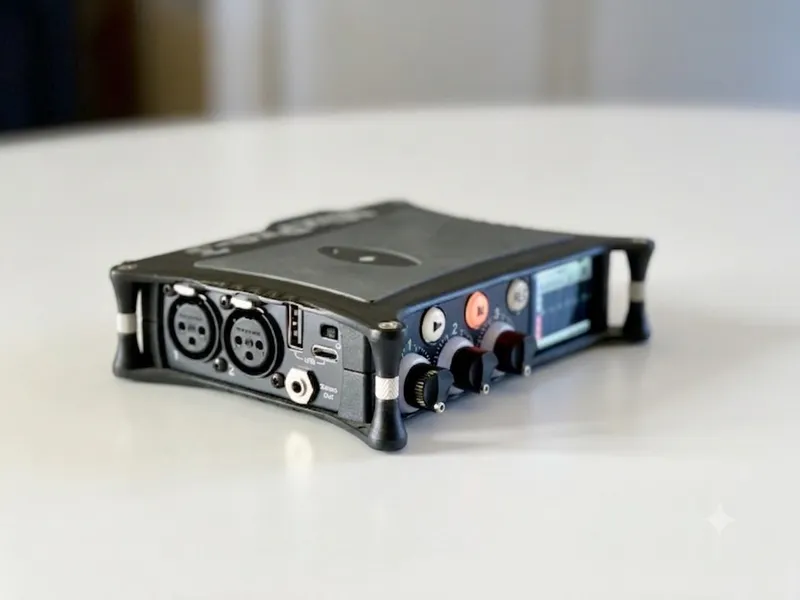
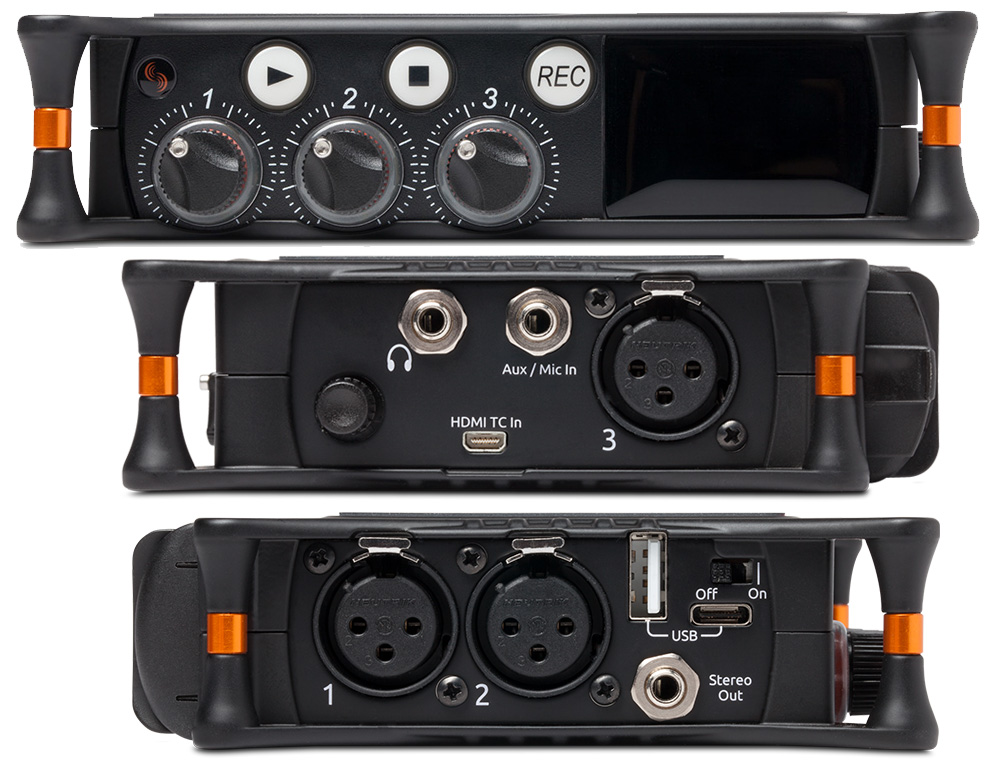
    • Inputs: It features three high-quality XLR inputs for microphones, plus a 3.5mm Aux/Mic input, allowing you to capture up to five tracks (3 ISOs + a stereo mix) simultaneously to an SD card.

    • USB Audio Interface: Connect it to your Mac or PC via USB-C, and it instantly transforms into a 5-in/2-out USB audio interface—perfect for high-quality podcasting, streaming, or home studio work.

    • Timecode Integration: Essential for videographers, the MixPre-3 II features an internal LTC timecode generator and can receive triggers from cameras via HDMI, ensuring your audio and video are perfectly synced.

    • Durable and Portable: Housed in a die-cast aluminum chassis, this recorder is built to withstand the rigors of field recording while remaining remarkably lightweight.

    Who Should Buy the MixPre-3 II?

    • The Solo Filmmaker/Videographer: You need top-tier audio but can't constantly monitor levels while operating a camera. 32-bit float is your safety net.

    • The Serious Podcaster: You demand the best sound quality for your multi-mic recordings and need an interface that can power your studio-grade microphones.

    The Field Recordist: You capture everything from quiet nature sounds to loud cityscapes and need the dynamic range and low-noise performance of the Kashmir preamps.

    Final Take

    The Sound Devices MixPre-3 II is an investment in flawless audio. It removes the technical anxiety of setting levels and delivers a sound quality that will immediately elevate your productions. If you're ready to make audio problems a thing of the past and hear the true potential of your microphones, the MixPre-3 II should be at the top of your gear list.

  • Posted on
    Wireless Workflow: Unlocking Your Sound Devices 6-Series with WM-Connect and Wingman

    In the fast-paced world of production sound, efficiency is key.

    Every minute saved on set is a win. That’s where the Sound Devices WM-Connect Bluetooth Smart® USB dongle and the free Wingman app for Android and iOS come in, offering a powerful and affordable solution for wireless remote control and metadata management for your 6-Series mixer/recorder.

    What is the WM-Connect? The WM-Connect is a small, essential piece of hardware: a Bluetooth Smart USB dongle. It's the bridge that brings your Sound Devices 6-Series mixer/recorder into the wireless, touch-screen era.

    Compatibility:

    • Mixer/Recorders: Sound Devices 688, 664, and 633 (requires a compatible 6-Series firmware version, typically v4.00 or later).

    • Installation: It plugs into the USB-B port on the right side of the mixer using one of the included adapters (a right-angle adapter and a cable adapter), or directly into the keyboard port of an attached CL-12/CL-12 Alaia.

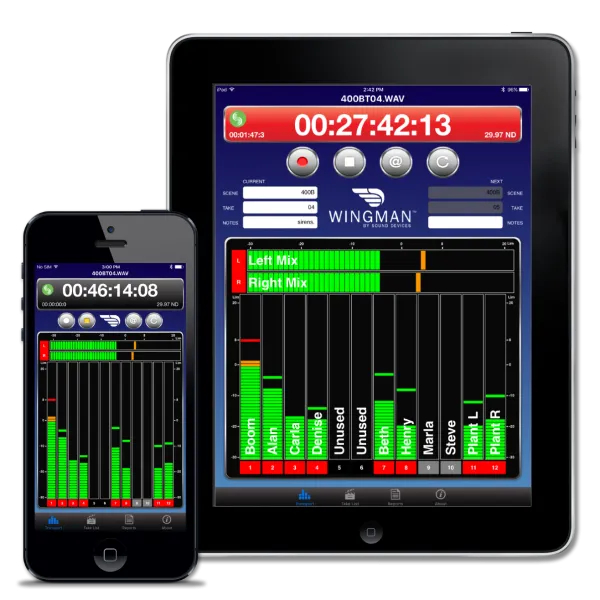
    Enter Wingman: Your Wireless Control Surface The Wingman app, available as a free download on the Apple App Store and Google Play, harnesses the WM-Connect's Bluetooth connection to give you remote control features from your smartphone or tablet. This puts a clear, intuitive interface for vital functions right in the palm of your hand, allowing you to step away from the recorder while maintaining crucial control.

    Key Features of the Wingman App:

    • Remote Transport Control: Easily Start and Stop audio recordings from a distance (typical line-of-sight range is about 50 feet).

    • Clear Monitoring: View meters, timecode, and frame rate on the larger screen of your mobile device.

    • Metadata & Take Management:

      • Enter and Edit metadata on the mixer in real-time.

      • Arm, Disarm, and Rename tracks quickly.

      • Circle a take or designate a False take with a simple tap.

    • Sound Reports: Create and manage sound reports directly on the mixer and then email the reports (as .csv files) from your connected iOS or Android device.

    • Workflow Convenience: If multiple WM-Connect-equipped 6-Series mixers are nearby, the Wingman app will display them all, allowing you to easily switch control between devices.

    Note: For MixPre Series recorders, the WM-Connect is not required, as those recorders have built-in Bluetooth LE.

    The Power of Pairing The combination of the WM-Connect and the Wingman app is a game-changer for 6-Series users. It allows for a more streamlined workflow, especially when the mixer is placed in a bag or on a sound cart where direct access to the small screen and controls might be cumbersome. From rapid metadata entry using your phone’s keyboard to remotely checking levels, this affordable accessory package brings modern wireless convenience to a professional sound mixer's toolkit.

  • Posted on
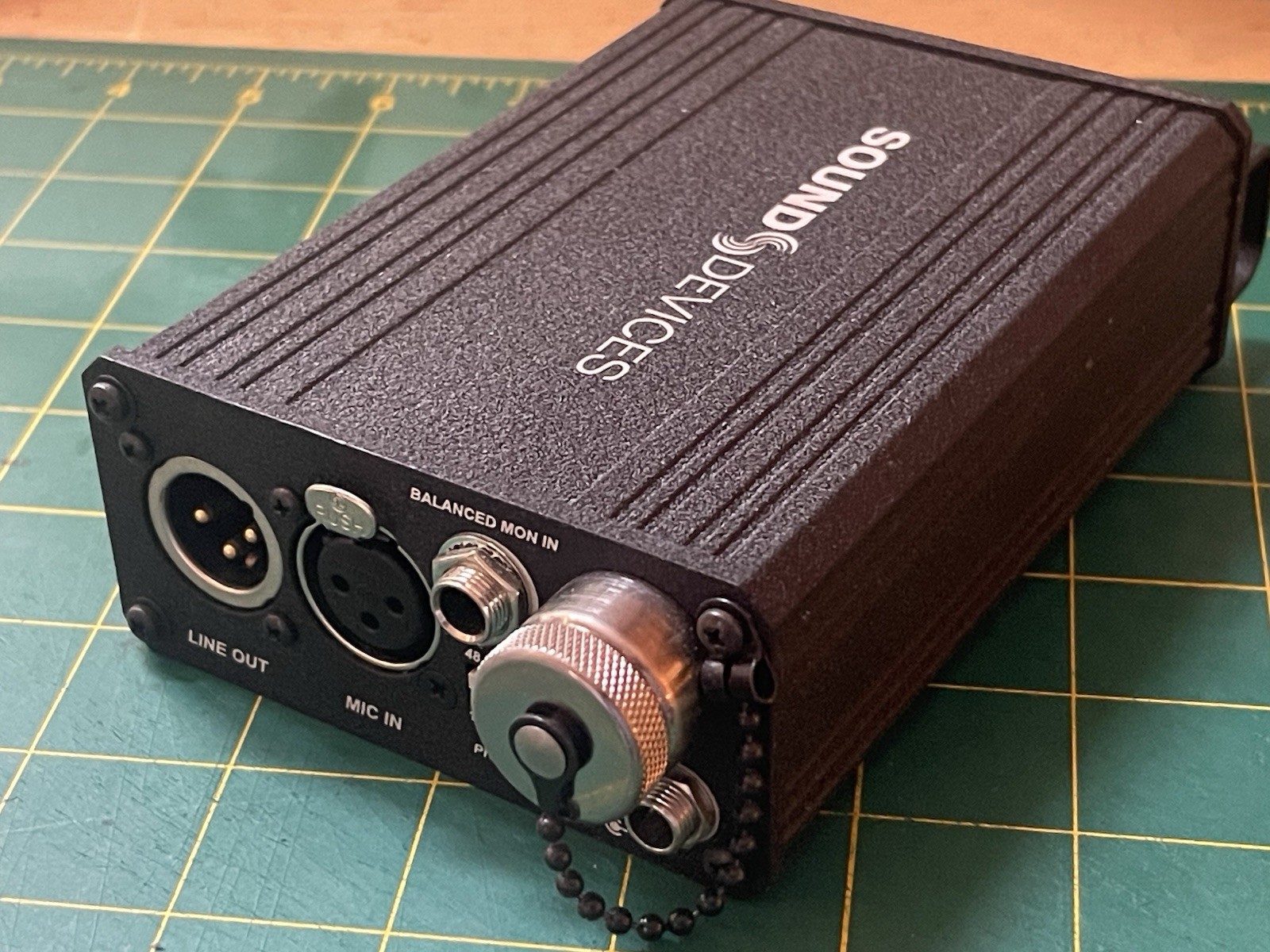
    The Little Black Box That Won't Quit: Sound Devices MM-1

    Why the Sound Devices MM-1 is Still Worth Its Weight in Gold

    In the world of professional location sound, few single-channel preamps command the respect—and the high resale value—of the Sound Devices MM-1. This compact, battery-powered microphone preamplifier and headphone monitor has been a staple on film sets, in broadcast trucks, and in challenging field environments for years.

    But for a single-channel box, both its original price (around $795 USD) and its persistent cost on the used market often surprise newcomers. Why does this little piece of gear hold its value so fiercely? The answer lies in its meticulous design, its unique functionality, and its status as a critical piece of gear for a specialized craft.


    What Makes the MM-1 Essential? The MM-1 isn't just a basic preamp; it's a specialized tool for the working professional, particularly the Boom Operator.

    a. Exceptional Preamplifier Quality Sound Devices built its reputation on pristine audio quality, and the MM-1 is no exception. Its microphone preamp delivers:

    • Ultra-Low Noise: A minimal Equivalent Input Noise (EIN) of -126 dBu ensures that even quiet dialogue is captured cleanly without hiss.

    • High Headroom: A maximum gain of 66 dB and a high clipping level mean it can handle everything from quiet plant mics to loud dialogue without distortion.

    • Transformer-Balanced I/O: Using high-quality transformer-balanced inputs and outputs contributes to its excellent immunity to RF interference (RFI) and its ability to drive clean line-level signals over long cable runs.

    b. The "Unclippable" Limiter One of the MM-1's most famous features is its dual-stage, extended-range peak limiter. This robust analog circuit uses dual opto-isolators to make the preamp virtually "unclippable." For a boom operator reacting instantly to unpredictable on-set dialogue, this is a literal lifesaver, guaranteeing a clean signal even during unexpected peaks.

    c. Versatile Headphone Monitoring This is the feature that elevates the MM-1 beyond a simple preamp and makes it indispensable for a boom op:

    • Mic + Monitor Mix: It allows the operator to monitor their microphone signal and an external line-level "Monitor In" signal (typically the full mix from the Sound Mixer's cart) simultaneously.

    • Solo and Split Ear: The operator can instantly solo their own mic to hear exactly what they are picking up, or use the Split Ear function to monitor their mic in one ear and the mix in the other. This facilitates private communication and precise performance.

    • Phantom Power Versatility: It provides all necessary phantom power options: +48V, +12V, and even 12V "T-power," accommodating virtually any professional boom microphone.


    Why Is the Price Still So High? The Market Dynamics Unlike consumer electronics that quickly depreciate, the MM-1's price remains remarkably resilient on the used market. This is due to a confluence of professional factors:

    a. High Cost of Construction (Boutique Audio) Sound Devices equipment is not mass-produced like consumer gear.

    • High-End Components: The MM-1 uses boutique, high-tolerance components (like audio transformers and precision analog circuitry) which are inherently more expensive than integrated circuit (IC) designs.

    • Rugged Build: Its chassis is built from aluminum and stainless steel with robust, panel-mounted connectors. This durability means the MM-1 can withstand the rigors of years of field use, making a used unit nearly as reliable as a new one.

    b. Professional Demand and Niche Market The target audience for the MM-1 is relatively small—primarily professional boom operators and field recordists.

    • Unmatched Feature Set: For a boom operator, no modern alternative perfectly matches the MM-1's specific combination of clean preamp, legendary limiter, and versatile split-ear monitoring in a belt-mountable, AA-powered package.

    • "Industry Standard" Status: Since the MM-1 became the standard piece of gear for this role, professionals are trained on it and trust it implicitly. Its reliability ensures the job gets done right the first time, an invaluable trait on an expensive production.

    c. The Longevity Factor The high resale price is a reflection of the MM-1's expected lifetime. This unit was built to last decades. A new buyer knows that even a five-year-old MM-1 will likely perform flawlessly for another ten years, justifying the high initial investment. It's less of a purchase and more of an investment in a career tool with a reliable return.

    In short, the Sound Devices MM-1 remains expensive because you're not just paying for a preamp; you are buying pristine audio quality, legendary reliability, and a niche tool set that is essential for a mission-critical role in professional production sound.

  • Posted on
    Sound Devices 788T: The Field Recorder That Defined an Era

    Enhanced by the CL-8 and CL-9

    The Sound Devices 788T digital audio recorder, though a legacy product, remains legendary in the world of professional production sound. Its combination of portability, robust build quality, and extensive feature set made it a staple for sound mixers on film, TV, and documentary sets. Paired with its dedicated control surfaces—the CL-8 and CL-9—the 788T transformed from a powerful recorder into a comprehensive, highly flexible mixing and recording system.


    The 788T: A Compact Powerhouse 💪

    The 788T was designed for demanding field applications, offering superb audio quality and reliable performance in a compact form factor. Key 788T Features:

    • 8 Pristine Inputs & 12-Track Recording: It boasts eight full-featured, ultra-low-noise microphone preamplifiers that accept mic or line-level signals. It can record up to 12 tracks simultaneously, allowing for isolated tracks ("isos") for each input plus a stereo mix and two auxiliary tracks.

    • Time Code and Synchronization: A high-accuracy, on-board time code generator/reader (supporting all standard frame rates) and word clock I/O ensure seamless synchronization with cameras and other production equipment—critical for sound-for-picture work.

    • Durable Storage: The recorder utilized multiple recording media options, including an internal hard drive (or later, an SSD), a CompactFlash (CF) card, and external FireWire drives, all of which could be used simultaneously for immediate backups.

    • Built-in Processing: Each input included essential tools like 48V phantom power, fully adjustable high-pass filters, and robust peak limiters.

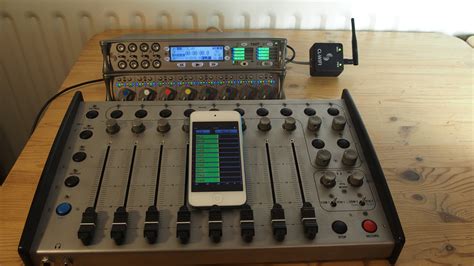
    • Taking Control: The CL-8 and CL-9While the 788T is fully functional on its own, its compact size means menu diving is sometimes necessary. This is where the CL-8 and CL-9 control surfaces stepped in, vastly improving the user experience for on-set mixing. Both connected to and were bus-powered by the 788T via a single USB cable.


    The CL-8: Rotary Control for the Bag Mixer: The CL-8 was designed as a lightweight, portable mixing surface for the sound mixer working "over-the-shoulder" or from a compact audio bag.

    • Rotary Faders: It features eight large, tactile rotary faders (knobs) to control the input-to-mix levels (L/R and Aux tracks).

    • Quick Access Buttons: Dedicated push buttons provide immediate, visual control over critical channel functions like High-Pass Filter, Limiter, Polarity Reverse, Mute, and Solo for each of the eight inputs.

    • Simple and Durable: The design is focused on durability and simplicity, providing essential mixer-type controls without adding excessive bulk or weight.


    The CL-9: Linear Precision for the Sound Cart

    • The CL-9 is the larger, more advanced mixing surface, perfect for sound mixers working on a stationary sound cart where precision and more controls are desired. It effectively turns the 788T into a professional mixing console.

    • Eight 100mm ultra-low-latency linear faders for highly precise and smooth level control.

    • Dedicated Rotary Trim controls for each input, plus a full sweepable, single-band parametric EQ per input (Frequency, Gain, and Q) added to the 788T's feature set.

    • Dedicated control over Input Pan and Output Level for all six analog outputs.Communication

    • Dedicated connections and controls for a slate circuit and private talkback circuits (Return Inputs) for seamless communication with the boom operator and talent.

    • Four additional user-programmable controls for assigning menu items to physical knobs.

    The System's Legacy The 788T and its controllers provided a generation of production sound mixers with a powerful, flexible, and robust recording solution. The ability to switch between the compact, rotary-fader CL-8 for mobile work and the comprehensive, linear-fader CL-9 for cart-based mixing made the 788T System incredibly versatile and a true industry standard for high-track-count, sync-sound recording that can now be purchased on the second-hand market for a fraction of its original price.