Inside Audio

Rusty Rogers

Practical Audio Information

  • Posted on
    The Unsung Hero of Your Sound Kit...

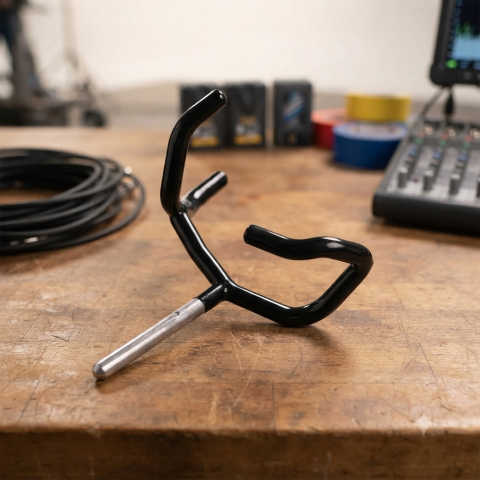
    Why the Boompole Holder is Your Back’s Best Friend

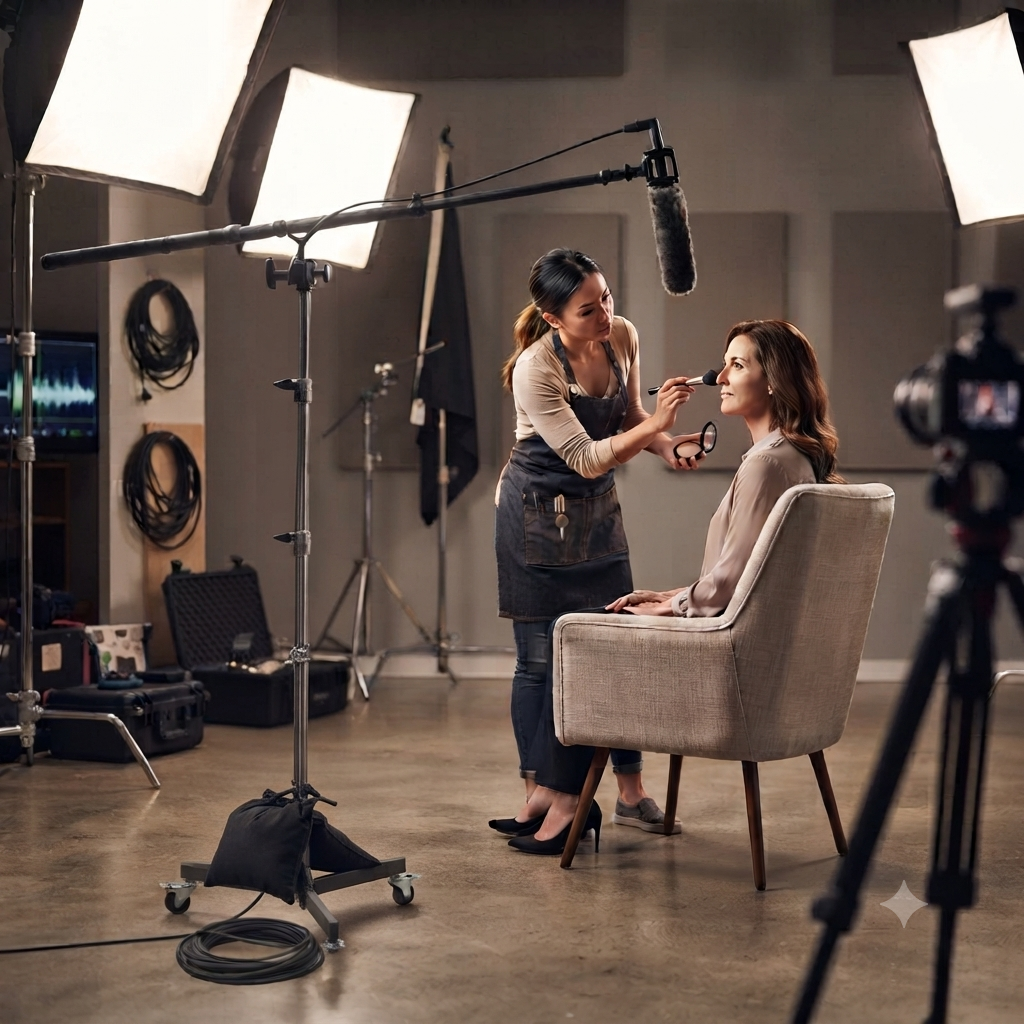
    In the world of filmmaking, we often obsess over the "big" gear—the 8K cinema cameras, the high-end shotgun mics, and the pristine field mixers. But if you spend any time on a set, you know that the most crucial piece of kit is often the one that doesn't get a mention in the credits: the boompole holder.

    enter image description here

    It’s humble, it’s simple, and it’s frequently overlooked. But for any sound recordist or solo filmmaker, the boompole holder is the piece of equipment that saves your career—and your spine.

    What is a Boompole Holder?

    At its core, a boompole holder is a mechanical clamp system that secures your pole to a C-stand, light stand, or tripod. By moving the weight of the mic from your weary arms to a sturdy stand, it transforms your setup from a "human-powered rig" into a rock-solid, repeatable audio station.

    The Virtue of "Set It and Forget It"

    There are moments on set where a human boom operator is indispensable—following moving talent through a house, for instance. But for the vast majority of static setups—interviews, fixed-position hosting, or stationary b-roll—a boompole holder is actually superior to a human.

    • Repeatability: Once you lock the angle and distance, it stays there. You don't have to worry about a tired operator’s hand drifting three inches to the left mid-take.

    • Precision Placement: It allows you to get the microphone closer to the subject’s mouth than a human might comfortably hold it for a 30-minute interview, drastically improving your signal-to-noise ratio.

    • Solo Power: If you’re a one-person crew, you aren't sacrificing audio quality for lack of a second pair of hands. You are the camera op, the lighting tech, and the sound mixer, all at once.

    Saving Your Back (And Your Bacon)

    Let’s be honest: boompole operation is brutal. The "H-position" or the overhead reach is a recipe for chronic shoulder, neck, and lower back issues. (Soundrolling)

    When you use a holder during long sessions, you’re not just being lazy; you’re engaging in injury prevention. By offloading that weight between takes—or during the entire interview—you keep your muscles fresh. When you do need to go handheld for an action scene, you'll have the energy and stability to actually hit your marks, rather than shaking from fatigue.

    As for "saving your bacon"? A professional-grade holder uses a positive-locking jaw system. This ensures that when the wind kicks up or someone bumps the stand, your thousand-dollar microphone doesn't come crashing down onto the concrete. It keeps your gear safe and your audio consistent, preventing the dreaded "we'll fix it in post" conversation.

    Pro-Tips for Your Setup:

    • Don't Skip the Shock Mount: A holder secures the pole, but it doesn't isolate the mic from vibrations traveling through the floor or the stand. Always use a proper shock mount (like a Rycote Lyre) between the pole and the mic.

    • Mind the Diameter: Before buying, check the outer diameter of your boom pole. Most professional poles fall between 25mm and 32mm. Ensure your holder’s jaws can accommodate your specific pole for a secure, non-slip grip

    • Use a C-Stand: If you’re mounting a heavy mic, use a heavy-duty C-stand and sandbag. Your "bacon" is only as safe as the stand the holder is attached to!

    Next time you’re building your kit, don't overlook the lowly boompole holder. It won't win any beauty contests, but it will be the reason you can still move your shoulders after a 12-hour day.

    👉 Return to RR.COM 👈

  • Posted on
    Beyond the Standard: A Deep Dive into A20-Monarch, BOWTIE, and BF1

    The Butterfly Effect: Comparing Wideband Antennas for Location Sound

    Introduction

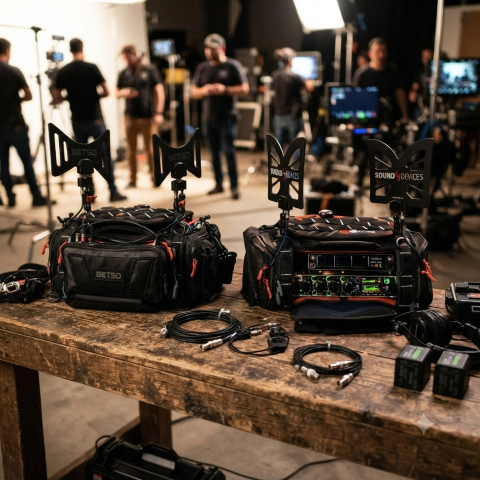
    In the world of location sound, the antenna is your first line of defense. As the RF landscape becomes increasingly crowded—squeezed by spectrum auctions, 5G rollouts, and the constant hum of electronic noise—the choice of hardware mounted to your sound bag has never been more critical. The "butterfly" style omnidirectional antenna has become the industry standard for its portability, durability, and reliable performance. But with options ranging from the ultra-wideband A20-Monarch to the filter-integrated Betso BOWTIE, which one truly deserves a spot in your kit? In this post, we’ll compare the top contenders to help you decide how to keep your signal clean, strong, and interference-free on your next production.

    At a Glance: Comparison Table

    Feature Sound Devices A20-Monarch Betso BOWTIE Deity BF1
    Freq. Range 470 – 1600 MHz 470 – 700 MHz 470 – 1000 MHz
    Inbuilt Filter None Yes (700 MHz Low Pass) None
    Best For Ultra-wideband needs (SpectraBand) High-interference environments Value & broad compatibility

    Key Differences

    1. Frequency Range & Versatility

    • Sound Devices A20-Monarch: The clear winner for frequency range. It is designed to cover the entire SpectraBand range (up to 1600 MHz), making it the most future-proof option if you are using wideband gear that operates outside the standard UHF TV band. (Everything Audio Europe)
    • Deity BF1: Offers a very respectable 470 MHz – 1000 MHz range, which covers virtually all standard professional wireless microphone systems currently on the market. (B&H)
    • Betso BOWTIE: Has the most limited range (470 – 700 MHz). It is specifically engineered for the traditional UHF spectrum. (BETSO)

    2. Interference Mitigation

    • Betso BOWTIE: This is its "secret weapon." It features a built-in 700 MHz low-pass filter. In modern production environments where LTE/5G and other high-frequency signals often cause interference, this hardware filter helps clean up your signal before it even hits your receiver or multicoupler.

    • A20-Monarch & BF1: Neither of these include an integrated filter. If you operate in extremely congested RF environments, you may need to add an external band-pass filter to your signal chain when using these antennas.

    3. Build & Mounting

    • Betso BOWTIE & Deity BF1: Both are rated IP65, meaning they are dust-tight and protected against water jets, making them excellent choices for outdoor field work in varying weather conditions.

    • Mounting: All three utilize standard 1/4"-20 threading, making them compatible with most sound bag mounting hardware. The A20-Monarch and BF1 kits are particularly well-regarded for the inclusion of versatile, high-quality articulating arms in the box.

    Pro-Tip: The Importance of Cable Maintenance

    While we often focus on the antenna's frequency range and gain, your signal is only as good as the cable connecting it to your receiver.

    enter image description here

    Pro-Tip: If you’re using high-quality antennas like these, don't pair them with cheap, high-loss coax. Use RG-174 or RG-316 cables with high-quality, properly crimped BNC connectors. More importantly, keep your cable runs as short as possible. Every foot of cable between your antenna and your distribution system introduces signal loss (attenuation). Even the best antenna in the world will underperform if it's struggling to push a signal through ten feet of poor-quality, poorly shielded cable. Aim to keep your cable runs under three feet for your sound bag setup, and always inspect your BNC connections for signs of strain or corrosion at the start of every production day.

    Which one should you choose?

    • Choose the Sound Devices A20-Monarch if: You are invested in the Sound Devices Astral/SpectraBand ecosystem or require the absolute widest frequency coverage possible (up to 1.6 GHz).

    • Choose the Betso BOWTIE if: You work primarily in busy urban areas or near cellular towers. The integrated 700 MHz filter is a significant advantage for maintaining a clean noise floor in high-interference environments.

    • Choose the Deity BF1 if: You want the best balance of price, performance, and broad compatibility. It is an excellent "workhorse" antenna that handles the standard UHF range (and slightly above) with ease and comes in a complete, ready-to-use kit.

    👉 Return to RR.COM 👈

  • Posted on
    Stop the Sync Struggle: A Look at Affordable Timecode Generators

    Stop the Sync Struggle: A Look at Affordable Timecode Generators

    Timecode generators have moved from being expensive, specialized gear to accessible tools that are essential for any multi-cam or professional sound workflow.

    If you’ve ever spent hours in post-production manually aligning waveforms or clicking through clapperboard claps, you know the frustration. The solution? Timecode.

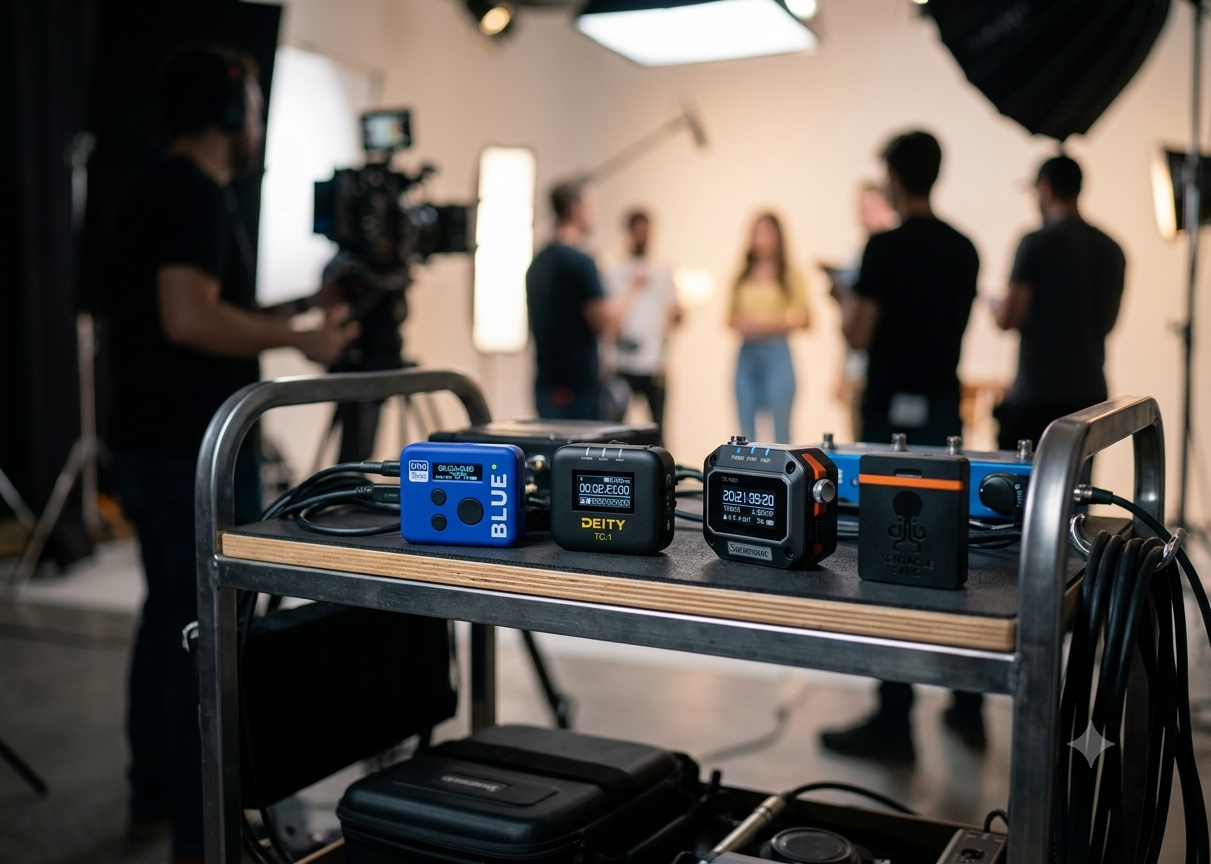
    For years, pro-level timecode sync was a major investment. Today, it’s within reach for the indie filmmaker. We’re comparing four popular, budget-friendly options that will change your editing workflow forever: Deity TC-1, Tentacle Sync E mkII, Atomos UltraSync BLUE, and the Saramonic TC-NEO.

    At a Glance: Quick Comparison

    Feature Deity TC-1 Tentacle Sync E mkII Atomos UltraSync BLUE Saramonic TC-NEO
    Best For Ecosystem Users Reliability & Simplicity Wireless/Mobile Setup Value & Flexibility
    Sync Method RF (2.4G) & Bluetooth Bluetooth Bluetooth RF (2.4G) & Bluetooth
    Display OLED Screen None (App-driven) OLED Screen OLED Screen
    Drift <1 frame/72hrs <1 frame/24hrs <1 frame/24hrs <1 frame/48hrs
    Battery Life Up to 28 hours Up to 50 hours Up to 20 hours N/A

    1. Deity TC-1: The Feature-Packed Powerhouse

    The Deity TC-1 has become a massive favorite because it bridges the gap between pro features and ease of use. It features a built-in OLED screen, allowing you to verify sync status at a glance without needing your phone. Its proprietary RF sync is incredibly reliable, and the Sidus Audio app makes managing a large fleet of units straightforward. (Deity Microphones)

    • Pros: On-device screen, excellent range, robust build, and an expanding ecosystem (including their smart slate).
    • Cons: Slightly larger footprint than the competition. Fiddly wheel and tiny icons are problematic.

    2. Tentacle Sync E mkII: The Industry Standard

    If you talk to professional sound mixers, many will point you to the Tentacles. They are the company that arguably made "budget" timecode popular. They are incredibly small, light, and reliable. While they lack an onboard screen (you manage everything via the app), they are known for their "set it and forget it" reliability and top-tier customer support. (Tentacle Sync)

    • Pros: Proven reliability, industry-standard software, and extremely compact.
    • Cons: No screen on the device; you must rely on the app to check settings.

    3. Atomos UltraSync BLUE: The Wireless Specialist

    The UltraSync BLUE is a different animal. It is designed specifically for a wireless workflow, syncing timecode over Bluetooth to compatible cameras, audio recorders, and apps. It’s perfect for creators using smartphones, mirrorless cameras, or Atomos-enabled gear who want to get rid of cables entirely. (Atmos)

    • Pros: Lightweight, cable-free operation, integrates seamlessly into the broader Atomos ecosystem.
    • Cons: Limited to Bluetooth-compatible devices for wireless sync; you lose some of the "universal" flexibility of hardwired boxes.

    4. Saramonic TC-NEO: The Value Contender

    The newcomer in this group, the TC-NEO is making waves by packing professional features into an aggressive price point. With a solid OLED screen, a rugged design, and a wide array of frame-rate support, it is built to compete directly with the bigger names. It's an excellent choice if you want the "pro" experience without the premium price tag.

    • Pros: Great value, includes multiple cable types, and features a handy onboard screen.
    • Cons: Being a newer player, it lacks the decades of "battle-tested" reputation that Tentacle carries.

    The Verdict: Which one should you pick?

    • Go with the Deity TC-1 if you want an all-around reliable unit with a screen that plays well with other gear (like slates).

    • Choose the Tentacle Sync E mkII if you value a proven, "it just works" system that is small enough to hide on any camera rig.

    • Pick the Atomos UltraSync BLUE if your workflow is mostly Bluetooth-based and you want to avoid cables at all costs.

    • Grab the Saramonic TC-NEO if you are on a tighter budget but still want the convenience of an onboard display and a robust feature set.

    Final Tip: No matter which you choose, the best timecode generator is the one that gets used. Once you start recording locked timecode, you’ll never want to go back to the "clapper-and-waveform" dance in post-production.

    👉 Return to RR.COM 👈

  • Posted on
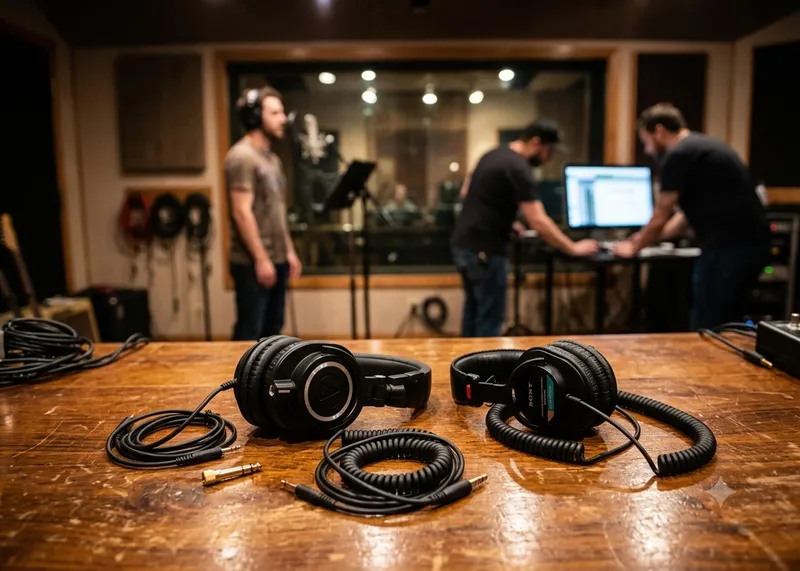
    Choosing The Right Headphones, the Sony MDR-7506 vs. the Audio-Technica ATH-M50x

    Studio Standard vs. Modern Workhorse: Choosing Your Field Recording Headphones

    For professional field recording, your choice of headphones is critical. You need gear that is reliable, provides an accurate representation of your audio, and offers sufficient isolation from the environment.

    The Sony MDR-7506 and the Audio-Technica ATH-M50x are two of the most popular studio monitors, but they serve slightly different purposes in the field.

    At a Glance: Comparison Table

    Feature Sony MDR-7506 Audio-Technica ATH-M50x
    Best For Critical monitoring & accuracy Monitoring & versatile use
    Sound Profile Bright, analytical, "standard" Boosted bass/treble, "fun"
    Durability Proven, but plastic-heavy Robust "tank-like" construction
    Cable Non-detachable, long coil Detachable (3 options included)
    Comfort Lightweight, high clamping force Moderate weight, snug fit
    Portability Folds compact Folds & swivels

    Deep Dive: Professional Field Recording

    The Case for the Sony MDR-7506

    The MDR-7506 has been an industry standard for decades. If you walk onto a film set or a professional broadcast interview, you are almost guaranteed to see these around someone's neck. (Charles Cleyn)

    • Pros:
      • Analytical Clarity: They are known for a "brighter" sound that highlights mid-to-high frequencies. In field recording, this makes it easier to spot background noise, handling noise, or vocal sibilance that you might otherwise miss.
      • Industry "Language": Because so many professionals use them, you gain a common frame of reference. If a sound sounds "off" on a 7506, other engineers likely hear the same thing.
      • Portability: They fold up very compactly and are lightweight, which is a major bonus when hiking or moving through tight shooting spaces. (PetaPixel)

    • Cons::
      • The Cable: The cable is fixed. If it snaps or frays, you have to solder a replacement yourself or pay for a repair.
      • Fatigue: The high-frequency emphasis can lead to "ear fatigue" during very long recording days. (Home Studio Basics)

    The Case for the Audio-Technica ATH-M50x The M50x is a more modern, consumer-friendly evolution. It is arguably more versatile if you are doing a mix of field recording, editing, and casual listening.

    • Pros:
      • Detachable Cables: This is the biggest advantage for field work. It comes with multiple cable options (coiled, short, long), making it easy to adapt to your recorder without having yards of excess cable snagging on gear.
      • Sturdy Build: They are physically robust. They handle the "toss it in the bag" abuse of field production quite well.
      • Low-End Presence: If you are recording ambience or sound effects with deep sub-bass frequencies, the M50x provides a more powerful bass response that can help you gauge the "weight" of a recording better.

    • Cons::
    • Sound Coloration: The "V-shaped" sound (boosted bass and treble) can sometimes mask issues in the midrange where critical dialogue or subject matter lives.
    • Clamping Force: Some users find the clamping force a bit intense during the first few weeks of use, which can become uncomfortable over an 8-hour shift.

    The Verdict for Field Work

    • Choose the Sony MDR-7506 if: You are primarily recording dialogue, interviews, or location sound where hearing subtle, high-frequency details (like unwanted background buzz or mouth clicks) is your top priority. Their "analytical" sound is a tool that keeps you honest about your signal.

    • Choose the Audio-Technica ATH-M50x if: You need a "do-it-all" headphone. If your workflow involves recording in the field and then immediately sitting down at a laptop to edit, or if you need a headphone that you can also enjoy for music production and casual use, the M50x is more versatile.


    Pro-Tip for Field Recordists: No matter which pair you choose, invest in high-quality third-party earpads (like velour or memory foam replacements). Stock leatherette pads can get sweaty and uncomfortable in hot field conditions, and upgrading them is a common practice among pros to extend both comfort and the lifespan of the headphones.

    👉 Return to RR.COM 👈

  • Posted on
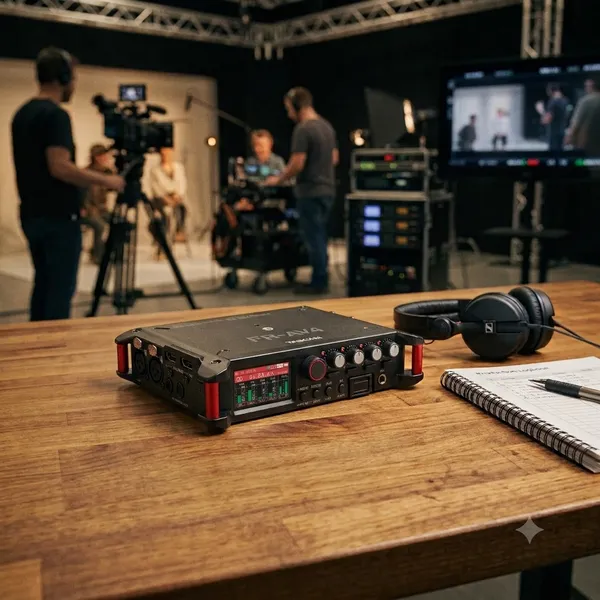
    A Deep Dive into the TASCAM FR-AV4

    Bridging the Gap Between HDMI and Pro Audio: A Technical Deep Dive into the TASCAM FR-AV4

    For years, location sound recordists and videographers have operated in parallel but separate universes. On one side, we have high-fidelity, dual-ADC, 32-bit float audio recorders. On the other, we have ultra-high-definition 4K/8K camera ecosystems. Syncing the two usually requires expensive tentacle-style timecode boxes or tedious post-production alignment.

    Enter the TASCAM FR-AV4.

    Positioned as a direct competitor to the Zoom F6 and Sound Devices MixPre series, this 4-channel, 6-track field recorder introduces something we haven’t quite seen in this form factor: native, clock-synchronized HDMI architecture. Let’s break down the engineering and hardware architecture under the hood. (NewsShooter)

    1. The Core Audio Architecture: Dynamic Range & Gain Stages

    The FR-AV4 features four XLR/TRS combo inputs backed by TASCAM’s proprietary Ultra HDDA (High Definition Discrete Architecture) preamps. (Tascam)

    • The Math on Noise: The preamps achieve an Equivalent Input Noise (EIN) of -127 dBu. When paired with high-sensitivity condenser microphones (like a Sennheiser MKH50), the self-noise of the recorder is essentially negligible.
    • Dual A/D Converters: Each channel utilizes a dual analog-to-digital converter setup feeding a 32-bit float pipeline.
    • Headroom and Clipping: The system boasts an analog dynamic range of 133 dB. Maximum input levels sit at +4 dBu for microphone signals and a massive +24 dBu for line-level inputs. Because of the 32-bit float integration, clipping at the converter level is mathematically impossible.

    ⚠️ Technical Reminder: While 32-bit float prevents digital clipping at the recorder stage, it cannot save you if you over-drive the physical capsule of the microphone itself. Proper mic positioning and attenuation still matter.

    2. The HDMI Ecosystem: Clock Sync & Video Passthrough

    The most compelling engineering choice on the FR-AV4 is the inclusion of twin HDMI 2.1 ports (In / Out). This isn't just for routing video; it serves as a digital handshake for absolute hardware synchronization. (PodcastVideos)

    Video Passthrough & Audio Embedding The FR-AV4 supports uncompressed 4K and 8K video passthrough. As the video signal transits through the device, the FR-AV4 can inject its pristine, multi-track audio directly into the HDMI metadata stream. If you are routing the output to a field monitor/recorder like an Atomos Shogun or Blackmagic Video Assist, your high-res audio is printed directly into the video file simultaneously.

    Master Clock and Record Triggers By utilizing a shared master clock over HDMI (TASCAM Patent No. 6547550), phase drift between video frames and audio samples is eliminated. Furthermore, the FR-AV4 reads the camera’s flags, meaning pressing "Record" on your Sony, Canon, or Nikon camera instantly fires up the 6-track recording engine on the TASCAM.

    3. Timecode Architecture & Thermal Performance

    For workflows not utilizing HDMI, the FR-AV4 houses a fully independent timecode generator capable of LTC Jam Sync.

    • The Component: It utilizes a high-precision Temperature-Compensated Crystal Oscillator (TCXO).
    • The Caveat: The TCXO is strictly rated for a standard operating environment of 0°C to 40°C. If you are shooting a documentary in sub-zero environments, the lack of a specialized temperature-controlled oscillator means you should expect slight timecode drift, requiring more frequent jams.

    4. Digital Signal Processing (DSP) & Ecosystem Expansion

    The unit is capable of recording up to 192 kHz sampling rates across 6 tracks (Inputs 1–4 + a stereo master bus) onto SDXC cards up to 512 GB.

    • Onboard DSP: Every channel features independent low-cut filtering, 4-band EQ, noise gating, and digital limiting before the master bus.
    • Auto Mix (Firmware v1.10+): TASCAM implemented a gain-sharing Auto Mix function. It dynamically attenuates unused open microphones to drastically mitigate comb filtering and background ambient noise during multi-person dialogue.
    • Ambisonics: For spatial audio, VR, and 360 production, the unit supports native decoding and recording of A-format and B-format (AmbiX / FuMa).
    • HDMI Cascading: If 4 XLR inputs aren't enough, you can cascade two FR-AV4 units together via HDMI. This links their internal sample clocks and unifies the record trigger, expanding your system to an 8-input field rig.

    5. Power Management & Data Safety

    Field recording demands redundancy. The FR-AV4 addresses this via dual-source options and an automated file infrastructure:

    • USB-C Bus Power: Can run indefinitely on a standard Power Delivery (PD) power bank.
    • Quick-Swap AA Trays: Uses the BH-4AA sled. Running 2450mAh NiMH batteries with a single +48V phantom-powered mic will net you roughly 7 hours of runtime.
    • The 20-Second Safety Net: To protect against catastrophic power failure (e.g., a pulled cable), the FR-AV4 utilizes an Auto File Save algorithm that closes and flushes the WAV header to the SDXC card every 20 seconds. If power cuts, you lose a maximum of 20 seconds of audio.

    Technical Summary Matrix

    Feature Specification / Technical Detail
    Inputs 4x XLR/TRS Combo (Ultra HDDA)
    Max Track Count 6 Tracks (4 Iso + Stereo Mix)
    Dynamic Range 133 dB (Dual A/D Converters)
    Preamp EIN -127 dBu
    Bit Depth / Sample Rate 32-bit Float up to 192 kHz
    HDMI Support HDMI 2.1 (4K/8K Passthrough, Clock Sync, Rec Trigger)
    Wireless Control App Control & BT Audio Monitoring via optional AK-BT2

    6. Ecosystem Expansion: Wireless Control & The Bluetooth Conundrum

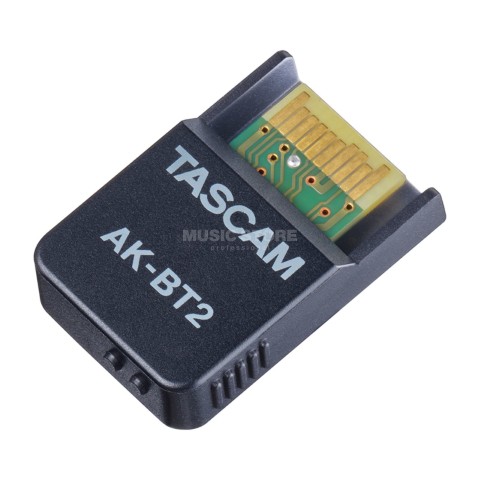
    While the physical chassis of the FR-AV4 handles traditional wired inputs, expanding into modern, agile field workflows requires unlocking its wireless capabilities. This is achieved via a dedicated front-panel slot that accepts the optional AK-BT2 Bluetooth 5.0 (Low Energy) adapter. enter image description here (Image property of Musictstore.com)

    Plugging in this dongle bifurcates the recorder’s operational capabilities into two distinct wireless domains: Control/Metadata Data Streams and Real-Time Linear Audio Monitoring.

    The TASCAM Recorder Connect App Pipeline

    Operating over Bluetooth LE, the free TASCAM Recorder Connect app (available across iOS, iPadOS, and Android) shifts the FR-AV4 from a solo bag-recorder to a multi-unit node system.

    • Multi-Unit Topology (REC-LINK): The app can establish simultaneous control links with up to five distinct TASCAM devices (including combinations of the FR-AV4, the 2-channel FR-AV2, and the DR-10L Pro pocket recorders). The integrated REC-LINK function allows you to issue a master global transport command—punching record on the app or on any hardware unit instantaneously flags record across all five synchronized nodes.
    • Metadata Inject Engine: Rather than fighting the tiny 1.9-inch hardware touchscreen to name takes, the app allows engineers to rapidly input and edit industry-standard iXML and BEXT metadata (Project Name, Scene, Take, and custom Notes) directly from a tablet or smartphone. This metadata prints cleanly into the broadcast WAV headers in real time.
    • Remote UI Visualization: Production mixers can monitor input status and view scrolling, real-time visual waveforms across all channels simultaneously from up to roughly 30 feet away, saving the mixer from constantly having to peek over the camera op's shoulder.

    Wireless Audio Monitoring & Atomos Sync The AK-BT2 also allows the FR-AV4 to broadcast audio wirelessly to standard Bluetooth headphones, earbuds, or studio monitors, opening up a highly flexible dual-monitoring workflow:

    💡 Dual Monitor Configuration: The hardware internal amplifier allows the 3.5mm physical headphone jack and the AK-BT2 wireless transmitter to work in parallel. Two crew members (e.g., the sound recordist and the director) can monitor the source mix simultaneously without a physical hardware splitter

    To balance the volatile nature of Bluetooth RF environments, TASCAM allows you to select from three distinct optimization modes inside the wireless menu:

    1. Connectivity Priority: Prioritizes link stability by aggressively buffering data packets—ideal for congested RF environments but adds a significant latency penalty.

    2. Sound Quality Priority: Allocates maximum bandwidth to the standard A2DP / SBC codec stream for high-fidelity critical listening.

    3. Latency Priority: Drops the internal buffer size to tighten the sync window between the live acoustic environment and the monitor output.

    The Reality of Bluetooth - Latency on Set

    From a strict engineering standpoint, developers must be candid about the limitations of standard Bluetooth audio transmission. Because the AK-BT2 utilizes standard Bluetooth 5.0 (SBC codec) rather than proprietary ultra-low-latency 2.4 GHz protocols, there will always be a noticeable latency delay.

    While the latency mode mitigates this as much as possible, monitoring dialogue via Bluetooth earbuds will introduce a subtle lip-sync delay relative to the raw video frame or real-life speech. For dialogue mixers trying to spot subtle microphone rustle or clothing noise exactly when it happens, the wired 3.5mm zero-latency output remains mandatory. The Bluetooth audio feed should be reserved for reference monitoring or directing staff who don't require microsecond phase alignment.

    Finally, for timecode-focused sets, the AK-BT2 pulls double duty by establishing a wireless sync handshake with supported Atomos UltraSync BLUE devices, providing a highly reliable wireless timecode bridge alongside the app data. (B&H)

    Suggested Video for Deeper Context For a visual and procedural walk-through of how the front-panel mixer operates and how to interface these modules, check out this Tascam FR-AV4 Overview & Features Video. It provides an excellent layout breakdown showing exactly where the optional AK-BT2 installs beneath the master volume knobs.

    The Verdict

    The TASCAM FR-AV4 represents a massive architectural pivot. While it lacks some of the premium headphone amplifier power found in the Sound Devices MixPre series, its unique ability to live cleanly inside an HDMI video workflow makes it incredibly disruptive for modern multi-cam indie film and documentary sets.

    👉 Return to RR.COM 👈

  • Posted on
    Why Your Production Needs a Professional Sound Person

    Beyond the "Record" Button: Why Your Production Needs a Professional Sound Person

    In the fast-paced world of film and video production, it is easy to view audio as a "set and forget" component. You press record, you frame your shot, and you hope for the best. However, as any seasoned producer will tell you, poor audio is the fastest way to ruin an otherwise beautiful visual project.

    Hiring a professional sound person isn't just about someone holding a boom pole—it’s about bringing in a specialist who treats sound as a critical, foundational element of your production’s quality. (Gigantic Studios, NYC)

    The Value of a Pro: More Than Just "Good Sound"

    A professional audio engineer brings a layer of technical assurance and creative foresight that elevates a project from amateur to professional grade:

    • Flawless Consistency: They ensure that dialogue levels, tone, and ambient noise floors remain consistent across every take, making the editor’s job significantly easier and the final product much more immersive.
    • Problem Solving in Real-Time: From unexpected wind noise to the hum of a distant refrigerator, a pro identifies potential issues before they become permanent problems in your recording.
    • Workflow Efficiency: They bring industry-standard gear that doesn't just record—it integrates. By managing the complexities of metadata and synchronization, they save your post-production team hours (or even days) of manual syncing and frustration.

    The Backbone of My Modern Workflow: Deity Timecode

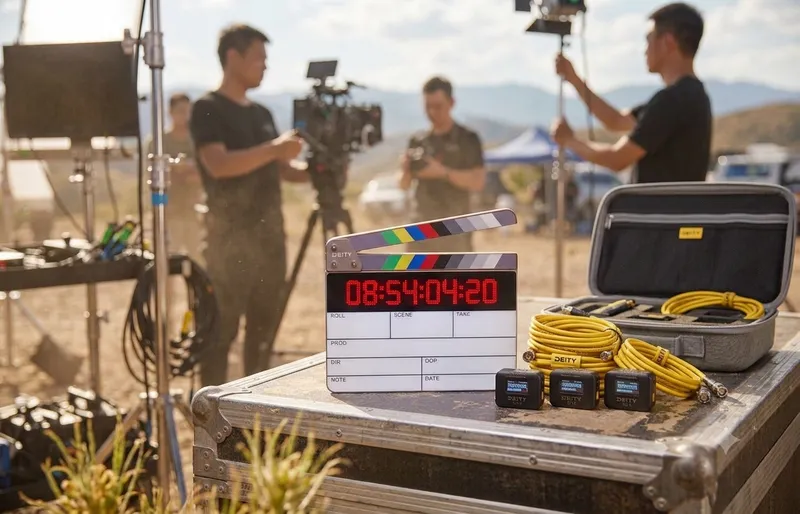
    One of the most significant ways a professional sound person streamlines your production is through the use of high-end timecode synchronization. When I am on set, my toolkit relies on the Deity SL-1 Smart Slate and Deity TC-1 Timecode Boxes.

    These tools aren't just accessories; they are the heartbeat of a synced production.

    Deity SL-1 Smart Slate: The Professional’s Reference The SL-1 is a game-changer for any production. It’s not just a clapperboard; it’s a high-precision timecode generator. With its anti-glare, dry-erase surface and a bright, dimmable LED dot-matrix display, it provides a frame-accurate reference that editors can see instantly. Because it supports all SMPTE timecode formats and communicates wirelessly via Bluetooth and 2.4 GHz, it ensures that your audio and video are locked together from the moment the clapper closes. (No Film School)

    Deity TC-1 Timecode Boxes: Seamless Connectivity The magic truly happens with the Deity TC-1. These compact powerhouses bring "Hollywood-level" sync to productions of any scale:

    • Universal Compatibility: Whether you are using a top-tier cinema camera, a professional audio recorder, or a compact mirrorless setup, the TC-1 fits right in. It connects effortlessly to mixers, recorders, and cameras via its locking 3.5mm TRS or other professional adapters, ensuring a secure, reliable connection that won't get knocked loose mid-take. (No Film School)
    • Wireless Freedom: With the Sidus Audio app, I can control up to 20 devices from up to 250 feet away. I can jam-sync every camera and audio source on set wirelessly, ensuring everyone is on the same clock. (Lens Rental)
    • Drift-Free Precision: The TC-1 features a highly accurate TXCO (Temperature Compensated Crystal Oscillator), providing less than one frame of drift over a 72-hour period. You can trust that your sync will be as tight at the end of a long day as it was at the very first take. (Deity Microphones)

    The Bottom Line

    When you hire a sound professional, you aren't just paying for labor—you're investing in peace of mind. By leveraging advanced tools like the Deity SL-1 and TC-1 ecosystem, your sound team ensures that your technical infrastructure is invisible, letting your creative vision take center stage.

    Don't let sync issues or poor audio quality be the thing that holds your next project back. Bring in a professional who understands that great film starts with great sound.

    Are you currently planning any upcoming shoots where we could integrate this timecode workflow to streamline your post-production? Contact me here. 👉 Return to RR.COM 👈

  • Posted on
    The Unsung Hero of the Gear Bag

    The Unsung Hero of the Gear Bag: Why You Need Bongo Ties

    If you work in film, photography, music, or IT, you already know the nightmare: a tangled bird's nest of extension cords, HDMI leads, and audio cables sitting at the bottom of your bag.

    While the world tries to sell us complex plastic clips and disposable zip ties, the film industry's best kept secret is beautifully simple, incredibly cheap and practically indestructible.

    Meet the Bongo Tie

    Brilliant design in its simplest form.

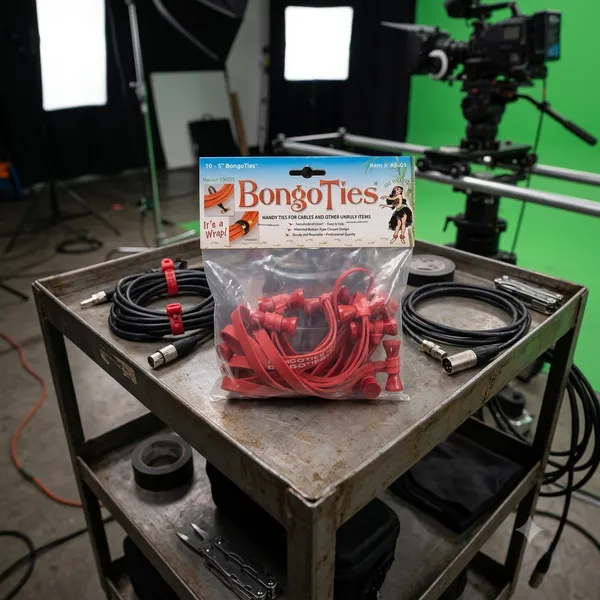
    Invented by a pro photographer who was tired of wrestling with sticky tape and flimsy hook and loop straps, a bongo tie consists of just two elements

    1. A heavy duty, highly durable, Hevea rubber band.

    2. A patented flared bamboo pin that acts as a toggle.

    There are no gears, no hooks, no plastic to snap in cold weather. You just wrap the rubber band around your cables, loop it over the bamboo flared ends, and it snaps, locked under its own tension.

    4 reasons, they beat everything else.

    • No sticky residue: Unlike gaffer tape or electrical tape, they leave zero residue on expensive cables.
    • True one-handed operation: You can easily lock or release them with one hand while holding a heavy coil of wire with the other.
    • Reusable for years: Zip ties are a single use plastic waste nightmare. Bongo ties can be used hundreds of times before the rubber finally loses its snap.
    • The flared pin advantage: because the bamboo toggle is flared on both ends, the loop can't accidentally slide off, even under heavy vibration.

    Beyond Cables: Through Creative Uses

    While they were built for cords, anyone who owns a pack quickly discovers they are the ultimate "fix-it" tool. Production crews use them to strap wireless receivers to camera rigs, musicians use them to secure loose mic stands, and campers use them to lash gear to backpacks.

    In a world full of over-engineered gadgets, the Bongo Tie is a refreshing reminder that sometimes, the simplest solution is the best one.

  • Posted on
    The Set Essential: Joe’s Sticky Stuff

    The Set Essential: When and Where to Reach for Joe’s Sticky Stuff

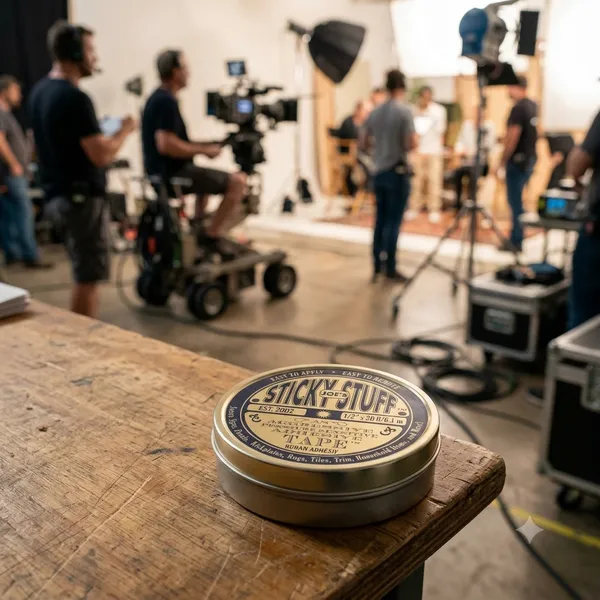
    If you’ve ever spent time on a film set, you’ve probably heard someone yell for "snot tape." More often than not, they’re looking for a roll of Joe’s Sticky Stuff.

    Invented by Hollywood prop master Joe Connolly, this aggressive, clear, double-sided pressure-sensitive adhesive has become an absolute industry standard. But because it grips like crazy yet peels away cleanly, knowing exactly when and where to deploy it can save your track, your set, or your sanity.

    When to Use It: The Ideal Scenarios Joe's Sticky Stuff is a problem-solver for temporary but heavy-duty mounting. You should reach for it when:

    • Residue is a Dealbreaker: Unlike standard carpet tape or heavy-duty gaffer tape, it leaves zero gummy residue and won't mar delicate finishes or strip the paint off a location's walls.
    • You Need Vibration Dampening: Because it’s a pliable, rubber-like butyl material, it absorbs micro-vibrations—making it a secret weapon for audio capture.
    • An Object Needs to Look "Un-Taped": Since it’s double-sided and hides completely beneath an object, it’s perfect for anything that will be seen on camera or on display.

    Where It Shines: Department by Department While the art department might run through the most rolls, this stuff is universally loved across the entire crew.

    1. In the Sound Department: Taming Lavaliers Hiding a lav mic under stiff clothing or on a tricky chest piece? A tiny piece of Joe's Sticky Stuff can lock down a capsule, stick a mic mount directly to skin or fabric, and instantly kill clothing rustle by immobilizing the fabric layers.

    2. In the Prop & Set Dec Departments: Locking It Down Whether it's keeping a picture frame perfectly level on a wall, securing a rogue rug from sliding during a high-energy stunt, or keeping props perfectly static on a shelf between takes, this tape keeps everything exactly where the continuity log says it should be.

    3. On the Camera Rig: Quick Tools Need your dry-erase markers right next to the slate? Want to temporarily mount a small wireless receiver or a reference card to a monitor cage? A little piece of Sticky Stuff gives you an instant mounting point without adding bulk.

    4. Off-Set & Around the House The utility doesn’t stop when production wraps. It's the ultimate tool for running desk cables cleanly along a wall, anchoring drawer organizers so they don't slide around, or hanging temporary seasonal decorations without putting holes in the drywall.

    Pro Tip for Clean Removal: Don't just yank the object straight off. Give it a gentle twist to break the initial seal, then slowly stretch and peel the tape away from one end. It will lift off in one clean piece.


    How does Joe's Sticky Stuff perform in extreme weather conditions like high heat or freezing cold, and how should you handle it?

    Like most pressure-sensitive adhesives, Joe’s Sticky Stuff is highly responsive to the environment. Because it is a pliable butyl-based gel, temperature shifts alter its physical properties—making it behave very differently on a freezing exterior night shoot versus a scorching blacktop in mid-July.

    Here is how it performs under extreme conditions and exactly how to handle it.

    🥶 In Freezing Cold: The "Glass" Effect When the temperature drops (especially below 40°F / 4°C), the liquid components within the adhesive begin to harden.

    • The Performance: The tape loses its "wetting ability" (its power to flow into the microscopic pores of a surface). It becomes stiff, dry, and brittle. If you try to apply it cold, it simply won't grab, or it will pop right off under the slightest weight.

    • The Fix: *Warm the tape: Keep the roll or tin of Sticky Stuff inside your inner jacket pocket close to your body heat until the moment you need it ***Prep the surface**: If you are sticking it to a cold piece of metal or plastic, quickly warm the area with a pocket heater, hair dryer, or even your hands before applying the tape. Once it bonds at a warm temperature, it handles the cold much better.

    🥵 In High Heat: The "Meltdown" Effect On the flip side, extreme heat (above 90°F / 32°C) softens the tape's internal structure.

    • *The Performance: The adhesive shifts from being firm and elastic to overly soft and gooey. While its initial tack (stickiness) will actually increase, its cohesive strength drops. Under heavy loads or vertical stress (like a heavy prop hanging on a wall in a hot warehouse), the tape can stretch out like warm taffy, causing the object to sag or fall. (Lamtek)

    • The Fix: *Keep it cool: Store your rolls in a shady spot, an air-conditioned production vehicle, or a cool gear case—never leave the tin sitting face-up on a hot gear cart in direct sunlight. Increase surface area: If you must use it in hot conditions, use a slightly larger piece than normal to distribute the weight and prevent the softened gel from shearing or slipping.

    🌡️ The Golden Rule for Storage and Application

    Acclimatize Before You Apply: For the absolute strongest bond, always apply Joe's Sticky Stuff at a comfortable room temperature (60°F to 85°F). Once the tape has had a few minutes to fully "wet out" and bond to a clean surface, it can successfully withstand significant temperature drops or shifts afterward.

    How do you clean up or remove residue from butyl adhesives like Joe's Sticky Stuff if they melt or smear?

    Because butyl is a synthetic rubber and not a traditional water-based glue, reaching for standard soap and water will only smear it around. You need a specific approach to break it down without damaging the surface underneath.

    The Best Methods for Cleanup

    1. The "Fight Fire with Fire" Method (Mechanical Removal) Before applying any liquids, use the adhesive's own cohesive nature to lift the residue.

    • Take a fresh, clean piece of Joe's Sticky Stuff (keep it cool so it’s firm).
    • Press it firmly directly onto the smeared residue, then yank it away quickly.
    • The residue will often prefer to stick to the fresh piece of tape rather than the surface, pulling it up cleanly without chemicals.

    2. Citrus-Based Cleaners (Best Overall) If the smear is too flat or thin to lift mechanically, a citrus-based adhesive remover is your absolute best option.

    • Products: Goo Gone or commercial-grade D-Limonene cleaners.
    • How it works: The natural oils in citrus break down the butyl polymer chains, turning the sticky gel into a non-tacky liquid.
    • Process: Apply a small amount to a clean microfiber cloth, let it sit on the smear for 60 seconds, and wipe it away. Wipe the area with a damp cloth afterward to remove the oily cleaner.

    3. Isopropyl Alcohol (Safe for Electronics and Sound Gear) If you are cleaning a lav mic capsule, wireless transmitter, or sensitive camera rig, avoid oily citrus cleaners.

    • Use 91% or 99% Isopropyl Alcohol (IPA).
    • Apply it to a cotton swab or microfiber cloth. It won't dissolve the butyl as quickly as citrus, but it will rapidly dry out the tackiness, allowing you to roll the residue off into small balls with your finger or a cloth.

    🚫 What to Avoid

    • WD-40: While it will dissolve butyl rubber, it leaves behind a heavy petroleum film that is incredibly difficult to completely clean off, which might ruin the surface for future tape applications.
    • Acetone or Nail Polish Remover: Do not use this on plastics, painted surfaces, or gear chassis. Acetone will easily melt plastic housing, strip paint, and ruin delicate finishes.
    • Tissues or Paper Towels: Never rub a wet smear with cheap paper towels or tissues. The loose fibers will instantly bond to the butyl, creating a fuzzy, cemented mess that is twice as hard to clean. Stick to microfiber cloths or specialized non-woven wipes.
    • ALWAYS TEST ANY SOLVENTS OR CHEMICALS IN AN INCONSPICUOUS LOCATION!

    Sound & Camera Crew Tip: If you're working with delicate lavalier mic cables or clothing fabrics, always test a tiny drop of your cleaner on an inconspicuous spot first to ensure it won't discolor the material or degrade the rubber coating of the wire.

    Life is better when we all stick together!

  • Posted on
    Is the Zoom F8n Pro Still the Value Heavyweight?

    Virtues, Vices, and 32-Bit Float: Is the Zoom F8n Pro Still the Value Heavyweight?

    Introduction

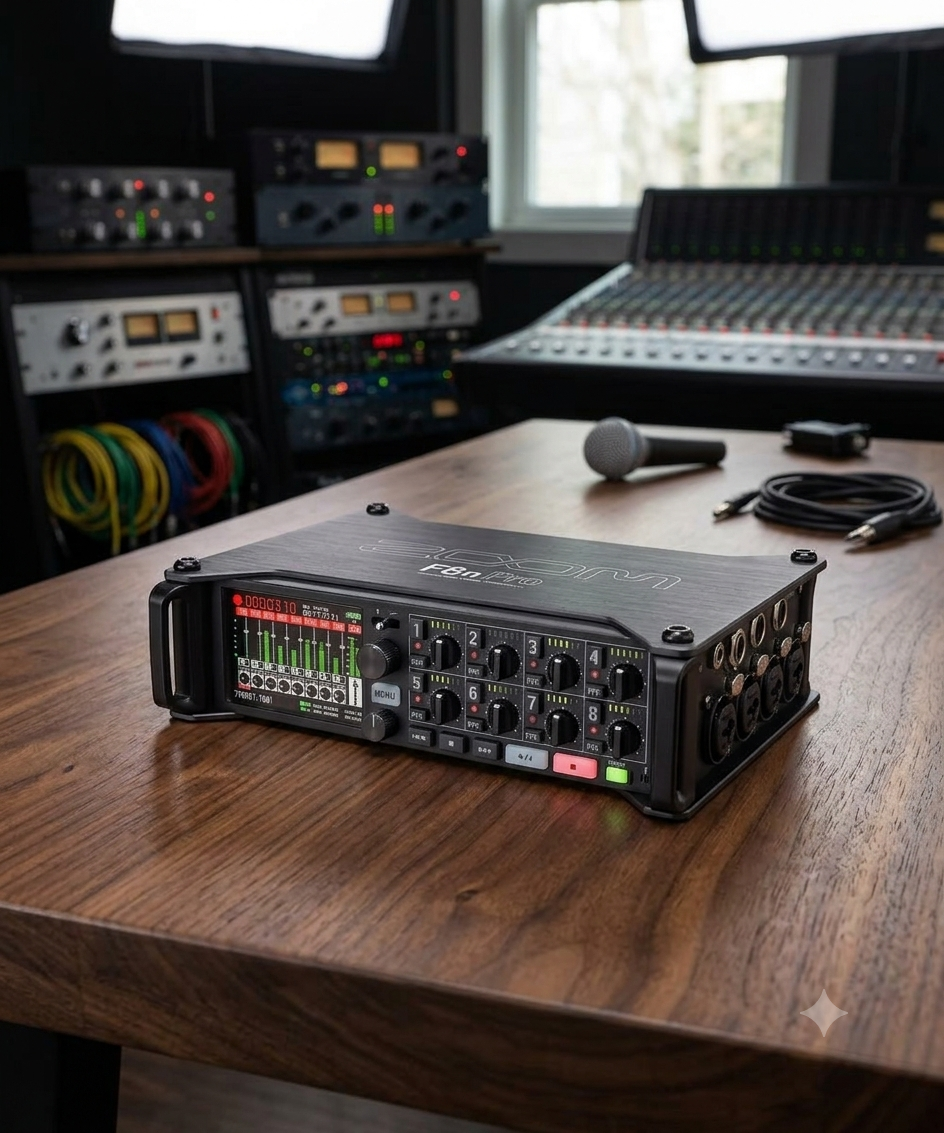
    For years, the location sound industry was divided into two distinct tiers: ultra-affordable, prosumer handy recorders and multi-thousand-dollar elite field mixers. When Zoom launched the F-series, they intentionally broke that barrier. The Zoom F8n Pro represents the peak of this evolution.

    By marrying high-channel capacity with dual A/D converters and 32-bit float recording, the F8n Pro promises bulletproof audio that cannot clip. But is it a true replacement for a high-end production bag, or are there hidden workflow compromises? Let’s break down the virtues and drawbacks of this field recording powerhouse. (B&H)

    The Virtues (The Pros)

    1. 32-Bit Float: Bulletproof Dynamic Range The headline feature of the "Pro" moniker is the dual analog-to-digital (A/D) converters paired with 32-bit float recording.

    • What it means: You essentially no longer have to set input gain to prevent digital clipping.
    • The Reality: If a scene transitions from a quiet whisper to a sudden explosion, the F8n Pro captures the entire waveform without distortion. Even if the file looks clipped in your DAW, pulling down the gain slider recovers the audio perfectly. For solo shooters or fast-moving indie sets, this is an absolute lifesaver. (Sweetwater)

    2. Form Factor and Build Quality

    Unlike the smaller MixPre series, which often places crucial knobs on the side, the F8n Pro is built strictly for a sound bag configuration.

    • All 8 locking Neutrik XLR/TRS combo jacks are cleanly split on the sides (Channels 1–4 on the left, 5–8 on the right).
    • The front panel remains clear for channel knobs, LED meters, and the crisp, highly visible color display.
    • The aluminum chassis feels rugged enough to take "into battle" on demanding field shoots.

    3. Comprehensive Timecode

    Timecode is the barrier to entry for professional film sets, and Zoom nailed it here. The F8n Pro utilizes a temperature-compensated crystal oscillator (TCXO) that generates timecode accurate to 0.2 ppm. Crucially, it holds its clock for up to two hours after being powered down—meaning you can swap batteries at lunch without losing sync with your cameras. (Wav.Report)

    4. Advanced Software Tools: AutoMix and Ambisonics

    The inclusion of an AutoMix algorithm automatically adjusts the gain of active vs. inactive microphones. This is a massive time-saver for multi-person podcasts or panel discussions, significantly reducing background spill and room tone phase issues in real time. For VR and spatial audio designers, it also handles internal Ambisonic decoding seamlessly. (AudioTechnology)

    The Drawbacks (The Cons)

    1. Ergonomics: Tiny Knobs for Big Hands While the layout is structurally great for a bag, the physical control knobs are undeniably minuscule.

    • Adjusting individual channel levels or riding faders on a fast-paced set can feel incredibly fiddly, especially if you are wearing gloves.
    • The Fix: To get true physical mixing capabilities, you almost have to buy the external Zoom F-Control (FRC-8) mixing desk, adding bulk and cost to your setup.

    2. Comms, Routing, and Output Ecosystem This is where the line between "indie tool" and "Hollywood standard" becomes clear.

    • Outputs: The F8n Pro uses a mix of TA3 connectors for its main outputs and a single 3.5mm jack for its sub-outputs. For complex sets requiring multiple distinct monitoring feeds (e.g., separate mixes for the Director, Script Supervisor, and Boom Operator), the routing matrix can quickly become limiting.

    • Comms: Setting up internal communication or a dedicated talkback/private line loop to your boom op through the F8n Pro requires complex workarounds compared to higher-end sound mixers.

    3. The Digital Signal Path Catch-22 Because the unit relies on digital processing for its high-pass filters and limiters, your analog microphone signal is converted to digital before these filters are applied. While the 32-bit float system mitigates clipping issues, purists note that you lack the warm, analog limiter stage found in premium competitors. (Reddit)

    4. Bizarre Input Layout A minor but persistent annoyance for veteran audio engineers is Zoom’s layout sequence. When looking at the left panel, the inputs read from right to left rather than left to right. It breaks decades of muscle memory and can lead to minor confusion when patching cables in a dark bag.

    Power Infrastructure and Rigging: The Three-Way Lifeline In location sound, power failure is the ultimate sin. Zoom engineered the F8n Pro with an exceptionally flexible power infrastructure, borrowing a page directly from high-end sound carts. It utilizes a tri-tier power management system that allows seamless fallovers.

    enter image description here

    1. The Pro Standard: Hirose 4-Pin DC Input For serious bag setups, the inclusion of a dedicated HIROSE HR10A-7R-4S 4-pin connector is a major selling point. (ZOOM)

    • The Specs: It accepts a wide input voltage range of 9V to 18V DC.
    • The Workflow: This allows you to integrate the F8n Pro directly into a professional distribution system (like an eSMART, Remote Audio BDS, or an NP-1/smart battery system).
    • The Smart Failover: The recorder features an internal, software-controlled voltage threshold setup. If your external smart battery runs dry, the F8n Pro automatically and silently drops back onto its internal power array without dropping a single sample of audio.

    2 The Internal Array: 8x AA Batteries When you don't want to rig up an external power distribution system, or if you need an absolute fail-safe backup, the bottom of the chassis features a slide-out sled accommodating 8 AA batteries.

    • Crucial Tip: You must manually select your battery chemistry in the system menu (Alkaline, NiMH, or Lithium) so the unit can accurately calculate the remaining voltage curve and warn you before shutting down.

    3. AC Power For desktop use, podcast studios, or cart setups near mains power, it ships with the Zoom AD-19 (12V DC, 2A) barrel plug adapter.

    Real-World Power Draw & Battery Life Benchmarks The F8n Pro has a maximum total power consumption rating of 15W. However, its actual battery performance scales drastically depending on how hard you push the digital signal processing, how many preamps are active, and whether you are forcing the unit to supply 48V phantom power. (Markertek)

    Here is what you can realistically expect from a fresh set of 8 AA batteries:

    Setup / Rigging Scenario Alkaline AAs NiMH AAs (2500 mAh) Lithium AAs
    Light Load ~6 to 7 hours ~8 to 8.5 hours ~12 to 13.5 hours
    (2 Channels, 48kHz, Phantom OFF, Timecode OFF, Screen Low)
    Standard Film Set Load ~4.5 to 5 hours ~6 to 7 hours ~9.5 to 10 hours
    (8 Channels, 48kHz, Phantom OFF, Screen Medium)
    Maximized Field Load ~30 mins ~1 to 1.5 hours ~2 to 2.5 hours|~9.5 to 10 hours
    (8 Channels, 144kHz/192kHz, All Phantom 48V ON, Timecode Free Run, Screen Bright)

    ⚠️ Pro-Tip for the Field Running 8 channels with continuous 48V phantom power at 192kHz sample rates will chew through standard Alkaline AA batteries in roughly 30 minutes. If you are tracking a heavy musical ensemble or a complex ambient soundscape in high resolution, avoid AAs entirely and run a high-capacity LiFePO4 or Lithium-ion pack via the Hirose input. A standard 48Wh external battery pack can easily push the F8n Pro past 12 to 14 hours of continuous multi-channel runtime.

    Feature Comparison Table

    Feature Zoom F8n Pro Standard Pro Competition (e.g., Sound Devices 8-Series)
    Price Point ~$700 - $1,000 $4,000+
    Resolution Up to 32-bit Float / 192 kHz Up to 32-bit Float / 192 kHz
    Preamps Clean, low-noise (+75dB max gain) Ultra-premium, discrete analog topologies
    Routing Flexibility Moderate (Main TA3 + Sub 3.5mm) Complex (Multiple independent buses/XLR/TA3)
    Comms / Talkback Limited / Basic Slate Mic Limited / Basic Slate Mic

    App Control & Metadata: Solving the Ergonomic Problem?

    While the F8n Pro’s miniature physical knobs can be a bottleneck on set, Zoom offers a remarkably seamless software solution to bypass them entirely: the F8 Control App (available for iOS and Android). (Google Play) By connecting to the recorder via built-in Bluetooth LE, your smartphone or tablet essentially transforms into a high-resolution, large-scale wireless monitoring control surface.

    1. Remote Mixing and Level Monitoring Instead of fumbling with the tiny dial layout on the front panel, the app gives you a highly responsive, multi-touch mixer screen. You can effortlessly adjust trim levels, pan settings, and track faders on the fly. (Apple App Store)

    • The Workflow Advantage: This means you can keep the F8n Pro securely zipped up inside a protective weather-proof sound bag while managing your entire mix comfortably from a phone clipped to your harness or a tablet mounted on a stand.

    2. High-Speed iXML Metadata Entry Entering metadata via a push-and-turn encoder knob on a tiny recorder screen is a notorious form of cognitive torture on set. The F8 Control App fixes this by unlocking your mobile device's native touch keyboard.

    • You can instantly type out complex scene numbers, track names, notes, and circle takes into the broadcast-standard iXML metadata architecture.

    • Having clean, accurately labeled audio files that mirror the camera’s slate format saves your editor hours of tracking in post-production. The app also lets you sync the recorder’s internal date and time clock directly to your device with a single tap.

    Conclusion: The Final Verdict

    The Zoom F8n Pro is an undisputed value champion. If you are an indie filmmaker, documentarian, corporate video producer, or immersive sound designer, this machine offers roughly 90% of the field performance of an elite-tier recorder at a fraction of the cost. The dual-converter 32-bit float safety net alone makes it a bulletproof investment for fast-moving crews.

    However, if your daily workload consists of high-track-count narrative television, complex commercial sets requiring heavy real-time comms routing, or extensive camera hops, the hardware’s physical scaling limits will eventually push you toward a premium upgrade. But until you reach that high-budget threshold, the F8n Pro remains the ultimate power-to-price heavy lifter in location audio.

    For a visual walkthrough on utilizing these tools in a production environment, you can check out this guide on Working On a Film or Theatre Set with the Zoom F8n Pro Control App, which demonstrates how utilizing a tablet interface speeds up workflow when the hardware is tucked away inside an audio bag.

  • Posted on
    Pro Audio on an Indie Budget

    Pro Audio on an Indie Budget: How to Rig the Tascam DR-70D and Deity TC-1 for Perfect DSLR Sync

    We’ve all been there. You’re shooting on a crisp mirrorless or DSLR camera, the image looks beautiful, but your audio workflow is a total mess. You want the pristine quality of external XLR microphones, but manually lining up clapperboards or relying on “sync by waveform” features in post-production can slow your editing workflow to a crawl.

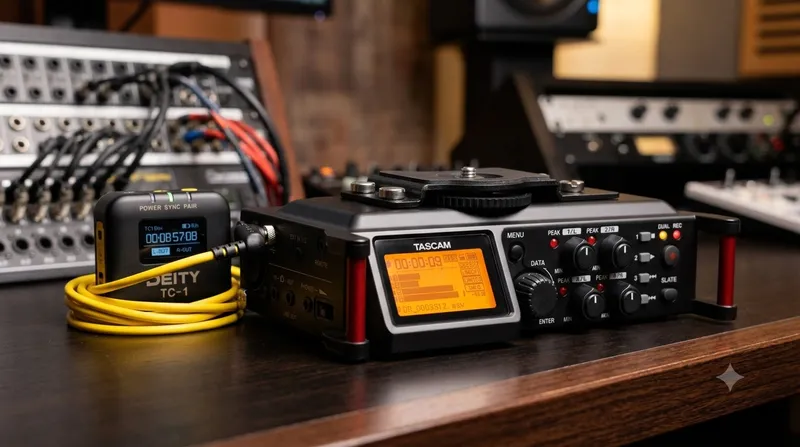
    If you don’t have thousands to drop on a high-end cinema camera with built-in timecode metadata inputs, don't worry. By combining two affordable workhorses—the Tascam DR-70D and the Deity TC-1—you can build a professional, frame-accurate timecode and multi-channel audio ecosystem for a fraction of the cost.

    Here is how to set up this ultimate budget-friendly filmmaking rig.

    Why This Combo is a Game Changer

    The Audio Muscle: Tascam DR-70D The Tascam DR-70D is a legendary, form-fitting 4-channel field recorder designed specifically to bolt right underneath or on top of your DSLR. (Tascam)

    • Four XLR/TRS Combo Jacks: True professional connectivity for shotgun mics and lavaliers.
    • Great Preamps: HDDA (High Definition Discrete Architecture) preamps give you clean gain with low hiss.
    • Form Factor: It acts as a bridge between your camera and your tripod, keeping your rig tight and portable.

    The Sync Master: Deity TC-1 The Deity TC-1 is a tiny, incredibly smart wireless timecode generator.

    • Audio Timecode (LTC): Because DSLRs and the DR-70D don’t have dedicated BNC timecode ports, the TC-1 converts timecode into an audio signal (Linear Timecode).

    • Zero Drift: It boasts an accuracy that ensures less than 1 frame of drift over a 72-hour period. (Deity Microphones)

    • Sidus Audio App: You can control, sync, and monitor multiple TC-1 boxes right from your phone via Bluetooth. (Newsshooter)

    Step-by-Step Setup Guide

    Because we are working with consumer/prosumer gear, we will be recording Audio Timecode (LTC). This means the timecode will sound like a digital screech on one of your audio tracks, which your editing software will seamlessly translate into perfect visual timestamps later.

    Step 1: Set Up Your Frame Rates Before turning anything on, make sure your camera, your Tascam recorder, and your Deity TC-1 are all set to the exact same frame rate (e.g., 23.976 fps, 24 fps, or 29.97 fps).

    Step 2: Configure the Deity TC-1

    1. Turn on the** TC-1 and open the Sidus Audio App on your phone to sync the time of day.

    2. In the TC-1 menu, navigate to OUT TYPE and select A-OUT (Audio Out / Mic Level). This ensures the signal isn’t too hot for the Tascam's mic inputs.

    3. In the TC-1 menu, navigate to OUT TYPE and select A-OUT (Audio Out / Mic Level). This ensures the signal isn’t too hot for the Tascam's mic inputs.

    Step 3: Connect to the Tascam DR-70D

    1. Mount the DR-70D to your camera and pop the Deity TC-1 into the camera's hot shoe (or hook-and-loop it to the side of the Tascam).

    2. Using the included 3.5mm locking TRS cable, plug the TC-1 into the EXT IN 1/2 jack (or use a 3.5mm-to-XLR adapter into Input 1) on the Tascam DR-70D.

    3. On the Tascam, set that specific channel’s input level to MIC (make sure phantom power is turned off for that channel).

    Step 4: Plug in Your Production Mics

    Plug your actual boom or wireless lavalier microphones into the remaining XLR channels (e.g., Channels 2, 3, or 4). Adjust your gains normally. Channel 1 will strictly be dedicated to recording that digital timecode screech.

    Pro Tip: If you want timecode on your camera's internal scratch audio as well, you can run a 3.5mm splitter from the TC-1, or buy a second affordable TC-1 box to plug directly into your camera’s 3.5mm microphone input.

    Pro Tip: In the Monitor section on the Tascam, disable the channel that is recording Timecode.

    How to Sync It in Post-Production When you wrap your shoot and dump your footage, you’ll have video files from your DSLR and separate multi-track audio files from your Tascam.

    1. Import your footage and audio into your NLE of choice (DaVinci Resolve, Premiere Pro, or Final Cut Pro).

    2. Select your files, right-click, and look for "Read Timecode from Audio Track" or "Update Timecode from Audio LTC."

    3. On the Tascam, set that specific channel’s input level to MIC (make sure phantom power is turned off for that channel).

    4. Click "Sync Clips," and like magic, your external Tascam multi-track audio will perfectly snap into alignment with your DSLR video files.

    The Verdict

    You don’t need an expensive RED, ARRI, or Sony FX6 to experience the speed and efficiency of a professional timecode workflow. For a couple hundred bucks, adding a Deity TC-1 to a Tascam DR-70D completely bridges the gap between indie DSLR shooting and high-end Hollywood workflows. You get the pristine, multi-channel audio control of a dedicated field recorder, combined with the one-click syncing luxury of expensive cinema packages.

    What does your current audio setup look like, and how much time are you spending syncing clips manually in post?